Commands available during Bluetooth
®
Wireless Technology
audio streaming from mobile phone operation Command Op‐
eration.
Command Function
Play Plays the currently paused song.
Command Function
Pause Pauses the current song.
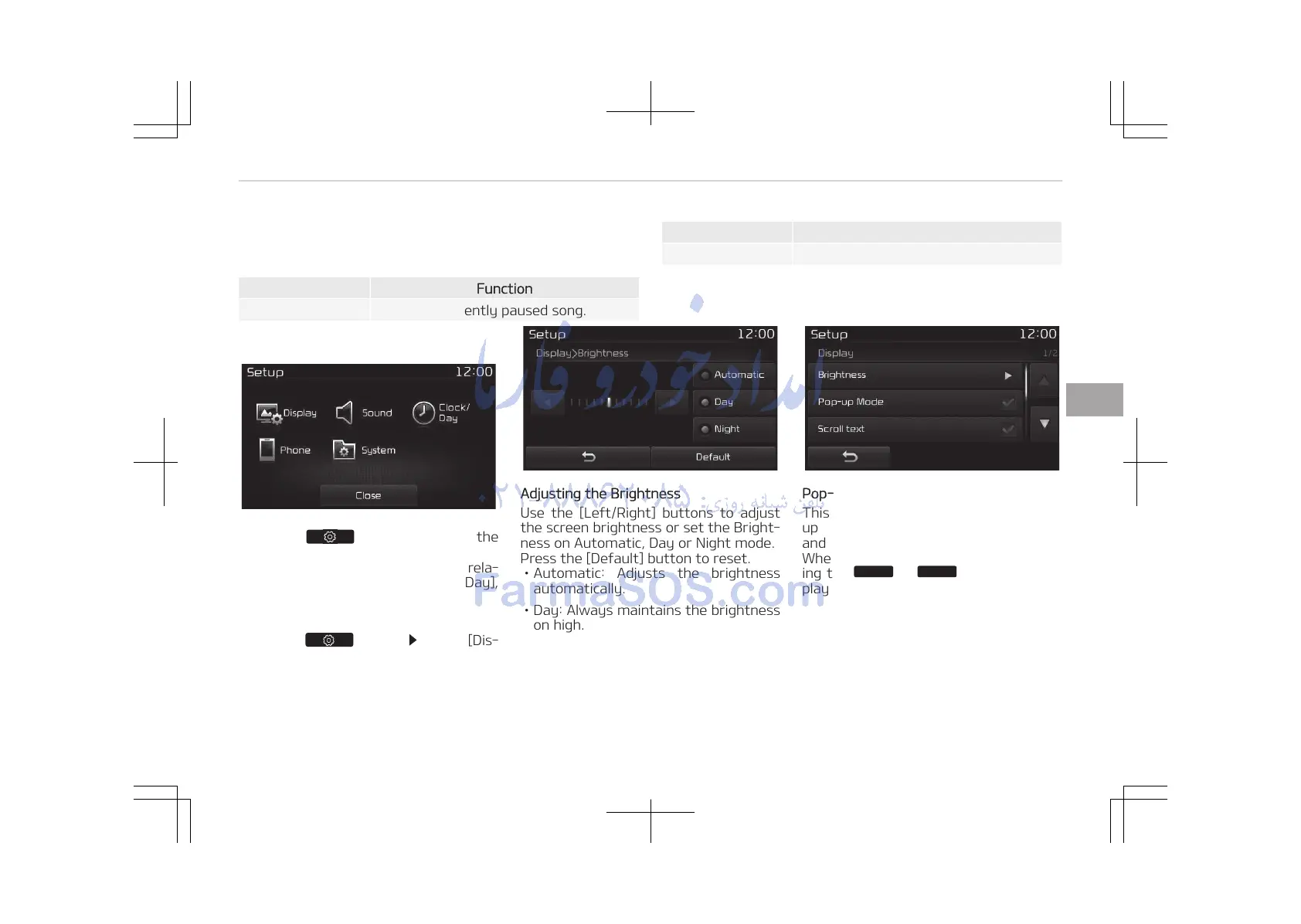
Setup Mode (Type B-1)
Press the button to display the
Setup screen.
You can select and control options rela‐
ted to [Display], [Sound], [Clock/ Day],
[Phone] and [System].
With the Display Button
Press the button Select [Dis‐
play]
You can select and control options rela‐
ted to [Brightness], [Pop-up Mode],
[Scroll text] and [Song Info].
Adjusting the Brightness
Use the [Left/Right] buttons to adjust
the screen brightness or set the Bright‐
ness on Automatic, Day or Night mode.
Press the [Default] button to reset.
• Automatic: Adjusts the brightness
automatically.
• Day: Always maintains the brightness
on high.
• Night: Always maintains the bright‐
ness on low.
Pop-up Mode
This feature is used to display the Pop-
up Mode screen when entering radio
and media modes.
When this feature is turned on, press‐
ing the















 To Next Page