- Press the button: Previews
each broadcast for 5 seconds
each.
•
CD, USB, My Music
*
mode
- Press the button: Previews
each song (file) for 10 seconds
each.
- Press the button again to con‐
tinue listening to the current
song (file).
10.
• Shortly press the button: Moves
to the Display, Sound, Clock,
Phone, System setting modes.
• Press and hold the button: Move
to the Time setting screen.
11.
• Displays menus for the current
mode.
•
iPod
®
List: Move to parent cate‐
gory.
12.
• MP3 CD / USB mode: Folder
Search.
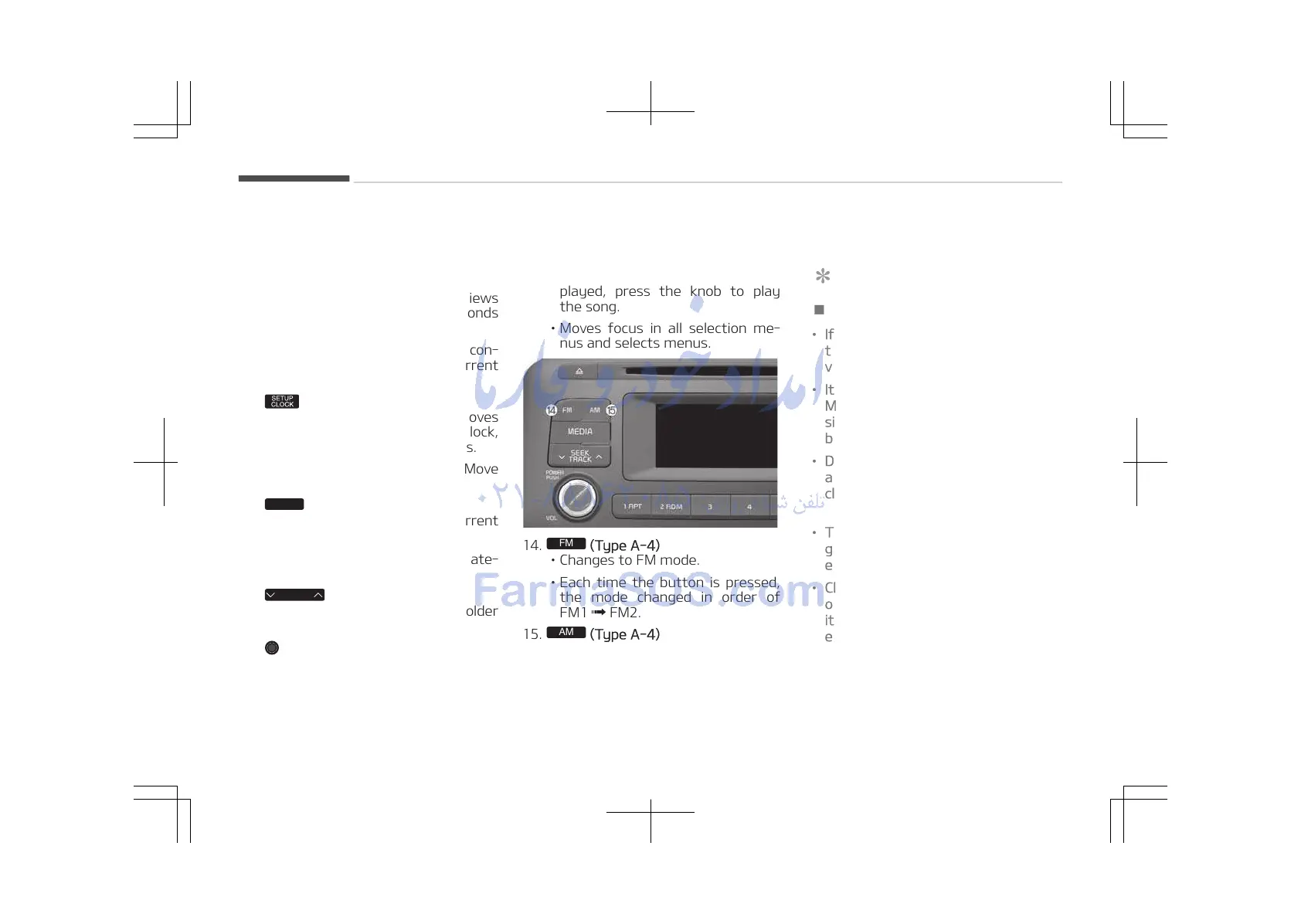
13. TUNE knob
• Radio mode: Changes frequency
by turning the knob left/right.
*
if equipped
•
CD, USB, iPod
®
, My Music
*
mode:
Searches songs (files) by turning
the knob left/right.
When the desired song is dis‐
played, press the knob to play
the song.
• Moves focus in all selection me‐
nus and selects menus.
14.
(Type A-4)
• Changes to FM mode.
• Each time the button is pressed,
the mode changed in order of
FM1 FM2.
15.
(Type A-4)
• Changes to AM mode.
*
if equipped
Before using the audio system
NOTICE
n
Using the Discs
• If the temperature inside the car is
too high, open the car windows to
ventilate before using the system.
• It is illegal to copy and use
MP3/WMA files without permis‐
sion. Use CDs that are created only
by lawful means.
• Do not apply volatile agents, such
as benzene and thinner, normal
cleaners and magnetic sprays
made for analogue disc onto CDs.
• To prevent the disc surface from
getting damaged, hold CDs by the
edges or the center hole only.
• Clean the disc surface with a piece
of soft cloth before playback (wipe
it from the center to the outside
edge).
(Continued)
Audio system
5-12















 To Next Page