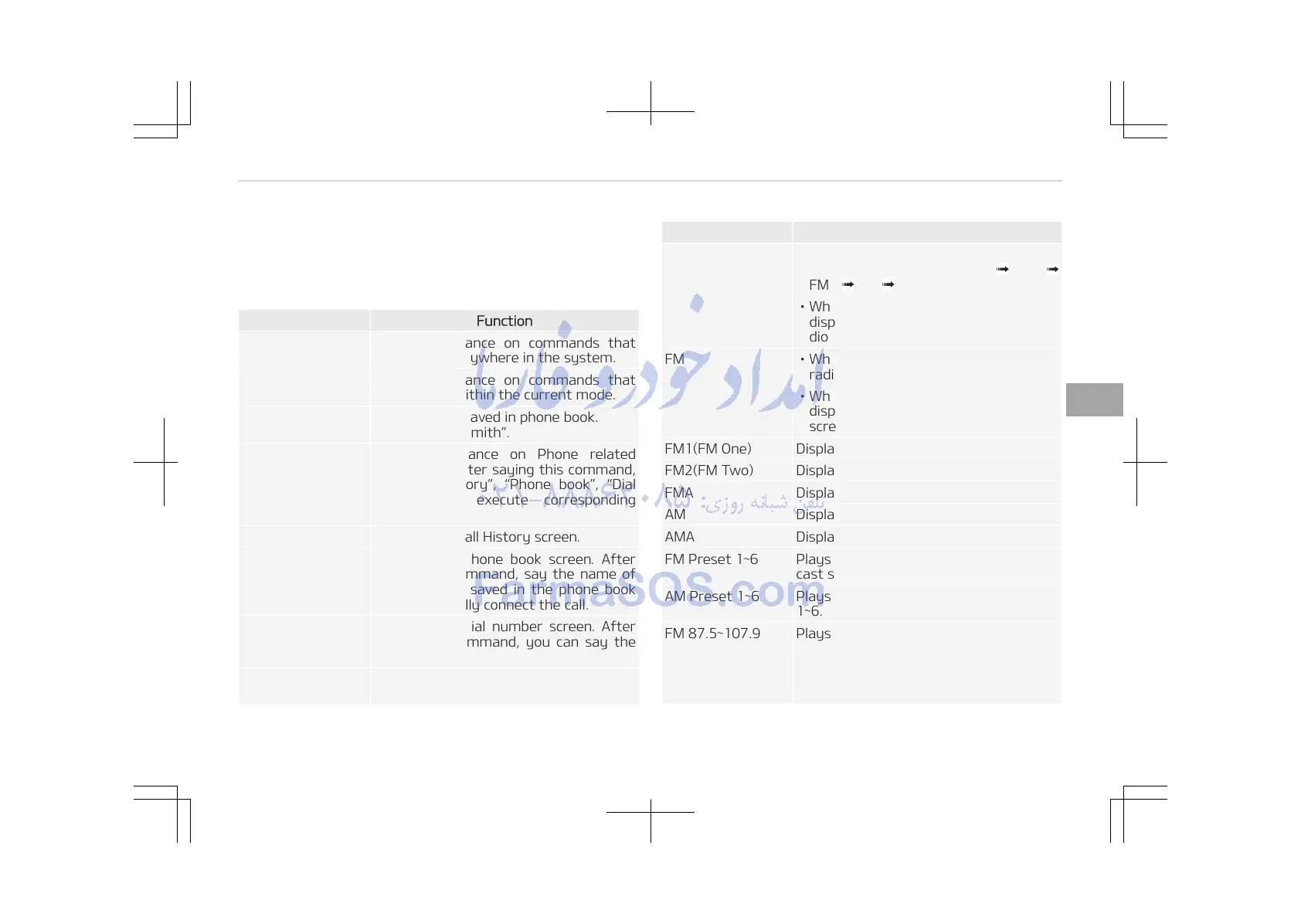
Voice Command List
Common Commands
These commands can be used in most operations.
(However a few commands may not be available during cer‐
tain operations)
Command Function
More Help Provides guidance on commands that
can be used anywhere in the system.
Help Provides guidance on commands that
can be used within the current mode.
Call<Name> Calls <Name> saved in phone book.
Ex) Call John Smith.
Phone Provides guidance on Phone related
commands. After saying this command,
say Call History, Phone book, Dial
Number to execute corresponding
functions.
Call History Displays the Call History screen.
Phone book Displays the phone book screen. After
saying this command, say the name of
a phone book saved in the phone book
to automatically connect the call.
Dial Number Displays the Dial number screen. After
saying this command, you can say the
number that you want to call.
Redial Connects the most recently called num‐
ber.
Command Function
Radio • When listening to the radio, displays
the next radio screen. (FM1 FM2
FMA AM AMA)
• When listening to a different mode,
displays the most recently played ra‐
dio screen.
FM • When currently listening to the FM
radio, maintains the current state.
• When listening to a different mode,
displays the most recently played FM
screen.
FM1(FM One) Displays the FM1 screen.
FM2(FM Two) Displays the FM2 screen.
FMA Displays the FMA screen.
AM Displays the AM screen.
AMA Displays the AMA screen.
FM Preset 1~6 Plays the most recently played broad‐
cast saved in FM Preset 1~6.
AM Preset 1~6 Plays the broadcast saved in AM Preset
1~6.
FM 87.5~107.9 Plays the FM broadcast of the corre‐
sponding frequency.
❈ Range can be different by applica‐
tion frequency of corresponding
country.
5-33
5
Audio system















 To Next Page