(Continued)
- When the wind of the cooling /
heating device is strong
- When entering and passing
through tunnels
- When driving on rugged and un‐
even roads.
- During severe rain (heavy rains,
windstorms)
• Phone related voice commands
can be used only when a Blue‐
tooth
®
Wireless Technology device
is connected.
• When making calls by stating a
name, the corresponding contact
must be downloaded and stored
within the audio system.
•
After downloading the Bluetooth
®
Wireless Technology phone book, it
takes some times to convert the
phone book data into voice infor‐
mation. During this time, voice rec‐
ognition may not properly oper‐
ate.
(Continued)
(Continued)
• Pronounce the voice commands
naturally and clearly as if in a nor‐
mal conversation.
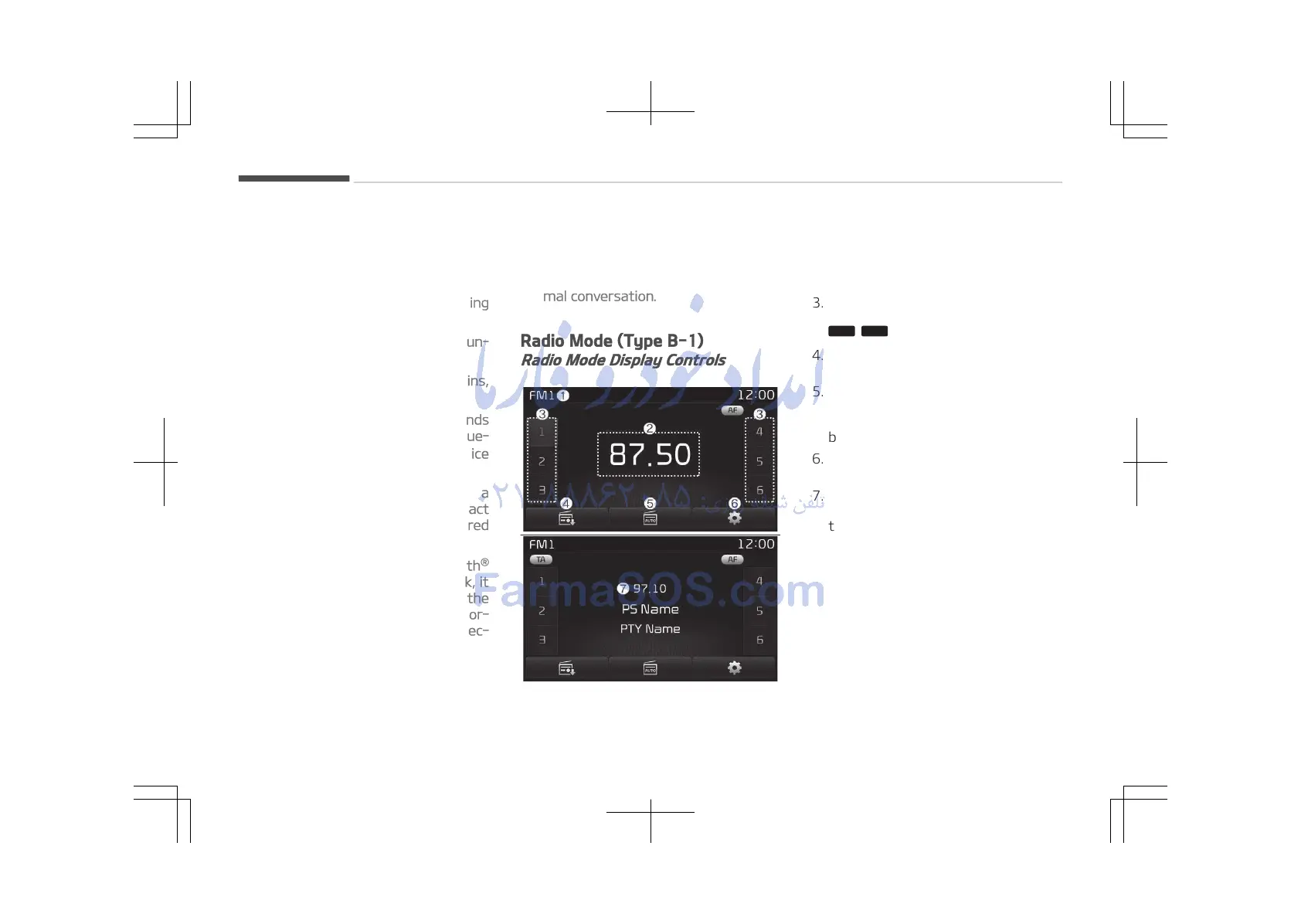
Radio Mode (Type B-1)
Radio Mode Display Controls
1. Mode Display
Displays currently operating mode.
2. Frequency
Displays the current frequency.
3. Preset
Displays current preset number















 To Next Page