To operate the LDWS, press the switch
with the ignition in the ON position. The
indicator illuminates on the cluster. To
cancel the LDWS, press LDWS button
again. The indicator on the cluster will
go off.
If you select this symbol, the LDWS
mode on the LCD display will appear.
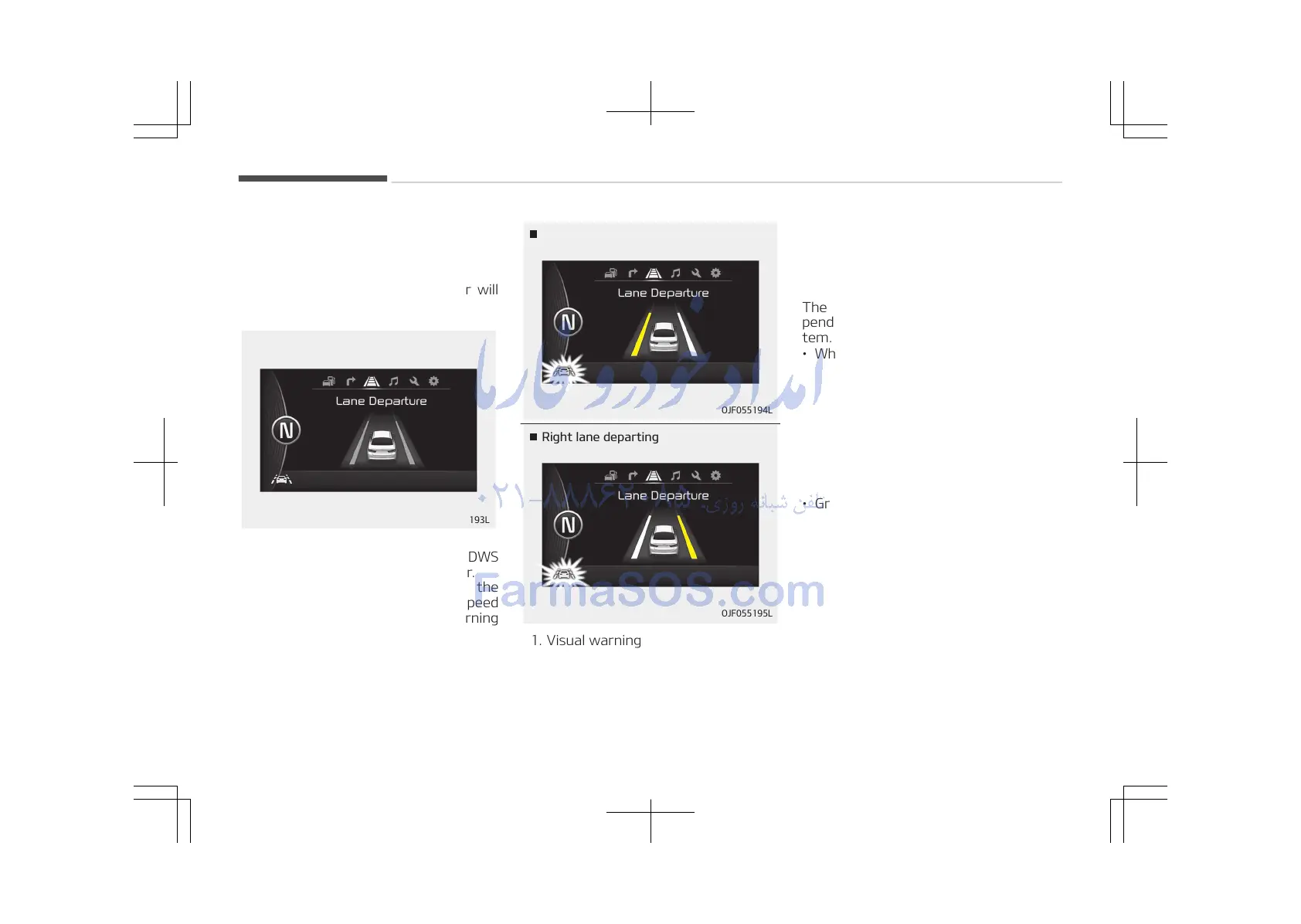
If your vehicle leaves the lane when the
LDWS is operating and vehicle speed
exceeds around 60 km/h, the warning
operates as follows:
OJF055194L
Left lane departing
Right lane departing
OJF055195L
1. Visual warning
If you leave a lane, the lane you
cross will blink (yellow) and LDWS
indicator will blink green on LCD
during max 3 seconds.
2. Auditory warning
If you leave the lane, the warning
sound operates for maximum 3
seconds.
The color of symbol will change de‐
pending on the condition of LDWS sys‐
tem.
• White color: When you activate
the lane departure
warning system by
pressing the LDWS
button, system oper‐
ating conditions are
not satisfied or the
sensor does not de‐
tect the lane line.
• Green color: When you activate
the lane departure
warning system by
pressing the LDWS
button, system oper‐
ating conditions are
satisfied and the
sensor detect the
lane line.
• Yellow color: When there is a mal‐
function with the
lane departure warn‐
ing system.
Driving your vehicle
6-104















 To Next Page