button Select [AUX]
An external device can be connected to
play music.
Connecting an External Device
External audio players (Camcorders, car
VCR, etc.) can be played through a
dedicated cable.
If an external device connector is con‐
nected with the AUX terminal, then
AUX mode will automatically operate.
Once the connector is disconnected, the
previous mode will be restored.
AUX mode can be used only when an
external audio player (camcorder, car
VCR, etc.) has been connected.
The AUX volume can be controlled sep‐
arately from other audio modes.
Connecting a connector jack to the AUX
terminal without an external device will
convert the system to AUX mode, but
only output noise. When an external
device is not being used, also remove
the connector jack.
When the external device power is con‐
nected to the power jack, playing the
external device may output noise. In
such cases, disconnect the power con‐
nection before use.
Fully insert the AUX cable to the AUX
jack upon use.
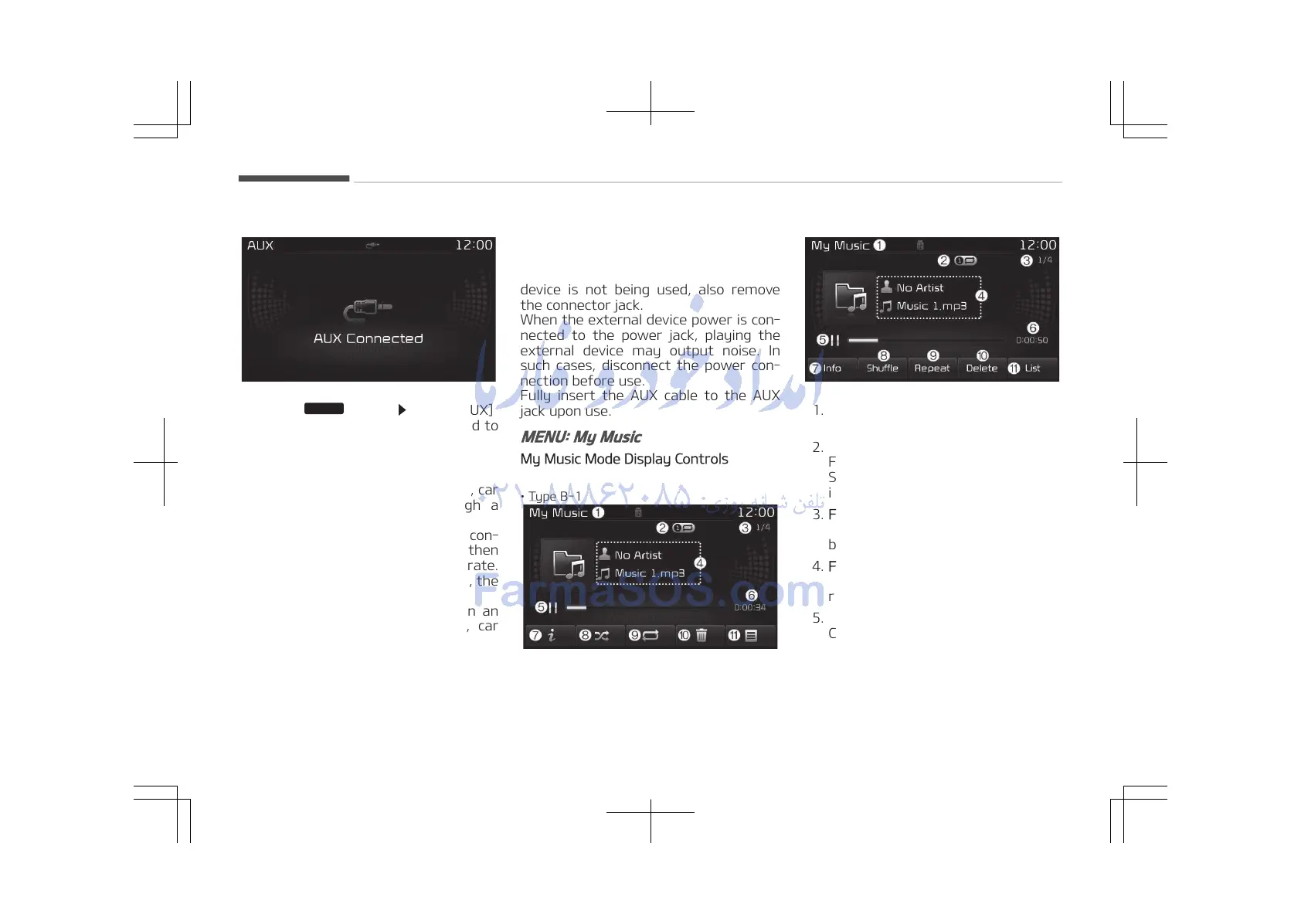
MENU: My Music
My Music Mode Display Controls
• Type B-1
• Type B-2
1. Mode
Displays currently operating mode.
2. Operation State
From Repeat/Random (Shuffle)/
Scan, displays the currently operat‐
ing function.
3. File Index
Displays the current file/total num‐
ber of files.
4. File Info
Displays information about the cur‐
rent file.
5. Play/Pause
Changes the play/pause state.
6. Play Time
Displays the current play time.
Audio system
5-80















 To Next Page