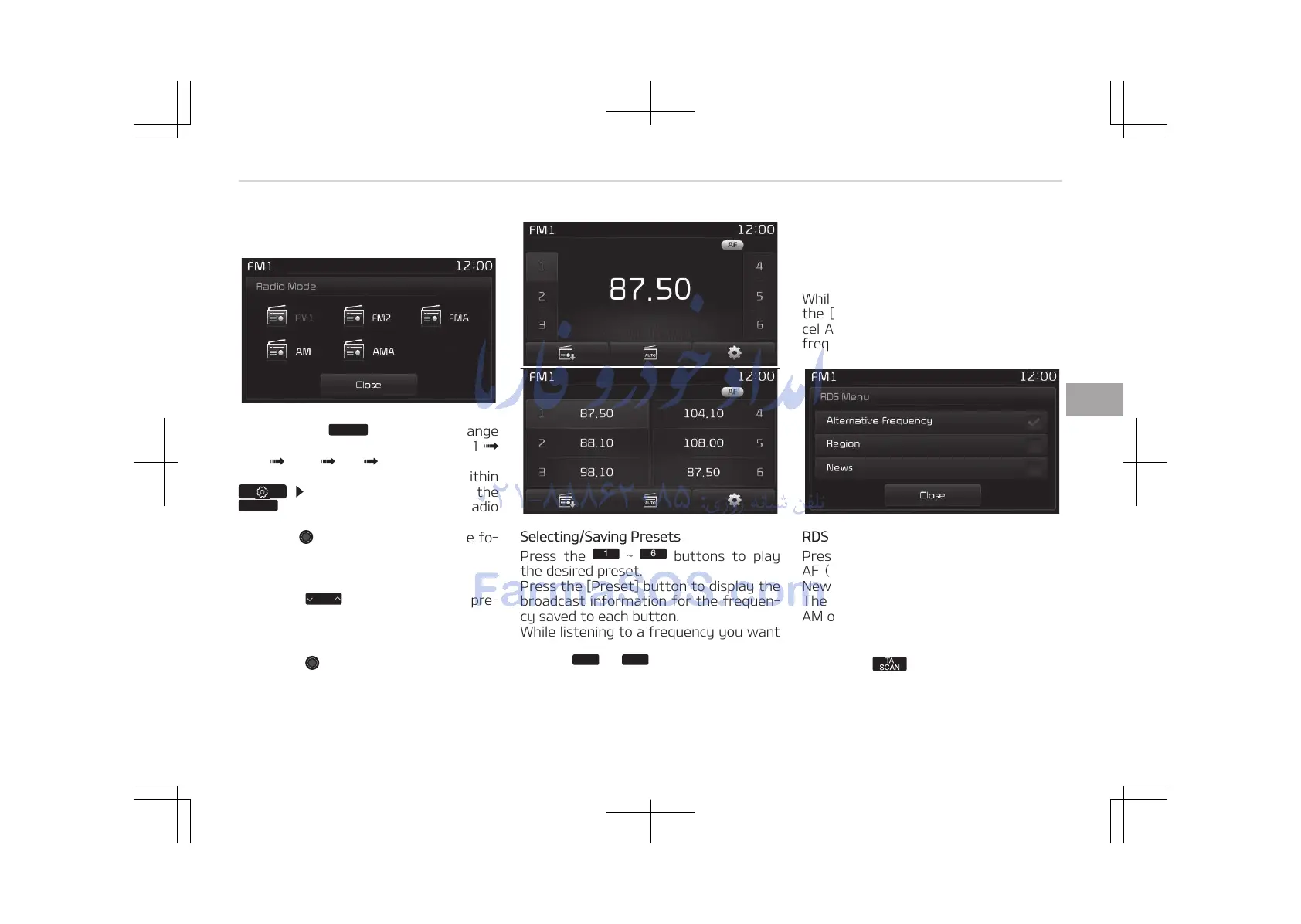
button will change
the operating mode in order of FM1
FM2 FMA AM AMA.
If [Pop-up Mode] is turned on within
[Display], then pressing the
button will display the Radio
Pop-up Mode screen.
Turn the TUNE knob to move the fo‐
cus. Press the knob to select.
SEEK
Press the
buttons to play
the desired preset.
Press the [Preset] button to display the
broadcast information for the frequen‐
cy saved to each button.
While listening to a frequency you want
to save as a preset, press and hold one
of the
preset buttons to
save the current frequency to the se‐
lected preset.
Auto Store
Press the [Auto store] button to auto‐
matically save receivable frequencies to
Preset buttons.
While Auto Store is operating, pressing
the [Auto store] button again will can‐
cel Auto Store and restore the previous
frequency.
RDS Menu
Press the [RDS Menu] button to set the
AF (Alternative Frequency), Region and
News features.
The RDS Menu is not supported within
AM or AMA mode.
Scan
Press the
button: Previews each
broadcast for 5 seconds each
Once scan is complete, the previous
frequency will be restored.
5-69
5
Audio system















 To Next Page