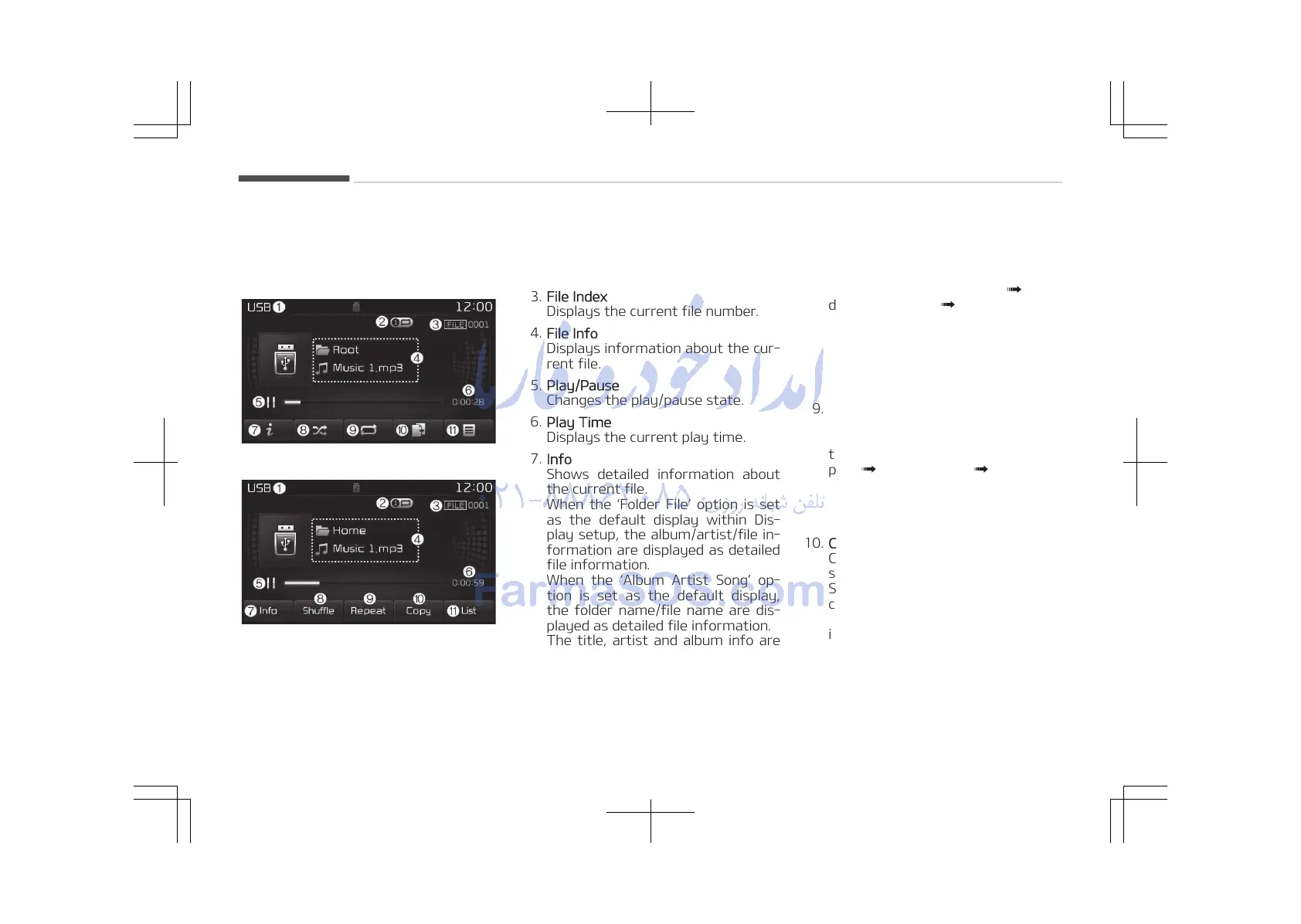
MENU: USB
USB Mode Display Controls
• Type B-1
• Type B-2
1. Mode
Displays currently operating mode.
2. Operation State
From Repeat/Random (Shuffle)/
Scan, displays the currently operat‐
ing function.
3. File Index
Displays the current file number.
4. File Info
Displays information about the cur‐
rent file.
5. Play/Pause
Changes the play/pause state.
6. Play Time
Displays the current play time.
7. Info
Shows detailed information about
the current file.
When the Folder File option is set
as the default display within Dis‐
play setup, the album/artist/file in‐
formation are displayed as detailed
file information.
When the Album Artist Song op‐
tion is set as the default display,
the folder name/file name are dis‐
played as detailed file information.
The title, artist and album info are
displayed only when such informa‐
tion are recorded within the MP3
file ID3 tag.
8.
Random (Shuffle)
Turns the Random (Shuffle) feature
on/off.
Each time the button is pressed,
the feature changes in order of
Random (Shuffle) Folder
Ran‐
dom (Shuffle) All Off.
• Random (Shuffle) Folder: Plays all
files within the current folder in
Random (Shuffle) order.
• Random (Shuffle) All: Plays all
files in Random (Shuffle) order.
9. Repeat
Turns the Repeat feature on/off.
Each time the button is pressed,
the feature changes in order of Re‐
peat Repeat Folder Off.
• Repeat: Repeats the current file.
• Repeat Folder: Repeats all files
within the current Folder.
10. Copy
Copies the current file into My Mu‐
sic.
Selecting another feature during
copying will display a pop-up asking
whether you wish to cancel copy‐
ing. To cancel, select Yes.
Audio system
5-76















 To Next Page