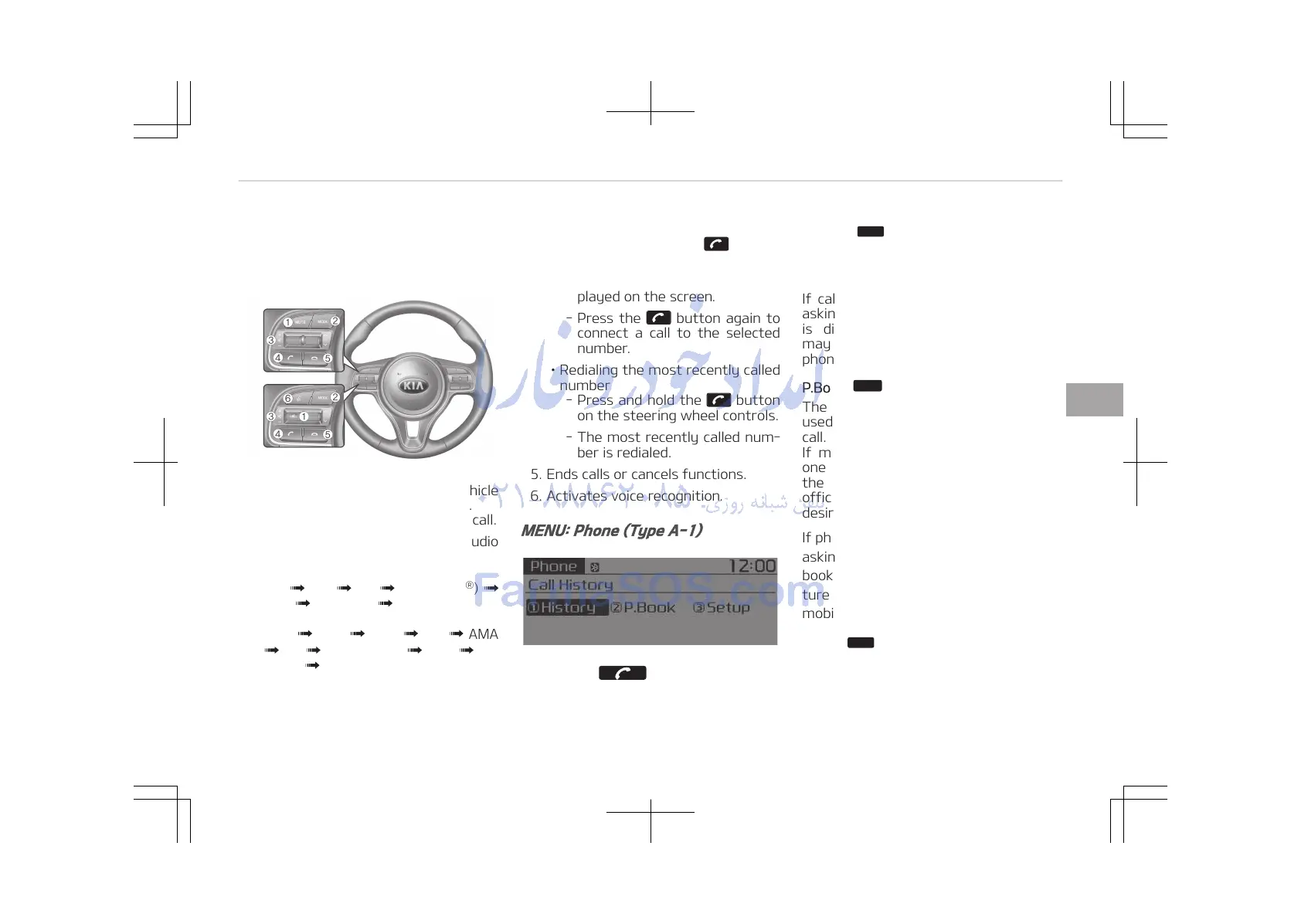
Phone Mode (if equipped)
Making a call using the Steering
wheel controls
❈ The actual features in the vehicle
may differ from the illustration.
1. Mutes the microphone during a call.
2. Press the button to change audio
source.
(Without RDS)
FM
AM CD USB (iPod
®
)
AUX My Music BT Audio.
(With RDS)
FM1 FM2 FMA AM AMA
CD USB (iPod
®
) AUX My
Music BT Audio.
3. Raises or lowers speaker volume.
4. Places and transfers calls.
• Check call history and making call
- Shortly press the button
on the steering wheel controls.
- The call history list will be dis‐
played on the screen.
- Press the button again to
connect a call to the selected
number.
• Redialing the most recently called
number
- Press and hold the button
on the steering wheel controls.
- The most recently called num‐
ber is redialed.
5. Ends calls or cancels functions.
6. Activates voice recognition.
MENU: Phone (Type A-1)
Press the button to display
three menus (Call History, Phone Book,
Phone Setup).
History:
Button
The call history is displayed and can be
used to select a number and make a
call.
If call history does not exist, a screen
asking whether to download call history
is displayed. (The download feature
may not be supported in some mobile
phones.)
P.Book:
Button
The phone book is displayed and can be
used to select a number and make a
call.
If more than one number is saved to
one phone book, then a screen showing
the mobile phone number, Home and
office number is displayed. Select the
desired number to make the call.
If phone book does not exist, a screen
asking whether to download phone
book is displayed. (The download fea‐
ture may not be supported in some
mobile phones.)
Setup:















 To Next Page