WARNING
Do not put a finger or a foreign ele‐
ment (pin, etc.) into a power outlet
and do not touch with a wet hand.
You may get an electric shock.
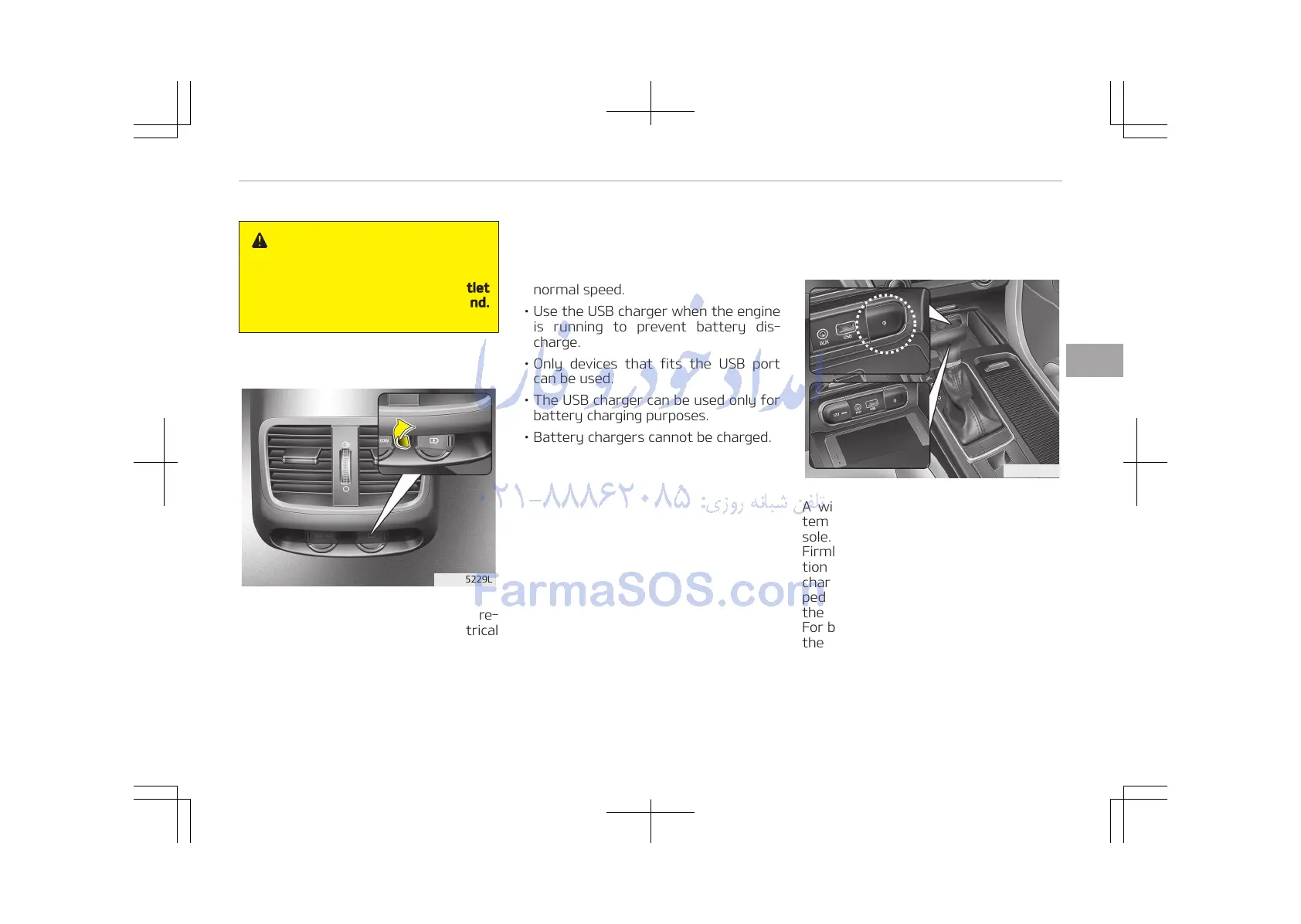
USB charger (if equipped)
The USB charger is designed to re‐
charge batteries of small size electrical
devices using a USB cable. The electrical
devices can be recharged when the En‐
gine Start/Stop button is in ACC/ON/
START position.
The battery charging state may be
monitored on the electrical device.
Disconnect the USB cable from the USB
port after use.
• Some devices are not supported for
fast charging but will be charged with
normal speed.
• Use the USB charger when the engine
is running to prevent battery dis‐
charge.
• Only devices that fits the USB port
can be used.
• The USB charger can be used only for
battery charging purposes.
• Battery chargers cannot be charged.
Wireless smart phone charging
system (if equipped)
A wireless smart phone charging sys‐
tem located in front of the center con‐
sole.
Firmly close all doors, and turn the igni‐
tion to ACC or IGN ON. To start wireless
charging, place the smart phone equip‐
ped with wireless charging function on
the wireless charging pad.
For best wireless charging results, place
the smart phone on the center of the
charging pad.
4-179
4
Features of your vehicle















 To Next Page