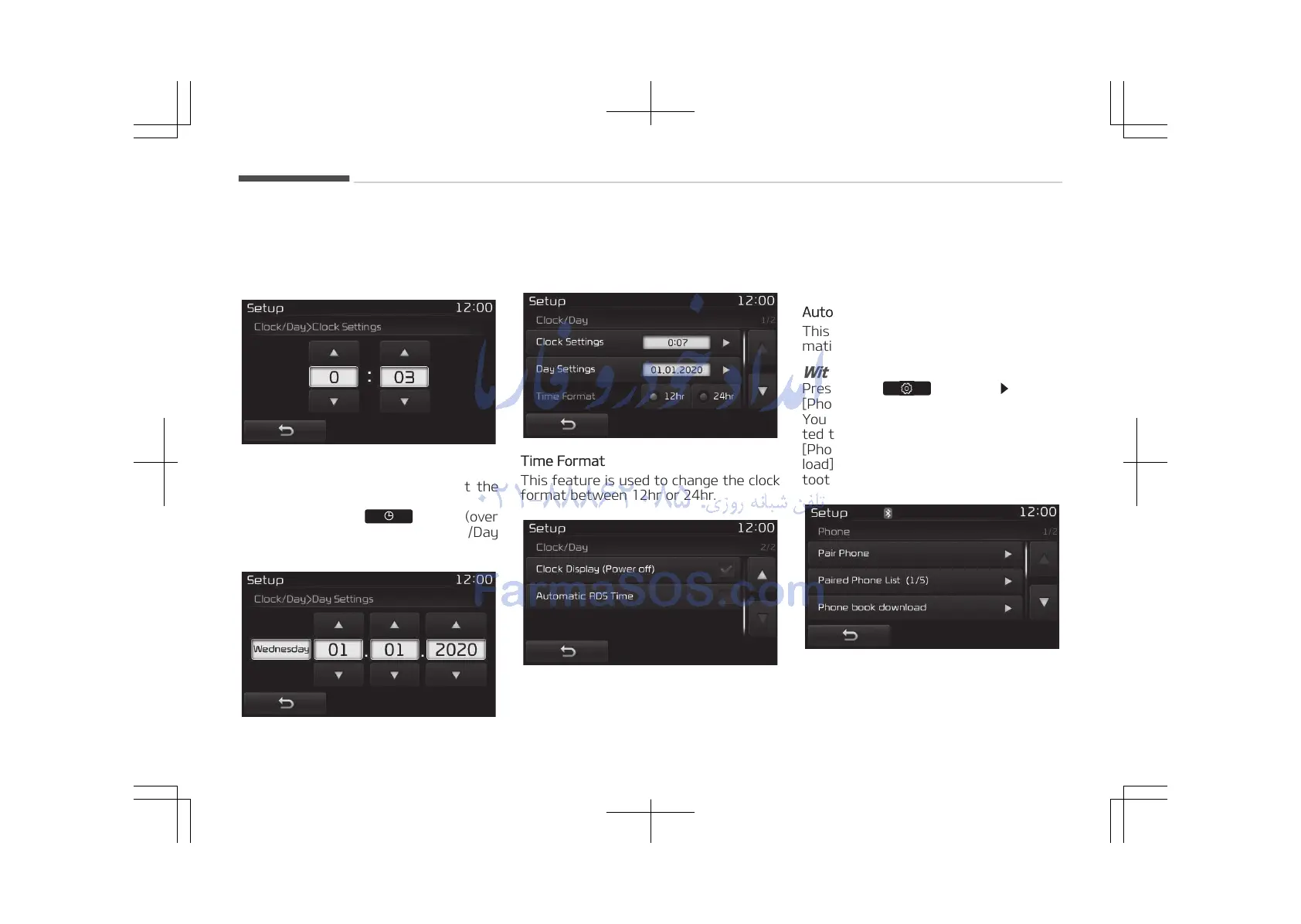
You can select and control options rela‐
ted to [Clock Settings], [Day Settings],
[Time Format], [Clock Display(Power
off)] and [Automatic RDS Time].
Clock Settings
Use the [Up/Down] buttons to set the
Hour, Minutes and AM/PM setting.
Press and hold the
button (over
0.8 seconds) to display the Clock/Day
screen.
Day Settings
Use the [Up/Down] buttons to set the
Day, Month and Year setting.
Time Format
This feature is used to change the clock
format between 12hr or 24hr.
Clock Display (Power Off)
This feature is used to display a clock
on the screen when the audio system is
turned off.
Automatic RDS Time
This feature is used to set time auto‐
matically by synchronizing with RDS.
With the Phone Button
Press the button Select
[Phone]
You can select and control options rela‐
ted to [Pair Phone], [Paired Phone List],
[Phone book Download], [Auto Down‐
load], [Outgoing Volume] and [Blue‐
tooth System Off].
Pairing a New Device
Bluetooth
®
Wireless Technology devices
can be paired with the audio system.
Audio system
5-110















 To Next Page