button Select [Clock/
Calendar]
You can select and control options rela‐
ted to [Clock Settings], [Calendar Set‐
tings] and [Clock Display(Power off)].
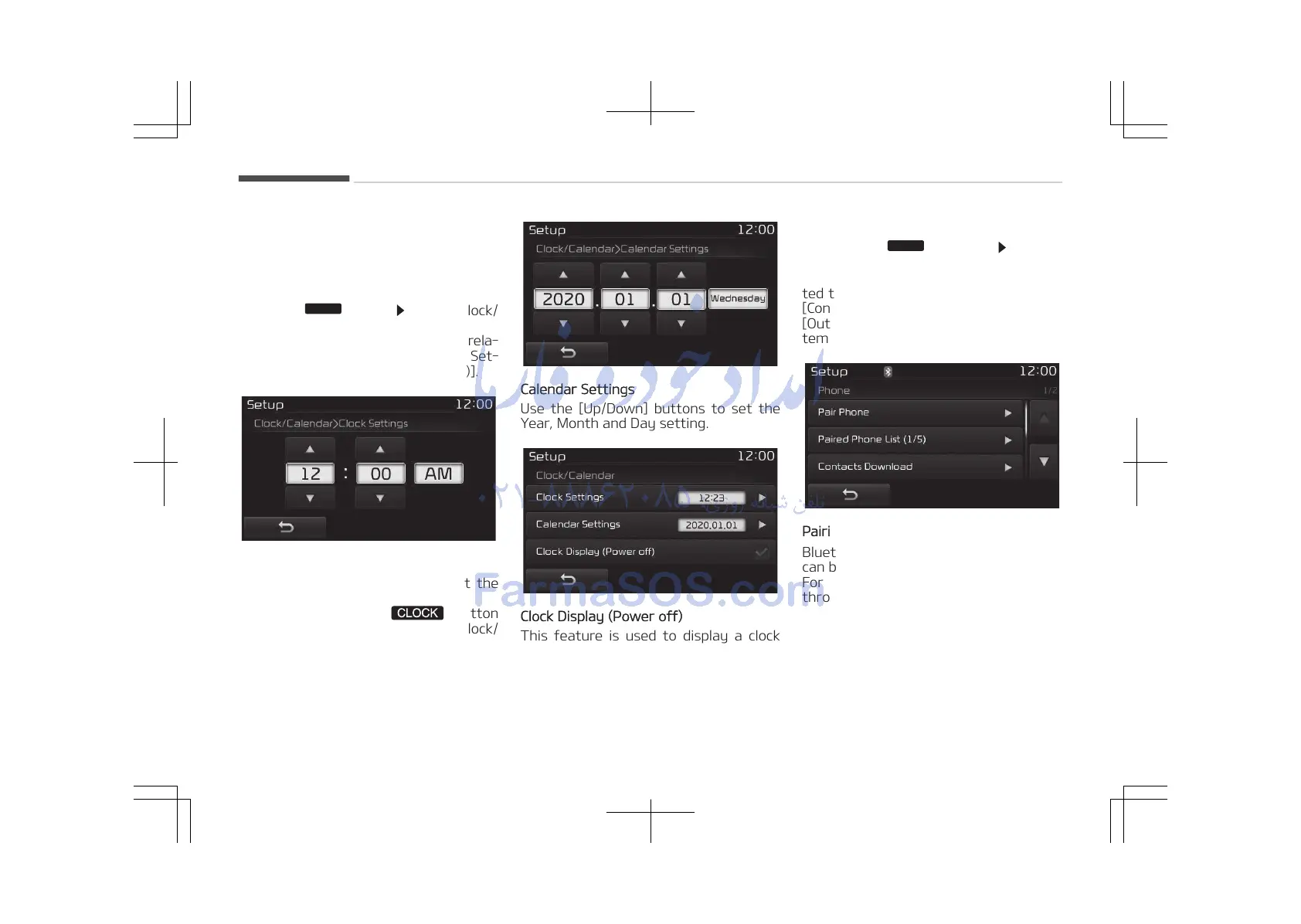
Clock Settings
Use the [Up/Down] buttons to set the
Hour, Minutes and AM/PM setting.
Press and hold the
button
(over 0.8 seconds) to display the Clock/
Calendar screen.
Calendar Settings
Use the [Up/Down] buttons to set the
Year, Month and Day setting.
Clock Display (Power off)
This feature is used to display a clock
on the screen when the audio system is
turned off.
With the Phone Button
Press the
button Select
[Phone]
You can select and control options rela‐
ted to [Pair Phone], [Paired Phone List],
[Contacts Download], [Auto Download],
[Outgoing Volume] and [Bluetooth Sys‐
tem Off].
Pairing a New Device
Bluetooth
®
Wireless Technology devices
can be paired with the audio system.
For more information, refer to Pairing
through Phone Setup on page 5-90.
Audio system
5-116















 To Next Page