• Radio mode: Automatically
searches for broadcast frequen‐
cies.
•
CD, USB, iPod
®
, My Music
*
mode
- Shortly press the button:
Moves to next or previous
song (file).
- Press and hold the button: Re‐
winds or fast-forwards the
current song.
6. POWER/VOL knob
• Power knob: Turns power On/Off
by pressing the knob.
• Volume knob: Sets volume by
turning the knob left/right.
7.
: Random
In the Radio, Media, Setup, and
Menu pop up screen, the number
menu is selected.
*
if equipped
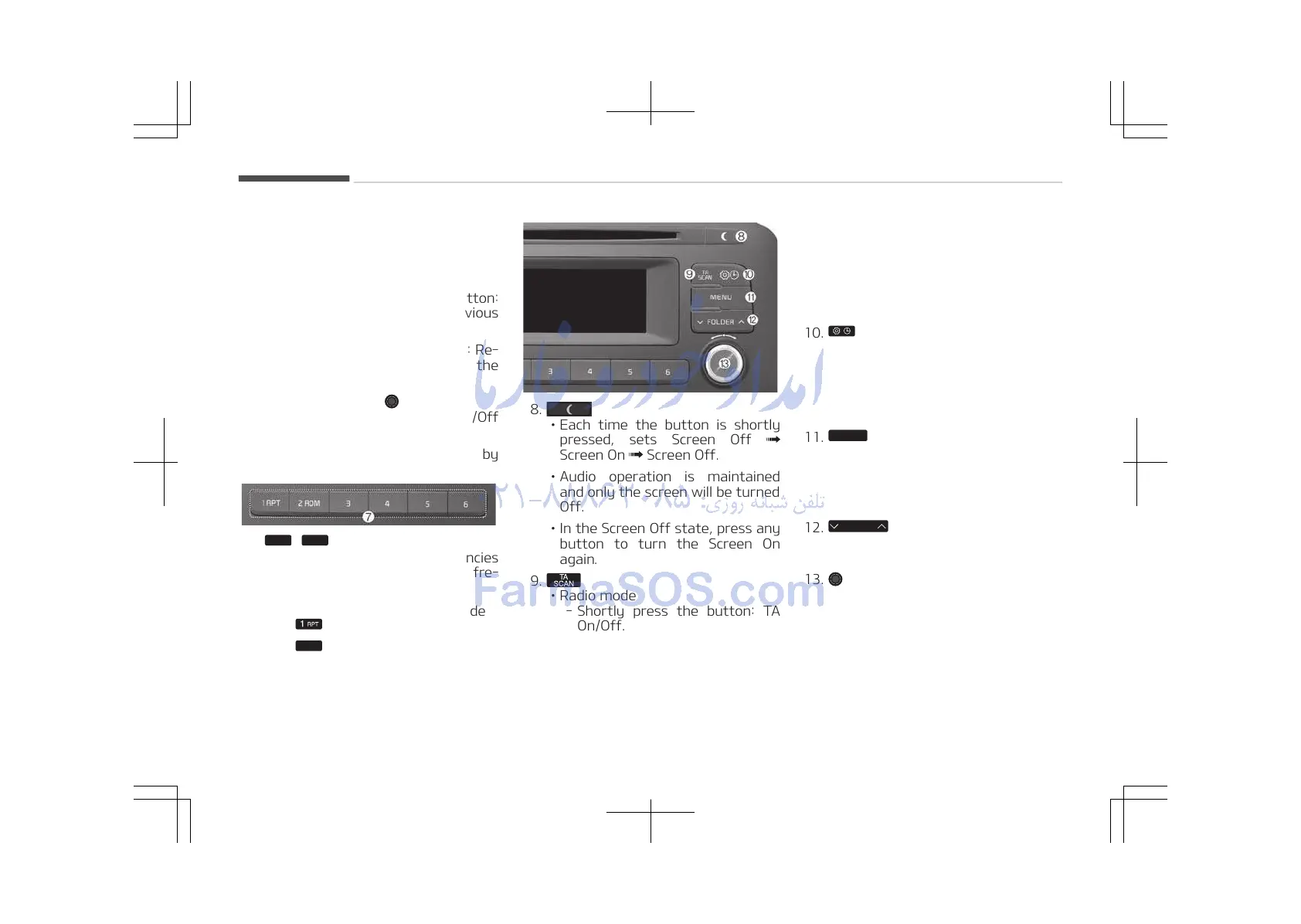
8.
• Each time the button is shortly
pressed, sets Screen Off
Screen On Screen Off.
• Audio operation is maintained
and only the screen will be turned
Off.
• In the Screen Off state, press any
button to turn the Screen On
again.
9.
• Radio mode
- Shortly press the button: TA
On/Off.
- Press and hold the button:
Previews each broadcast for 5
seconds each.
•
CD, USB, My Music
*
mode
*
if equipped
- Press and hold the button:
Previews each song (file) for
10 seconds each.
- Press and hold the button
again to continue listening to
the current song (file).
10.
• Shortly press the button: Moves
to the Display, Sound, Clock,
Phone, System setting modes.
• Press and hold the button: Move
to the Time setting screen.
11.
• MP3 CD / USB mode: Folder
Search.
13. TUNE knob
• Radio mode: Changes frequency
by turning the knob left/right.
•
CD, USB, iPod
®
, My Music
*
mode:
Searches songs (files) by turning
the knob left/right.
When the desired song is dis‐
played, press the knob to play
the song.
Audio system
5-08















 To Next Page