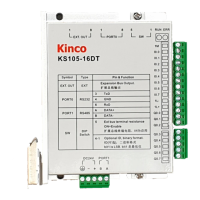
Kinco FD5P AC series servo driver
Chapter 4 Controller setup with LED panel
Table 4-2 Easy menu parameters
When EA02 is set to 0, 1 or 2, the default input and output functions are as follows:
F
or a new factory drive, the motor model is 00, and the digital panel displays 3030. If the
drive is connected to the correct motor, the motor model will be automatically recognized
and saved by the drive. If there is no motor model in the drive, the digital panel will flash
FFFF.
For the drive that has been used, the drive will judge whether the connected motor is the
same as the previous one.
If they are not the same, the digital panel will flash and display the FFFF/400.2 fault.
Change the instruction type by modifying the first digit on the right,
Note that changing the instruction type changes the working mode and the definition of
the IO port.
0: Dual-pulse mode CW/CCW
1: pulse direction mode P/D
2: A/B phase control mode
8: upper computer communication control mode
Instruction type 0-2, corresponding to working mode -4.
Instruction type 8, the working mode is controlled by communication, and the functions
defined by DIN1, DIN2, DIN3 need to be cancelled.
Used when EA02 is set to 0-2
By default, the display shows the values in decimal format. If the number is greater than 9999,
the display is in hexadecimal format
1. load type
2.application
3. limit switch
4. alarm output
polarity
The meaning of each digit of the LED display from right to left.
(1) Load type, influences the control loop.
0: No load
1: Belt drive
2: Ball screw
(2) Application, influences the control loop.
0: P2P
1: CNC
2: Master / slave mode
(3) Limit switch.
0: Controller default
1: Delete the limit switch function
(4) Polarity of OUT5
0: Normally closed contacts
1: Normally open contacts
Write “1” to save control and motor parameters.
Write “2” to save control and motor parameters and reboot the servo.
Write “3” to reboot the servo.
Write “10” to initialize the control parameters.
After saving the parameters, the drive sets the control loop parameters according to the
load type and application.


 To Next Page
 Loading...