DVR Operating Modes
Flashback3 & Flashback HD User’s Guide
Page 2 L3 Mobile-Vision 6.23.2017
DVR Operating Modes
Some of the buttons on the Flashback DVR and monitor are used for different
functions depending on what mode the DVR is in.
Mode Description
Idle Mode The DVR is not recording or playing back a video.
Record Mode The DVR is recording a video.
Play Mode The DVR is playing back a recently recorded video.
Menu Mode The DVR’s menu functions are displayed.
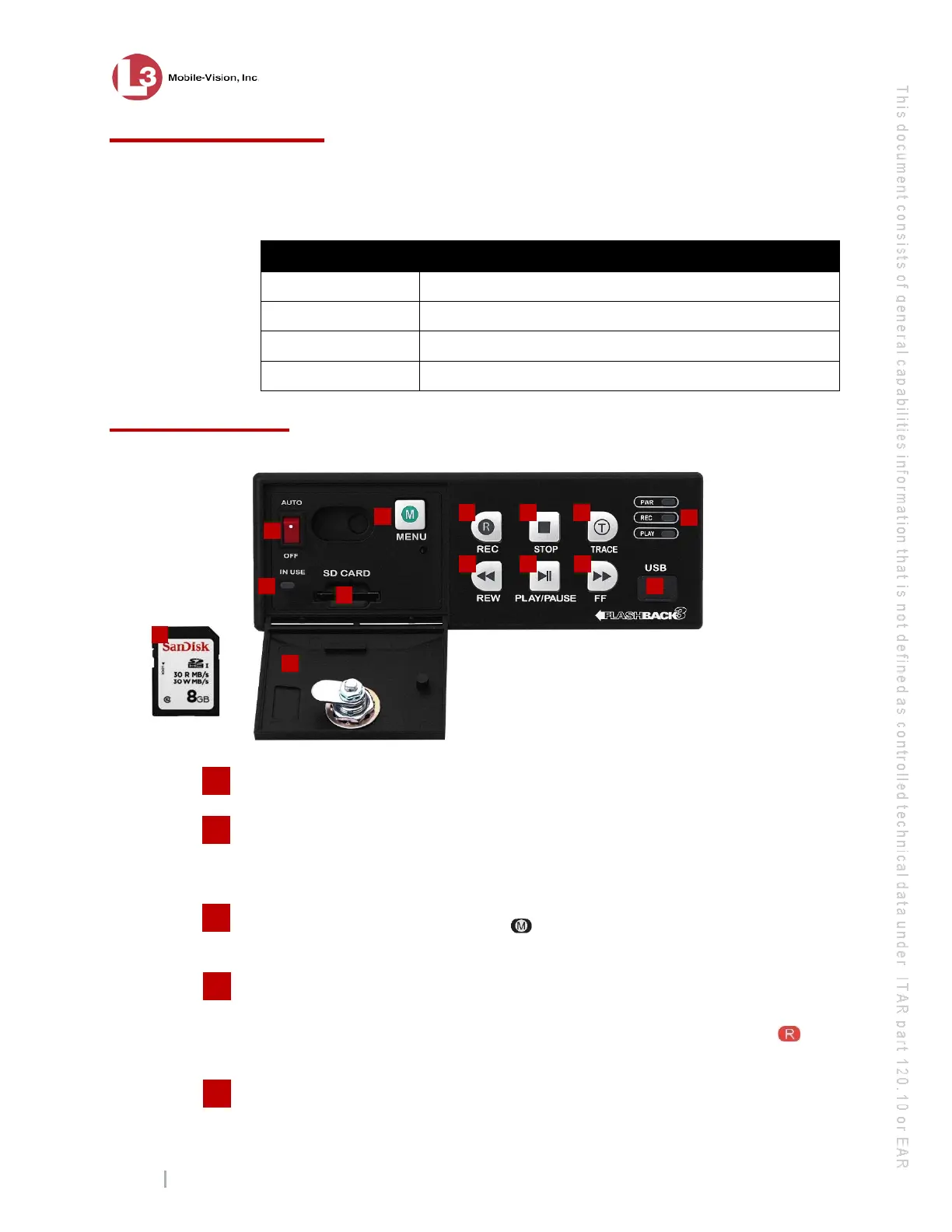
Front Panel of DVR
IN USE display. An LED light that denotes DVR activity. When this light is on,
do not remove the SD card or your files may be lost!
AUTO/OFF. The manual power switch. Because the Flashback is designed to
automatically power on and off, this switch is normally left in the
AUTO position.
Do not turn this switch off unless instructed INto do so by an L3 Mobile-Vision
procedure or Service Technician.
MENU. The Menu button, used to access the DVR programming options. You can
also access this menu by pressing the button on your Flashback monitor when the
DVR door is open.
REC. The Record button. If you are in Idle mode, this button is used to initiate a
recording session. If you are in Record mode, this button is used to toggle the in-car
microphone off/on. If you are in Menu mode, this button is used to select the high-
lighted menu item or field. You can also perform these tasks by pressing the
button on your Flashback monitor.
STOP. The Stop button. If you are in Record mode, this button is used to stop a
recording. If you are in Play mode, this button is used to stop a video playback
3
4
5
1
2
13
11
10
3
4 5 6
12



 To Next Page