Peripherals
DVR Monitor
Flashback3 & Flashback HD User’s Guide
Page 6 L3 Mobile-Vision 6.23.2017
DVR Monitor
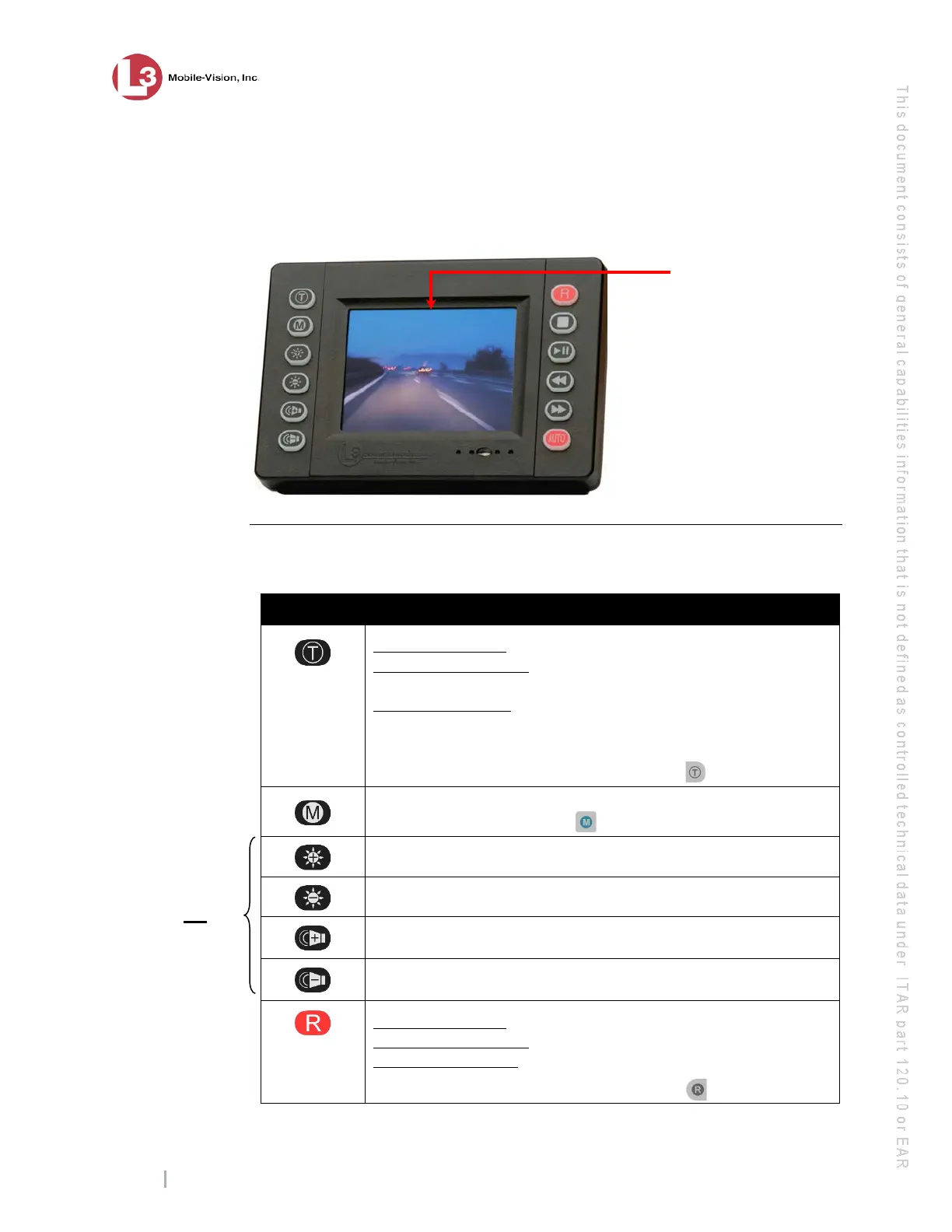
Your Flashback camera comes with a 3.5" matrix monitor console, pictured below.
This monitor is used to control the DVR, view recordings in progress, view untrans-
mitted recordings, and set DVR preferences.
Monitor Buttons
The monitor buttons are described in the following table.
Button Used to…
While in Idle mode: Display the Login/Logout menu.
While in Record mode: Mark a position in a recording, referred to
as a Trace Point.
While in Play mode: Advance to a previously marked Trace Point
while playing back a video, or toggle between the “image” and
“text” views while on the Playlist screen.
You can also perform these tasks by pressing on your DVR.
Access the DVR menu when the DVR door is open. You can also
access this menu by pressing on your DVR.
Increase brightness of monitor display
Decrease brightness of monitor display
Increase audio playback volume
Decrease audio playback volume
While in Idle mode: Begin recording
While in Record mode: Toggle the in-car microphone off/on
While in Menu mode: Select the highlighted menu item or field
You can also perform these tasks by pressing on your DVR.
LCD Display – Full color
3.5" Active Matrix Display
Audio Speaker – System
speaker is located in back
of uni
t (not pictured)
These buttons
only affect
the monitor
display, not
the
brightness or
volume of the
recorded file



 To Next Page