DVR Settings
Changing the Record Settings
Flashback3 & Flashback HD User’s Guide
Page 64 L3 Mobile-Vision 6.23.2017
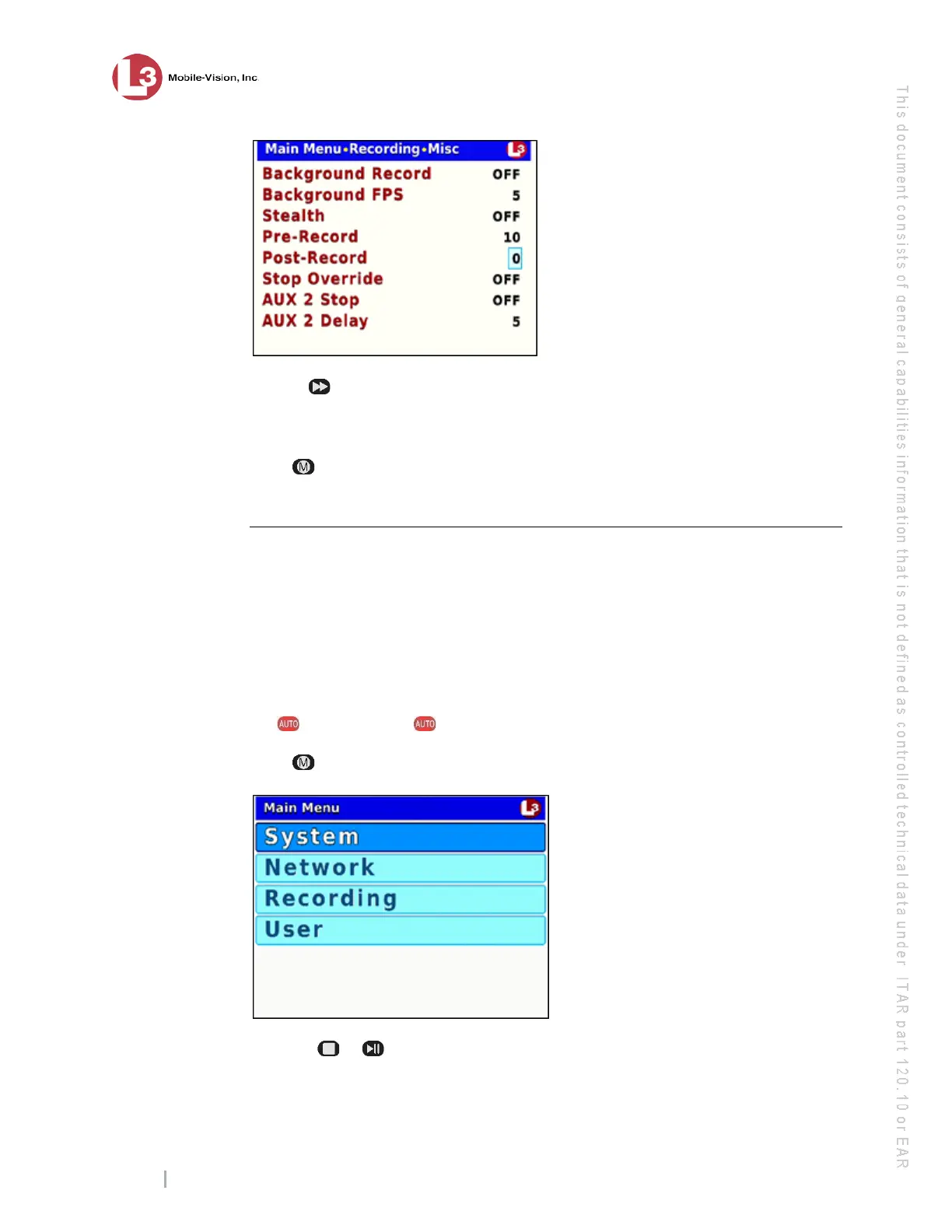
15 Use t
he button to select the desired length for your post-recordings (in seconds):
0 (default), 10, 20, 30, 40, 50, or 60. Once the desired number displays, proceed to
the next step.
16 Pr
ess twice to save your changes and exit the Misc screen. The system will
automatically reboot.
Selecting the Camera(s) for Channel 2
This section describes how to select the number of cameras that will be recording on
Channel 2. If there will be no cameras recording on Channel 2, set the CH2 Camera
field to OFF.
You can have up to four cameras recording on Channel 2: the Backseat camera and
1 – 3 Bullet cameras.
1 Ma
ke sure the door to your DVR is open and Auto mode is off. (If necessary, press
the button until the light turns off.)
2 Press . The Main Menu displays.
3 Press the or
button until Recording is highlighted.



 To Next Page