DVR Settings
Resetting the DVR to its Factory Settings
Flashback3 & Flashback HD User’s Guide
Page 224 L3 Mobile-Vision 6.23.2017
Resetting the DVR to its Factory Settings
This section describes how to return your DVR to its original factory settings. When
performing this procedure, keep in mind that all previous changes made to the DVR
menus will be wiped out.
1 M
ake sure the door to your DVR is open and Auto mode is off. (If necessary, press
the button until the light turns off.)
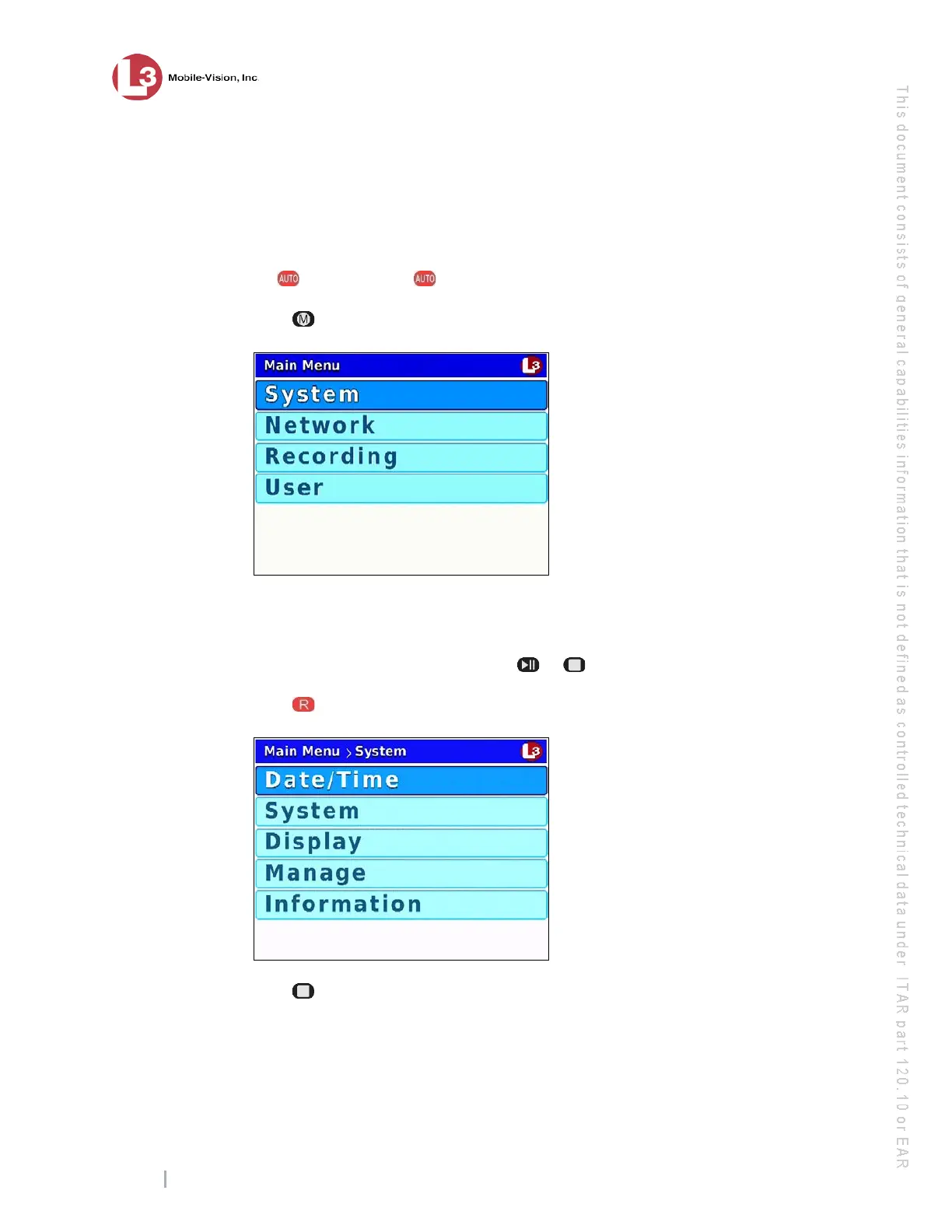
2 Press . The Main Menu displays.
3 If
System is highlighted, proceed to the next step.
– OR –
If System is not highlighted, press the or button to advance to that option.
4 Press to select the System option. The System menu displays.
5 Press twice to advance to the Manage option.



 To Next Page