Peripherals
VLP2 Wireless Microphone
Flashback3 & Flashback HD User’s Guide
L3 Mobile-Vision 6.23.2017 Page 17
Using the “Short Mute” Feature
If you hold the Record switch down while a recording is in progress (see illustration
on the previous page), it will mute the audio until you release the switch.
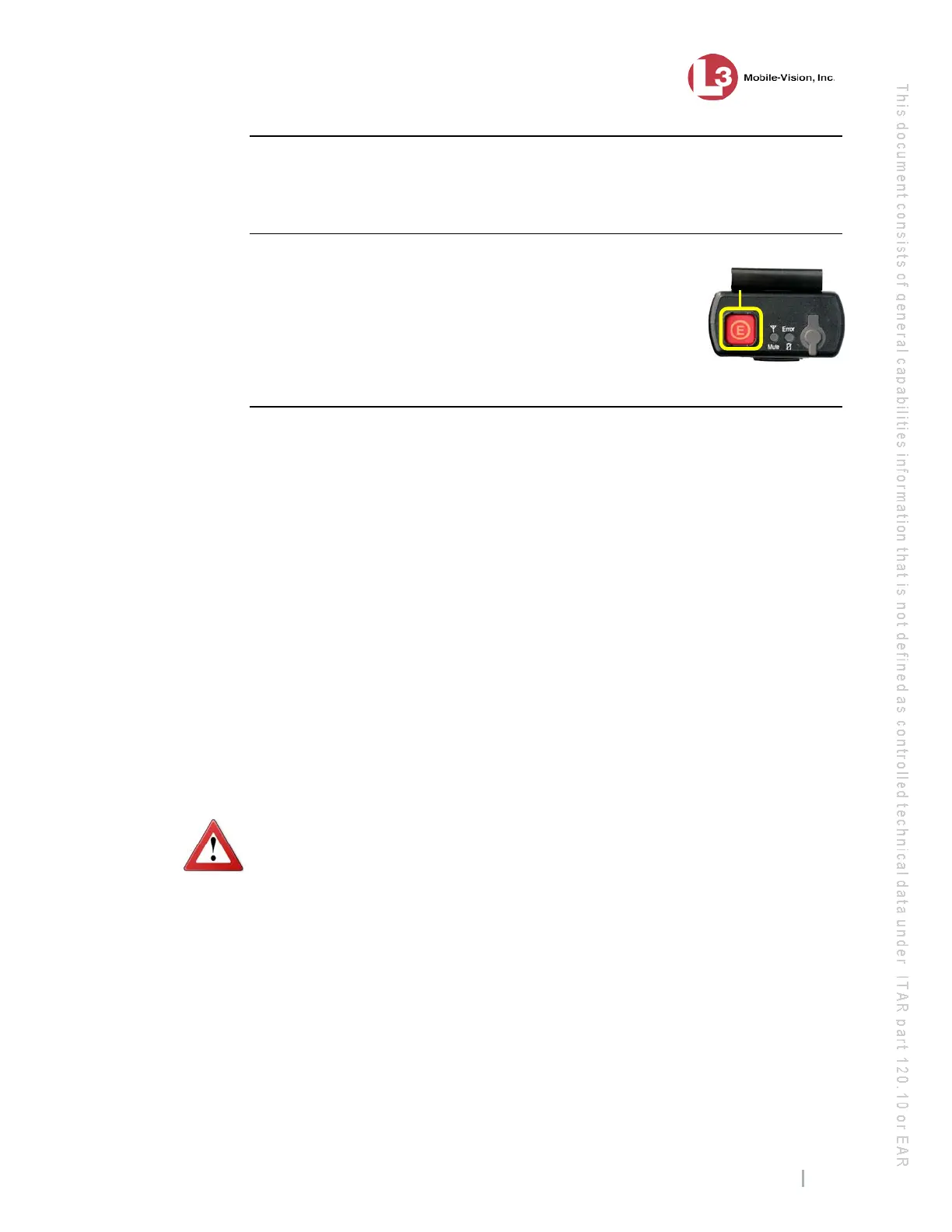
Using the Emergency Button
If your agency has chosen to use the Emergency button feature,
pressing this button will automatically transmit an emergency
signal to the docking station’s emergency port (see also “Dock-
ing Station Ports” on page 18). This port connects the DVR to
your agency radio, thus enabling you to secretly transmit an
emergency signal to your agency or precinct.
VLP2 Battery Considerations
Your VLP2 comes with a rechargeable battery. To recharge the battery, first turn off
the Power switch at the base of the wireless mic, then place it in the docking station
or indoor charger. If you are using the docking station, your vehicle must be on.
It can take several hours to fully charge a battery. Once a battery is fully charged, the
charge will last approximately 50 hours in Stand-By mode or 10 hours in Record mode.
For this reason, it is typically not necessary to use the in-car charger unless you need to
resync the VLP2.
Tips for battery maintenance and care:
When you’re on duty, only use the in-car charger to 1) resync the unit or 2)
charge the battery when the battery is low. In order to use the in-car charger,
the DVR must be on.
When you’re not on duty, remove the VLP2 from the vehicle and place it in
the indoor charger. Don’t leave the VLP2 in your vehicle or the battery will run
down. Also, prolonged exposure to extreme heat or cold may damage the battery
and/or decrease its lifetime. The ambient temperature required for charging is
between -4° and 113°F.
WARNING: Do not charge the battery outside the required range of -4° to 113° F.
Doing so could be hazardous and/or cause damage to the unit. Also, do not leave the
VLP2 charging in the vehicle unattended.
Replace the battery every 18 – 24 months. All rechargeable batteries wear out
with time, usage, exposure to heat and cold, etc. We recommend that you replace
your battery before it wears out. There are two options for replacing the battery:
1) Have us do it—call Service at 1-800-336-8475 for a return authorization num-
ber, or 2) Do it yourself—call Sales and submit an order for part number MVD-
VLP2-BAT. When the battery arrives, use a 1.5mm (metric) Allen wrench to open
the VLP2 case and replace the old battery.
Handle with care. Take care not to drop or mishandle your VLP2, as this may
damage the battery and/or the unit itself.
Optional
feature; must
be configured
w



 To Next Page