Peripherals
VLP2 Wireless Microphone
Flashback3 & Flashback HD User’s Guide
L3 Mobile-Vision 6.23.2017 Page 15
VLP2 Wireless Microphone
The VoiceLink Plus wireless microphone or “VLP2” is used to initiate a recording
while you are outside your vehicle. If there are two officers sharing one vehicle,
you may purchase a second VLP2.
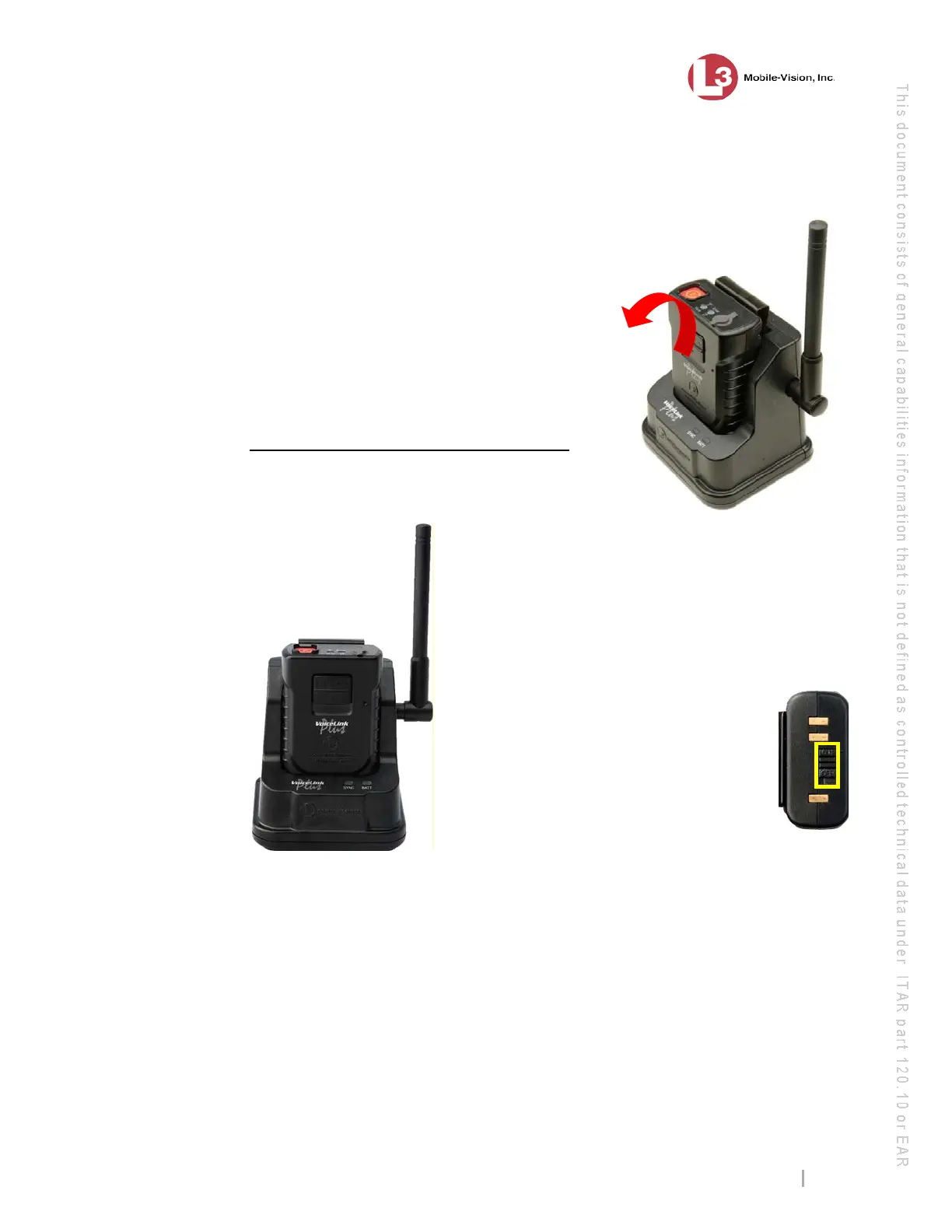
The VLP2 comes with a docking station that has
an antenna attached to it. The antenna is used to
communicate with the DVR. In order for the
VLP2 to operate, it must be synchronized with
the docking station.
To remove the VLP2 mic from the docking station,
simply tilt it forward, then lift up.
Requirements for Successful Recording
Using the VLP2
When using your VLP2,
please keep the following requirements in mind:
Remain within transmission range of the
docking station. If your VLP2 battery is fully
charged, the transmission range is a maximum
1000 feet. If your VLP2 battery is not fully
charged (common scenario), the transmission
range is proportionally shorter. Whenever you
move outside of range, the unit will vibrate
three times.
Keep the Power switch in the ‘On’
position when using. It’s recommend-
ed that you leave the VLP2 power
switch on for the duration of your shift,
as pictured right. This switch is located
at the base of the mic.
Avoid metal barriers between the wireless
mic and the docking station. The wireless mic
uses a “line of sight” signal. Physical barriers, particularly metal barriers, can in-
terrupt this signal. Since your vehicle is made of metal, it’s important to mount the
VLP2 above the dashboard line so that the signal does not have to pass through
metal. Also, do not try to record while your vehicle is above or below you, as this
forces the signal to pass through the vehicle’s undercarriage or roof, respectively. For
example, if you are standing on an overpass and your vehicle is parked under the
overpass, this creates a metal barrier, as the signal has to pass through the roof of
your vehicle.
Avoid multiple non-metal barriers between the wireless mic and the docking
station. If you walk indoors while a recording is in progress, multiple walls can
interrupt the signal between the wireless mic and the docking station.
wireless microphone
with docking station



 To Next Page