DVR Settings
Entering/Changing System Settings
Flashback3 & Flashback HD User’s Guide
L3 Mobile-Vision 6.23.2017 Page 197
Entering/Changing System Settings
This section describes how to perform the following tasks:
Program the ignition timer, below
Enter the DES Admin ID and password, page 199
Enable/disable the USB Login Feature, page 203.
Programming the Ignition Timer
This section describes how to select the number of minutes that it will take for the
DVR to power down after the ignition is turned off: 1, 15 (default), 30, 45, or 60.
During the period in which the ignition is off but the DVR is still on, all automatic
triggers will work and you will still be able to initiate a regular recording by pressing
. However, if you are using Background Record, it will turn off with the ignition.
1 M
ake sure the door to your DVR is open and Auto mode is off. (If necessary, press
the button until the light turns off.)
2 P
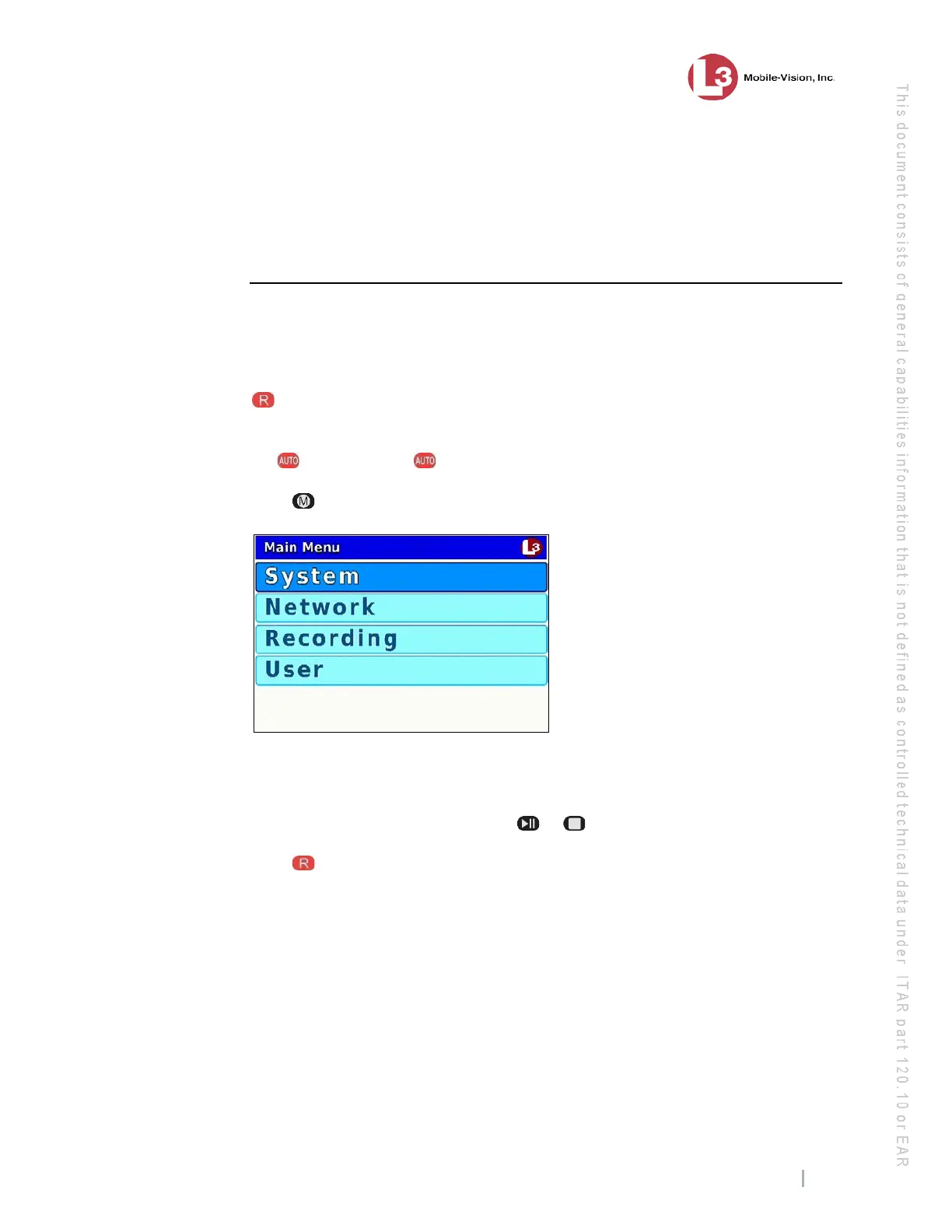
ress . The Main Menu displays.
3 If
System is highlighted, proceed to the next step.
– OR –
If System is not highlighted, press the or button to advance to that option.
4 P
ress to select the System option. The System menu displays.
(
Continued)



 To Next Page