DVR Settings
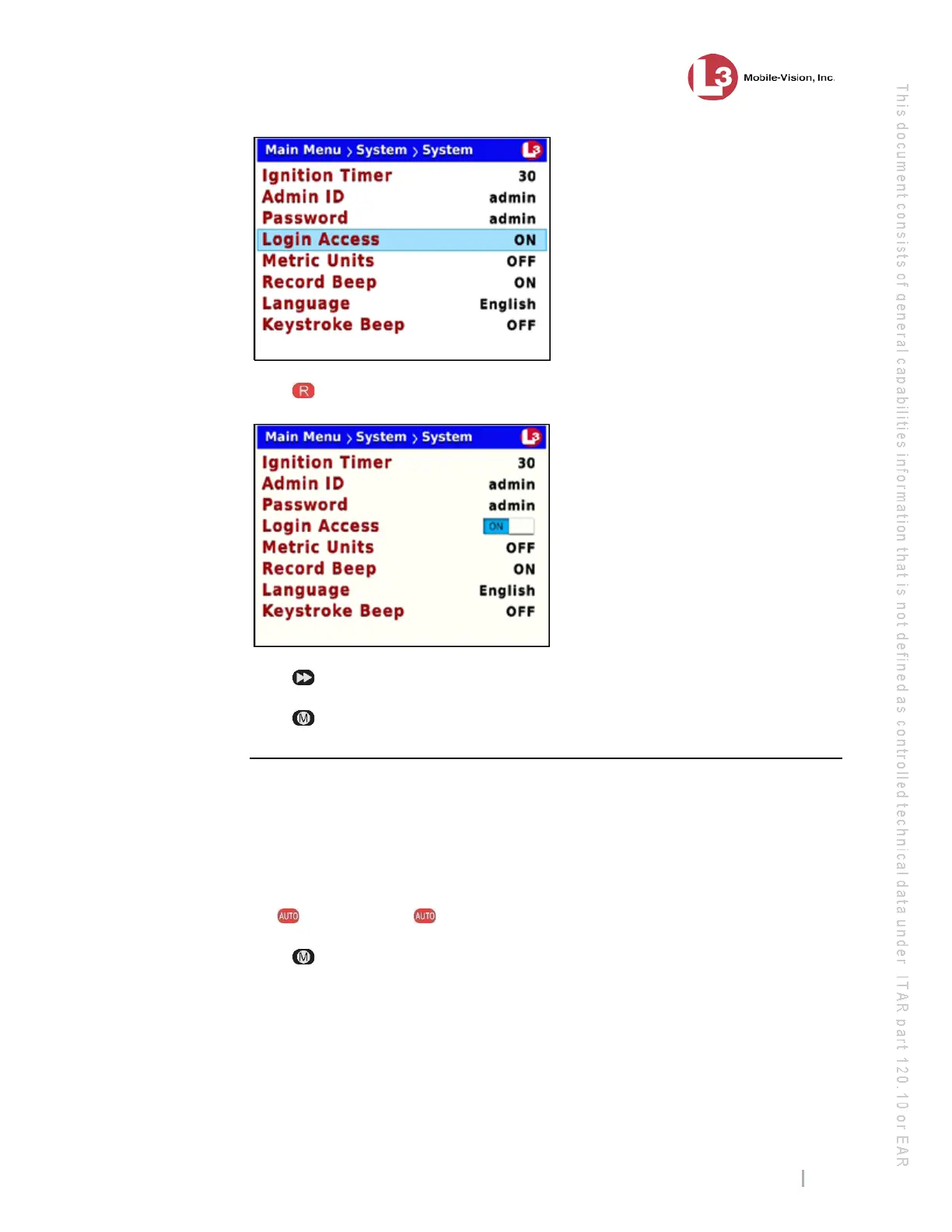
Entering/Changing System Settings
Flashback3 & Flashback HD User’s Guide
L3 Mobile-Vision 6.23.2017 Page 205
8 Pr
ess to select the Login Access field.
9 Pr
ess to toggle the field value to ON (enabled) or OFF (disabled).
10 Pr
ess four times to save your changes and exit this option.
Entering the Server Address
This section describes how to enter the IP address that identifies your agency’s DES
storage server. This procedure is only necessary in special situations. Do not enter
this information unless instructed to do so by your Network Specialist and/or L3
Mobile-Vision Technical Support Engineer.
1 Make sure the door to your DVR is open and Auto mode is off. (If necessary, press
the button until the light turns off.)
2 Pr
ess . The Main Menu displays.



 To Next Page