DVR Settings
Copying the DVR Configuration File to/from DVR
Flashback3 & Flashback HD User’s Guide
Page 218 L3 Mobile-Vision 6.23.2017
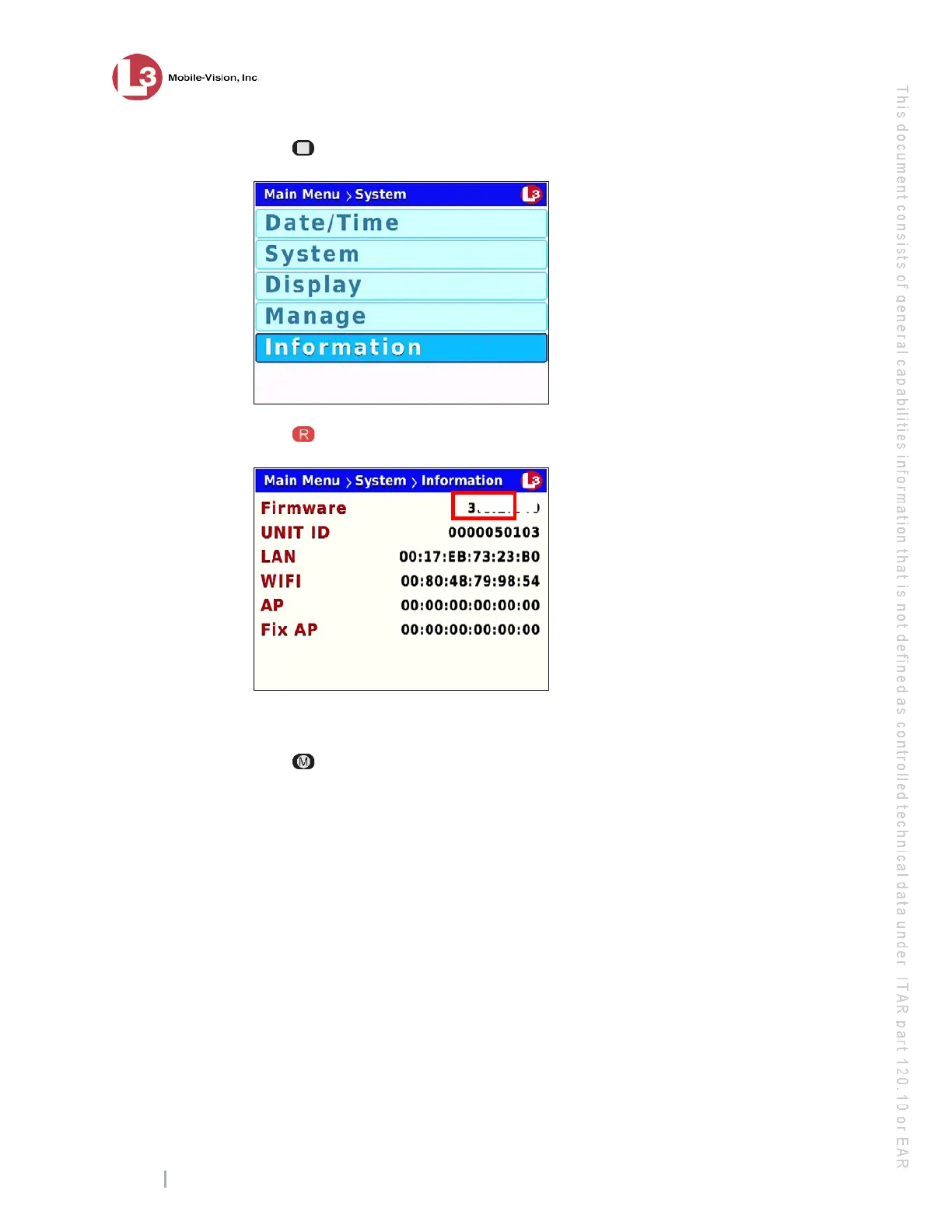
15 Press to advance to the Information option.
16 Press to select the Information option. The Information screen displays.
17 C
heck to make sure the new firmware version displays in the Firmware field.
18 Press three times to exit this option.
19 R
ecord a short test video (1-2 minutes) and validate that your video transfers
successfully across the network to the server.
Copying the DVR Configuration File to/from DVR
The DVR configuration file—config.xml—contains all of your DVR’s settings. If
desired, you can manually copy this file from one DVR to another using a USB
memory stick. You can also copy a config.xml file to the Flashback application in
order to transfer one DVR’s settings to an entire fleet of DVRs. For information on
the latter procedure, see “Creating a DVR Group from a DVR’s config.xml File” in
chapter 5 of the DEP Administrator’s Guide.
For more information, see:
Copying the config.xml File from Your DVR to a USB drive, next page
Copying the config.xml File from a USB Drive to Your DVR, page 221.



 To Next Page