Peripherals
DVR Monitor
Flashback3 & Flashback HD User’s Guide
Page 10 L3 Mobile-Vision 6.23.2017
Record Mode
Thirty minutes before your SD card runs out of space, an audible “beep” will sound
and the recording time indicator will turn red. Once the card is completely full, the
word FULL will display at the top of the screen.
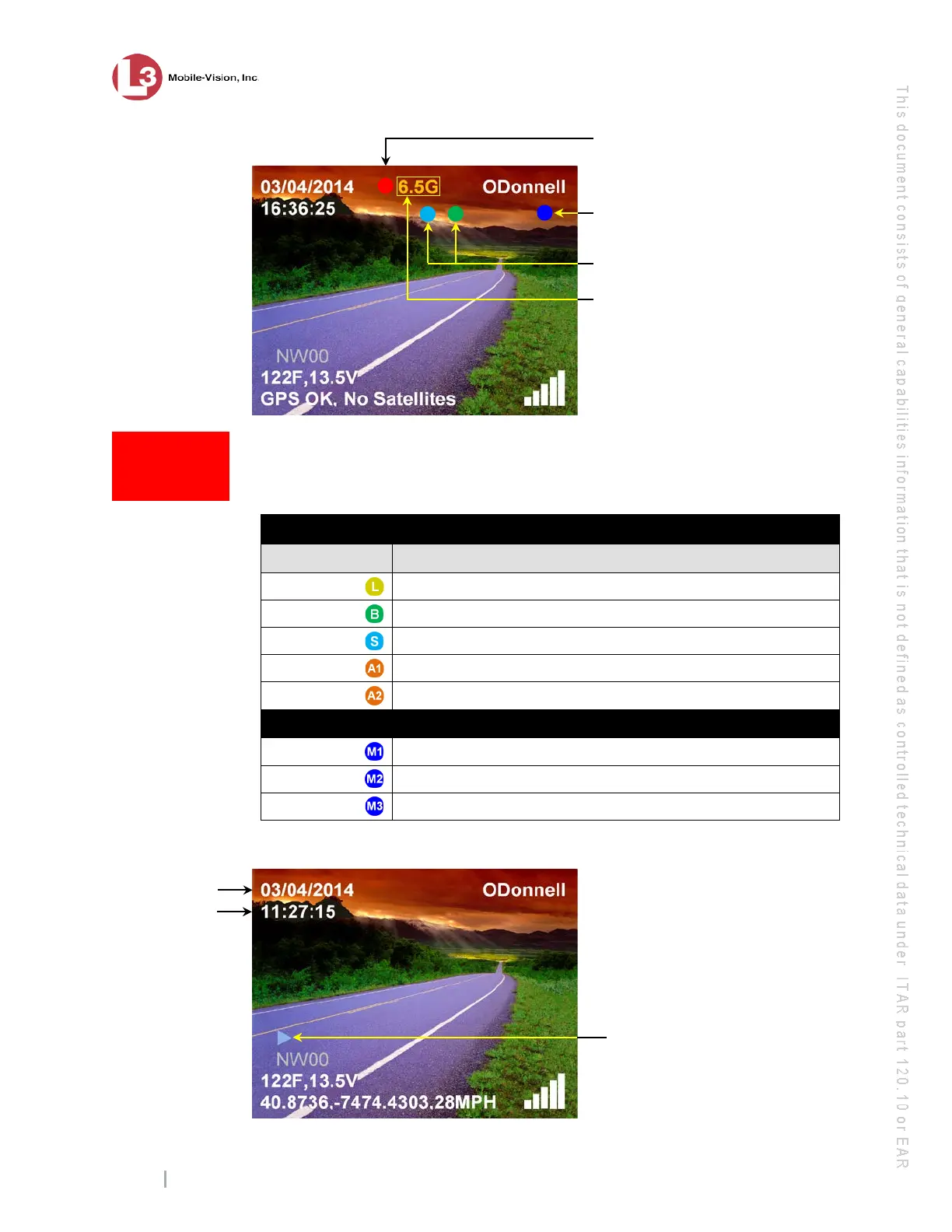
Trigger Displays
Display Description
Emergency lights are on
Brakes are engaged
Siren is on
Aux 1 device is engaged
Aux 2 device is engaged
Active Microphones
The wireless microphone connected to input port VLP 1 is on
The wireless microphone connected to input port VLP 2 is on
The in-car microphone is on
Play Mode
How do I know
when the
SD card is full?
Recording in progress
(blinking red dot)
Trigger displays; see list below
The amount of recording time
left on your SD card, in HH:MM.
Active microphone; see list below
video was record
ed, in
f
ormat. This
display changes
constantly dur
indi
cate the exact
time of day that
each video frame
was recorded
Play button (shown)
or Pause button (
II)



 To Next Page