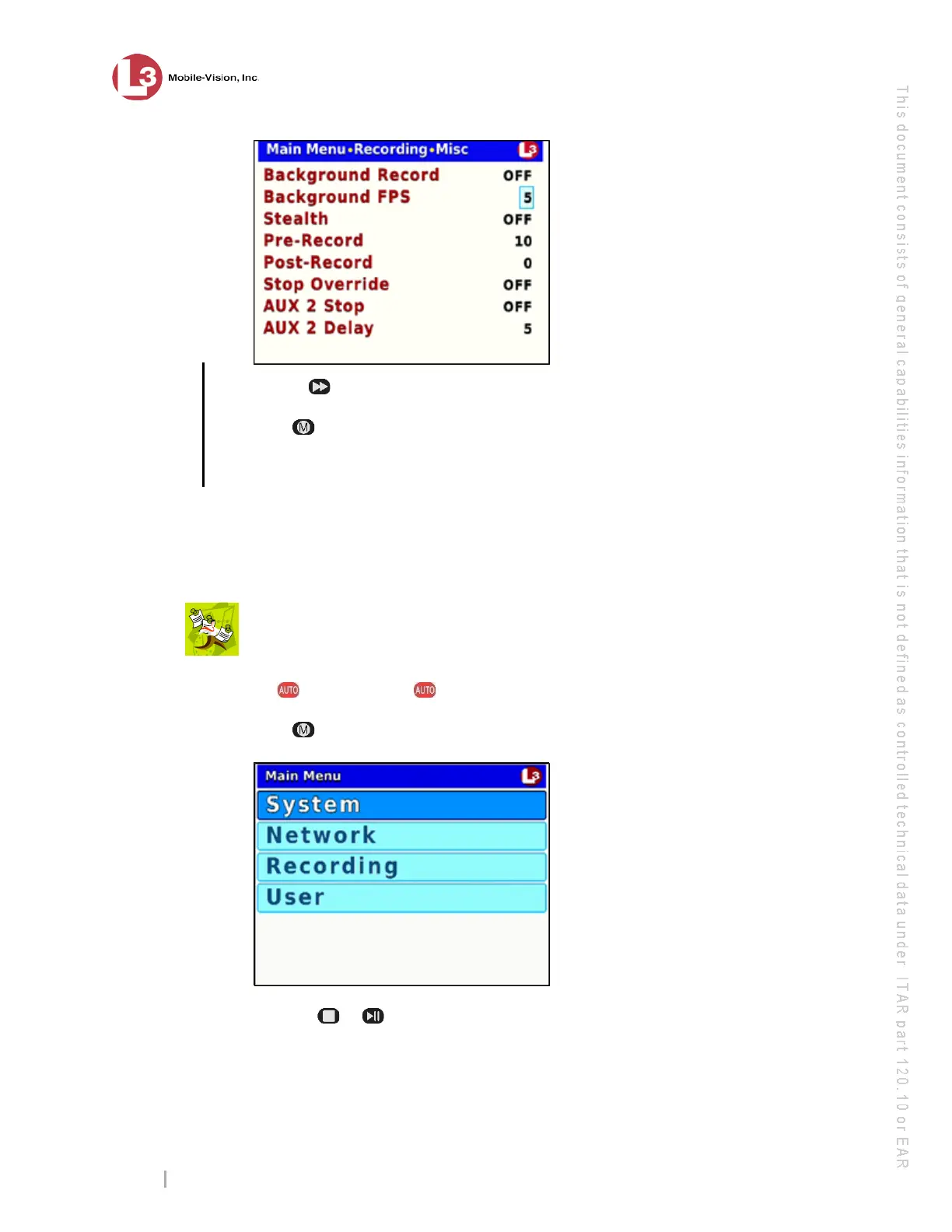
DVR Settings
Changing the Record Settings
Flashback3 & Flashback HD User’s Guide
Page 52 L3 Mobile-Vision 6.23.2017
9 U
se the button to select the desired frames-per-second (2 or 5).
10 Pr
ess twice to save your changes and exit the Misc screen. The system will
automatically reboot.
Changing the Video Resolution Setting
This section describes how to change the recording resolution for videos recorded
from Channel 1 (Forward-facing zoom camera).
T
he higher the number, the clearer the video’s picture and the larger the video’s
file size.
N
OTE: The HD setting (1280 x 720) requires DES version 3.7 or higher.
1 Mak
e sure the door to your DVR is open and Auto mode is off. (If necessary, press
the button until the light turns off.)
2 P
ress . The Main Menu displays.
3 P
ress the or
button until Recording is highlighted.
the number,
the better the
video quality
& the larger
the video size



 To Next Page