DVR Settings
Selecting & Configuring Record Triggers
Flashback3 & Flashback HD User’s Guide
Page 104 L3 Mobile-Vision 6.23.2017
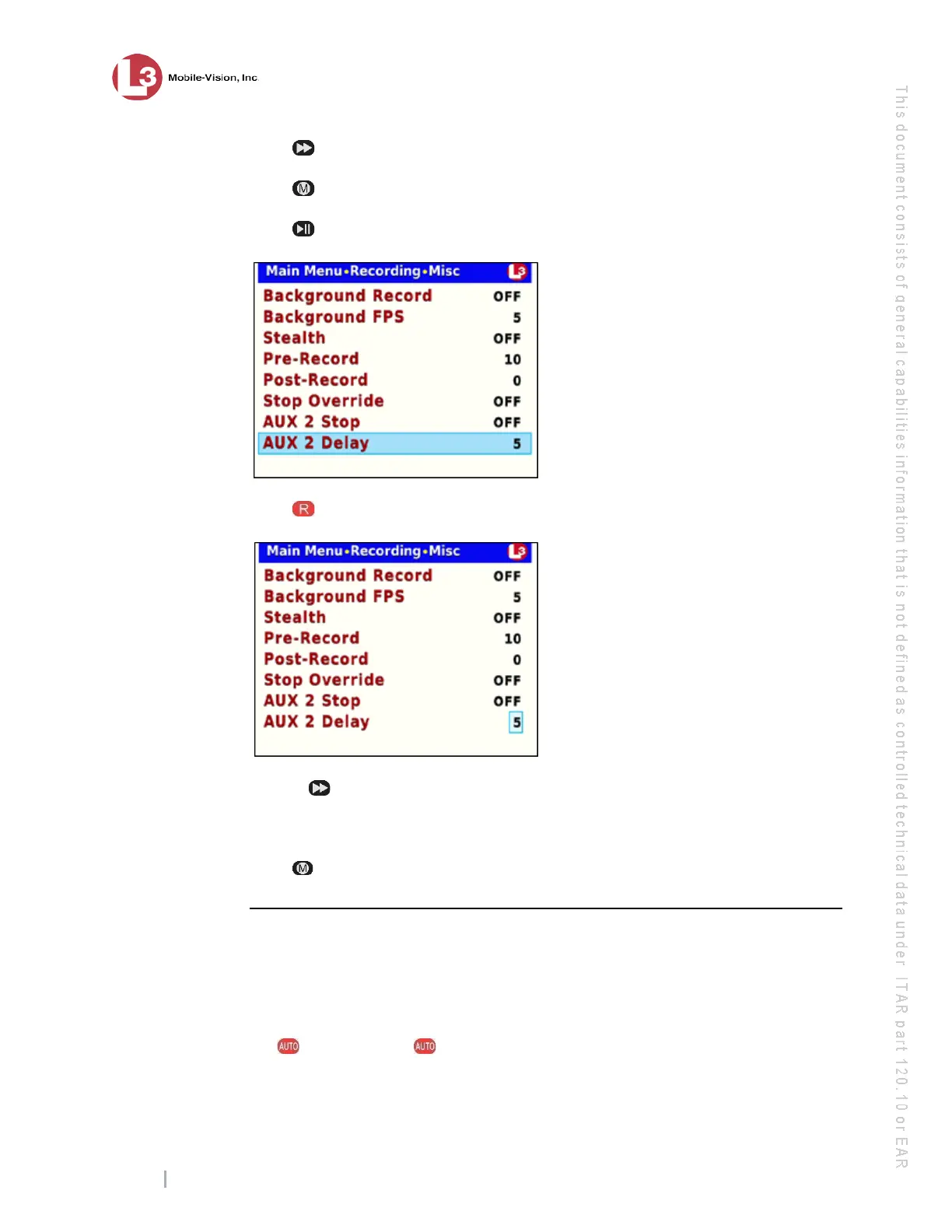
21 Press to change the value of the AUX 2 Stop field from OFF to ON.
22 Press .
23 P
ress to advance to the AUX 2 Delay field.
24 P
ress to select the AUX 2 Delay field.
25 U
se the button to select the desired number of “delay” minutes that you want to
elapse before a Aux 2 triggered recording is automatically stopped: 1, 5, 10, 15, 30,
45, or 60. Once the desired number displays, proceed to the next step.
26 P
ress four times to save your changes and exit this option.
Turning the Aux 2 Trigger Off
This section describes how to turn the Auxiliary 2 record trigger off. When this
feature is on, the DVR will automatically begin recording whenever your Auxiliary 2
device (such as a motion detector) is activated.
1 M
ake sure the door to your DVR is open and Auto mode is off. (If necessary, press
the button until the light turns off.)



 To Next Page