DVR Operation
Remote Record Button
Flashback3 & Flashback HD User’s Guide
L3 Mobile-Vision 6.23.2017 Page 25
Remote Record Button
Radar Interface
The optional radar interface enables you to link your Flashback to your in-car radar
detector. This enables you to display radar readings on the Flashback screen and save
them as part of your videos. The format for the on-screen radar readings is T:# L:#
P:#, where # = miles-per-hour or kilometers-per-hour. T stands for Target Speed, L
stands for Locked Target Speed, and P stands for Patrol Speed, as described below.
Target Speed. The MPH or KPH reading that an officer obtained after the radar
device was aimed at a speeding vehicle.
Locked Target Speed. The minimum MPH or KPH reading that the officer was
looking for when the radar device was aimed at a speeding vehicle.
Patrol Speed. The MPH or KPH reading of the officer’s patrol car at the time
a radar reading was obtained.
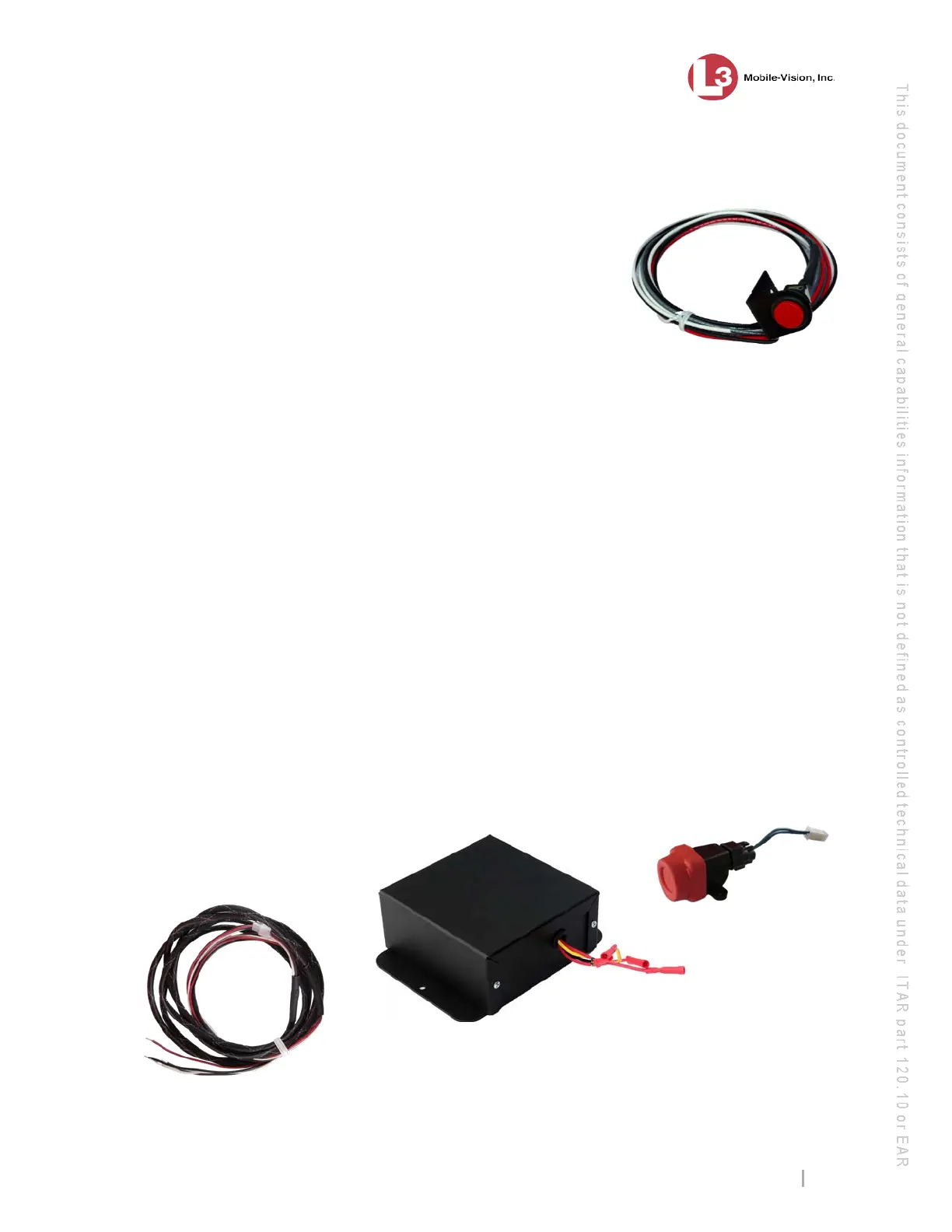
Resettable Crash Sensor
The optional Resettable Crash Sensor is a device that’s used to detect a vehicle crash
and automatically initiate a recording. To do so, it draws energy from an internal
backup battery rather than from your vehicle battery. The Crash Sensor kit includes a
G-force sensor, backup battery, and cable.
L3 Mobile-Vision sells an optional device that
enables you to press a large, lighted red push
button to initiate a recording. One advantage of this
device is that the Record button is large enough to
press while wearing gloves. Another advantage is
that th
e button is illuminated, making it easy for
you to locate it in a low light environment. If you
are interested in purchasing this device, contact
your L3 Mobile
-Vision Sales Representative at
-800-336-8475.



 To Next Page