DVR Settings
Entering the Officer Name
Flashback3 & Flashback HD User’s Guide
Page 208 L3 Mobile-Vision 6.23.2017
14 Press
.
15 Enter the IP address for the second server, as described in steps 7 – 11.
16 P
ress four times to save your changes and exit this option.
Entering the Officer Name
Normally, the officer name is automatically transferred to the DVR when an officer
logs in using his DVR Login Key. However, there are a few circumstances when you
might want or need to login manually:
Scenario 1. You are the only person who drives the vehicle in which the DVR is
installed. In this case, you can enter your name once to ensure that all future
videos recorded on the DVR will be linked to you.
Scenario 2. You need to login to a DVR but you have either lost, misplaced, or
forgotten your USB login key.
By default, the Officer Name field is set to No Name.
1 Make sure the door to your DVR is open and Auto mode is off. (If necessary, press
the button until the light turns off.)
2 P
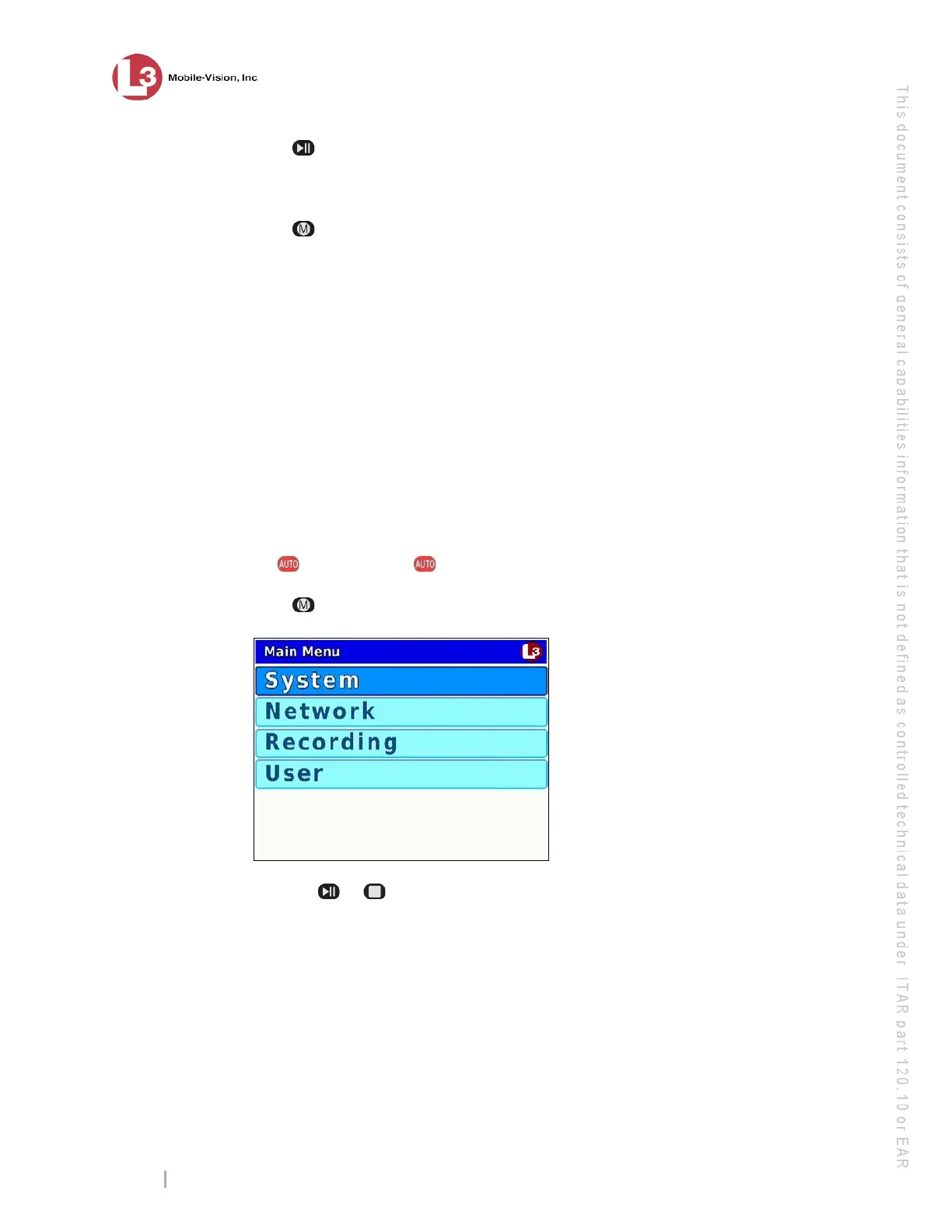
ress . The Main Menu displays.
3 P
ress the or button until User is highlighted.



 To Next Page