DVR Settings
Entering/Changing the Ethernet Options
Flashback3 & Flashback HD User’s Guide
L3 Mobile-Vision 6.23.2017 Page 159
Entering/Changing the Ethernet IP
This section describes how to enter or change the IP address of the internal Ethernet
LAN interface.
N
OTE: If you want your DHCP server to automatically provide the Ethernet
addresses to this DVR, do not enter this field. Instead, turn the Ethernet DHCP option
on, as described in “Turning the Ethernet DHCP Option On/Off” on page 169.
1 Make sure the door to your DVR is open and Auto mode is off. (If necessary, press
the button until the light turns off.)
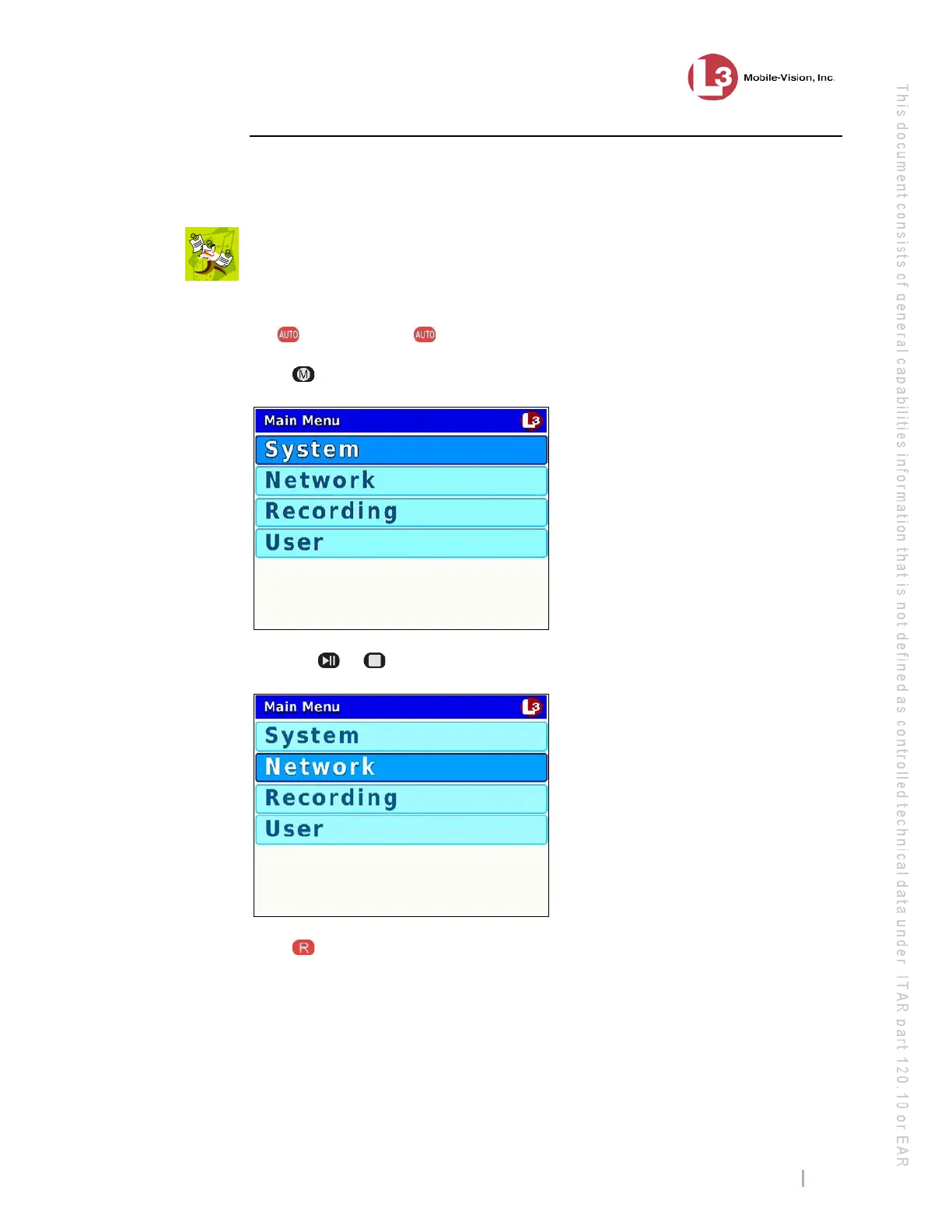
2 Press . The Main Menu displays.
3 Press the or button until Network is highlighted.
4 P
ress to select the Network option. The Network menu displays.



 To Next Page