DVR Settings
Entering/Changing the Wireless Security Settings
Flashback3 & Flashback HD User’s Guide
L3 Mobile-Vision 6.23.2017 Page 179
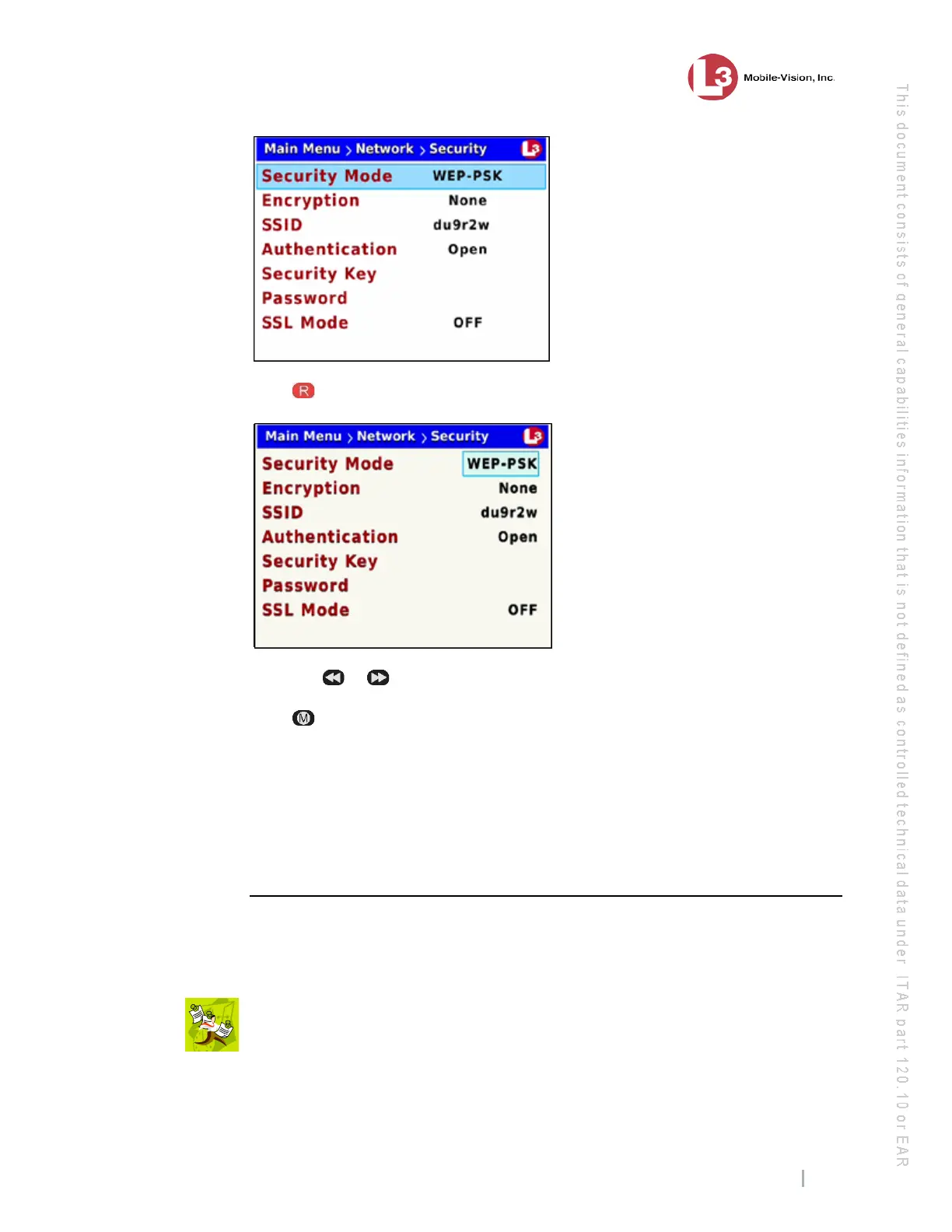
7 Pr
ess to select the Security Mode field.
8 Us
ing the
or buttons, display the security mode you wish to select.
9 Pr
ess four times to save your changes and exit this option.
If you selected the WPA-ENTERPRISE or WPA2-ENTERPRISE mode, you will
need to enter the associated wireless certificates through the DES application. For
instructions, see “Changing the Wireless Certificates for a Flashback DVR that is Not
Assigned to a DVR Group” in chapter 5 of the DEP Administrator’s Guide.
If you selected the WEP-PSK mode, you will need to enter a wireless encryption
password. See “Entering the Wireless Encryption Key” on page 185 for instructions.
Changing the Wireless Authentication Type
This section describes how to change the authentication type used by the wireless
mode displayed in the Security Mode field on the Security screen. By default, this
option is set to None.
NO
TE: If you selected wireless mode WPA-PSK or WPA2-PSK, this field is not
required.



 To Next Page