DVR Settings
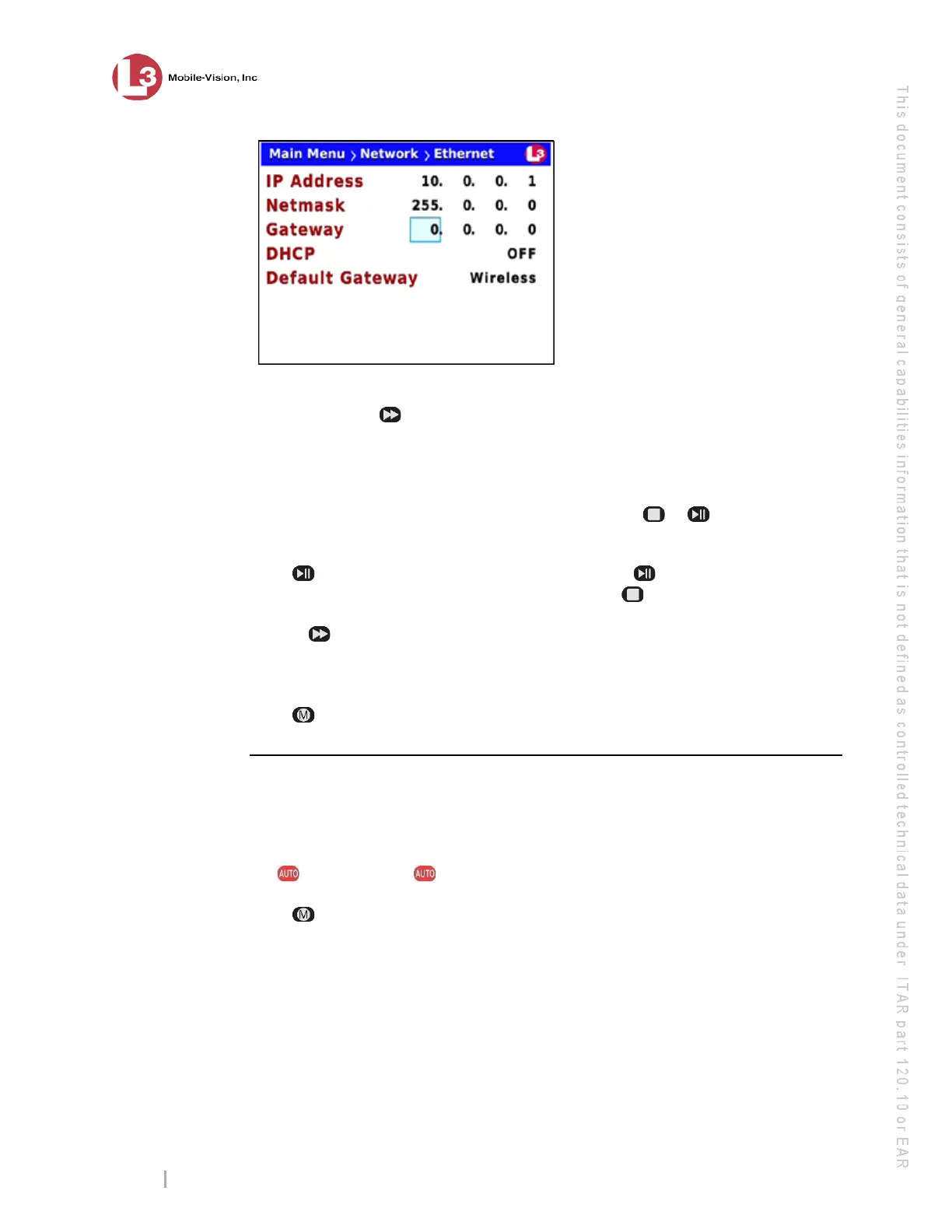
Entering/Changing the Ethernet Options
Flashback3 & Flashback HD User’s Guide
Page 166 L3 Mobile-Vision 6.23.2017
8 T
o enter/change the first segment of the IP address, proceed to the next step.
Otherwise use the button to advance to the first segment you wish to change.
9 I
f the current value of this IP segment is 0, proceed to the next step.
– OR –
If the current value of this IP segment is 1 – 255, use the or
buttons to move
the numeric display higher or lower, respectively. Next, skip to step 11.
10 P
ress . The number 255 displays. Keep pressing the button until the desired
number displays. (If you overshoot the number, press to back up.)
11 U
se the button to advance to the next segment you wish to enter/change.
12 R
epeat steps 9 – 11 until all four segments of the IP address are entered/updated.
13 P
ress four times to save your changes and exit this option.
Changing the Gateway Type
This section describes how to change the gateway type. There are two gateway
options: Wireless (default) or Ethernet.
1 M
ake sure the door to your DVR is open and Auto mode is off. (If necessary, press
the button until the light turns off.)
2 P
ress . The Main Menu displays.



 To Next Page