Peripherals
VLX Wireless Microphone
Flashback3 & Flashback HD User’s Guide
L3 Mobile-Vision 6.23.2017 Page 23
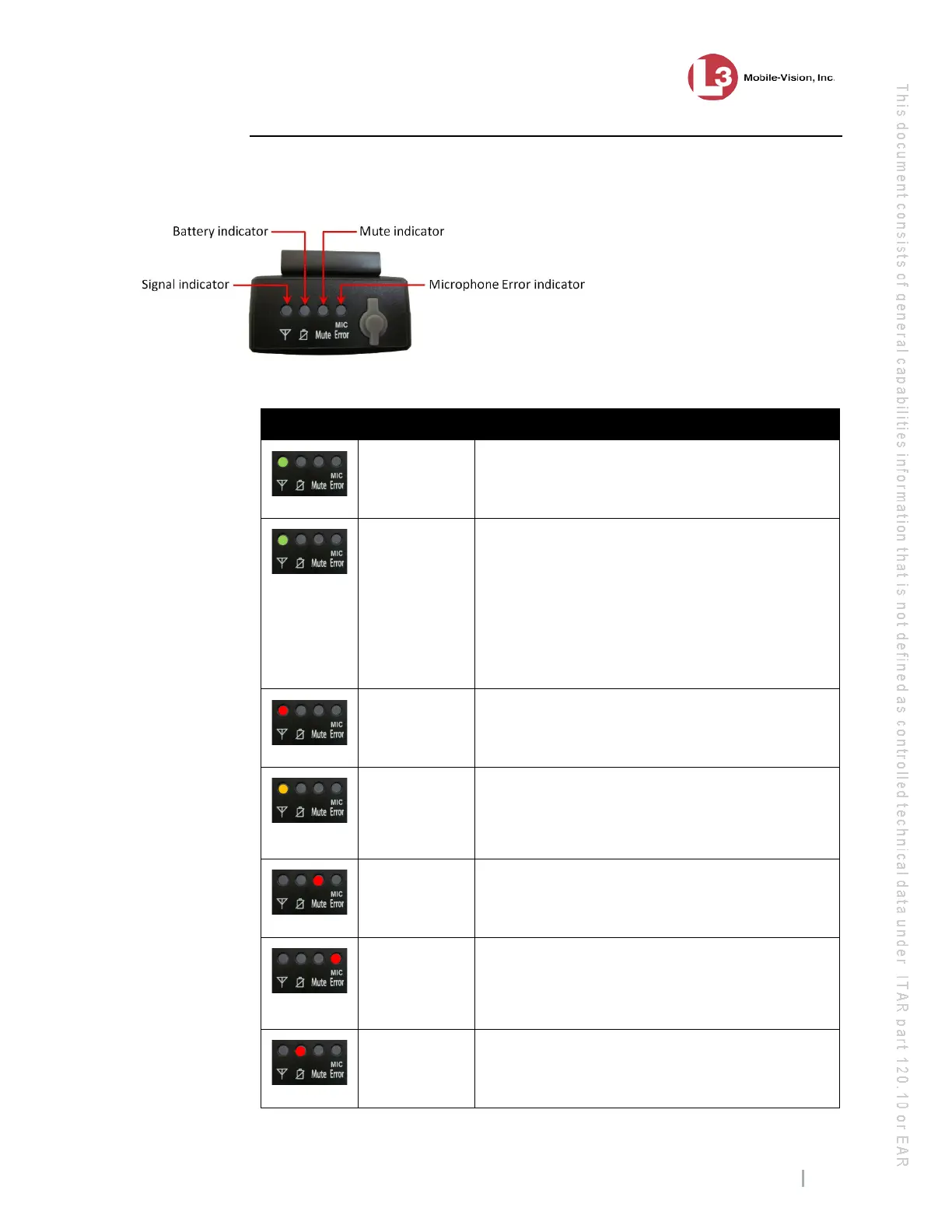
VLX Light Indicators
On the top of the VLX, there are four light indicators: the Signal, Battery, Mute, and
MIC Error.
These light indicators and their meaning(s) are described in the following table.
Indicator Color Meaning
Signal
Solid green Recording is in progress; signal between the wire-
less mic and docking station is good. The two de-
vices are in sync.
Signal
Blinking
green
Signal between the wireless mic and docking sta-
tion is marginal and audio is likely interrupted.
This occurs because you are nearly out of range or
there is a barrier of some sort (metal, for example)
interrupting the signal from the wireless mic to the
docking station. To regain a reliable audio con-
nection, move back within range of the docking
station.
Signal
Blinking red Recording is in progress but the wireless mic is
out of range; the DVR is not receiving audio from
the wireless mic.
Signal
Solid orange There is an active connection with audio to the
DVR, but the DVR is not recording, typically be-
cause the DVR door is open or there is no mem-
ory card in the DVR’s card slot.
Mute
Blinking red Audio is temporarily muted. This occurs when
you hold the Record switch down for at least two
seconds while a recording is in progress.
Mic Error
Solid red External lapel microphone is not functioning pro-
perly and may need to be replaced. In this circum-
stance, the audio source will automatically switch
to the unit’s internal microphone.
Battery
Solid red
Battery level is low—less than 2.5 hours.



 To Next Page