DVR Settings
Selecting & Configuring Record Triggers
Flashback3 & Flashback HD User’s Guide
Page 90 L3 Mobile-Vision 6.23.2017
9 U
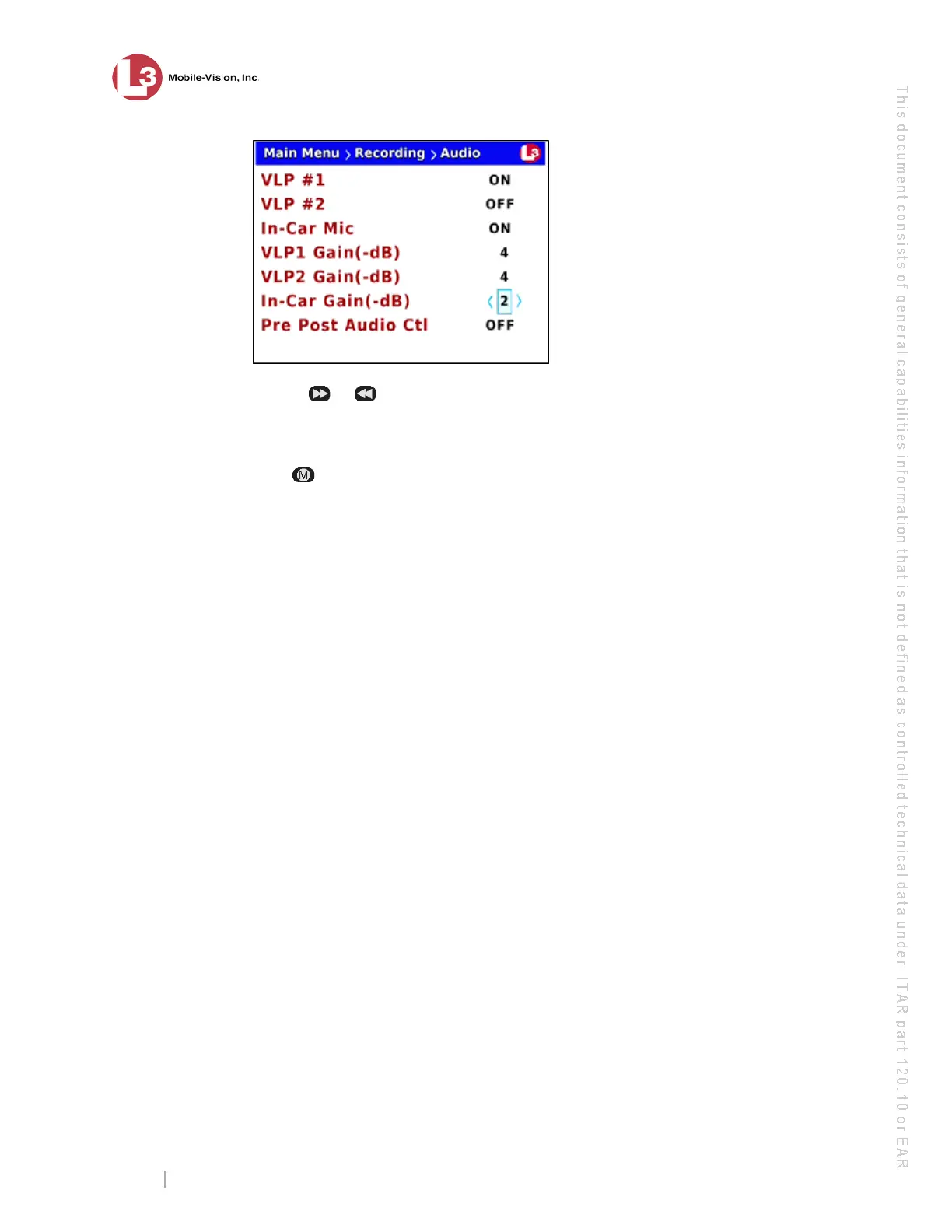
se the or
button to select the desired gain in negative decibels (0 – 16).
For example, if you notice some audio distortion in your videos and the value of
the In-Car Gain(-dB) field is currently 4, you may want to try setting it to 5.
10 P
ress four times to save your changes and exit this option.
Selecting & Configuring Record Triggers
Video recordings are initiated, or triggered, in one of two ways: manually, or auto-
matically. To manually trigger a recording, you simply press the Record button on
your Flashback monitor or DVR. To automatically trigger a recording, you program
the Flashback to begin recording in response to selected actions. For example, you
can program the Flashback to automatically begin recording when your siren or
emergency lights go on, when your vehicle reaches a certain speed, or when a
wireless microphone is activated. These actions are referred to as record triggers.
Initially, your System Implementation Specialist (SIS) will assist you in selecting and
configuring your record triggers. After that, you can use the following procedures to
add new triggers and/or reconfigure existing triggers.
P
lease note that the Aux 1 and Aux 2 triggers work in tandem with optional add-on
equipment, such as the Crash Sensor. Such equipment is typically installed at system-
start up.
F
or more information, see:
Turning the Lights Trigger On/Off, next page
Turning the Siren Trigger On/Off, page 93
Turning the AUX1 Trigger On/Off, page 96
Turning the AUX2 Trigger On, page 98
Turning the AUX2 Trigger Off, page 104
Turning the Speed Trigger On/Off, page 107
Turning the ‘Stop Override’ Feature On/Off, page 111
Turning the VLP Microphone Trigger On/Off, page 113



 To Next Page