DVR Settings
Selecting & Configuring Record Triggers
Flashback3 & Flashback HD User’s Guide
Page 110 L3 Mobile-Vision 6.23.2017
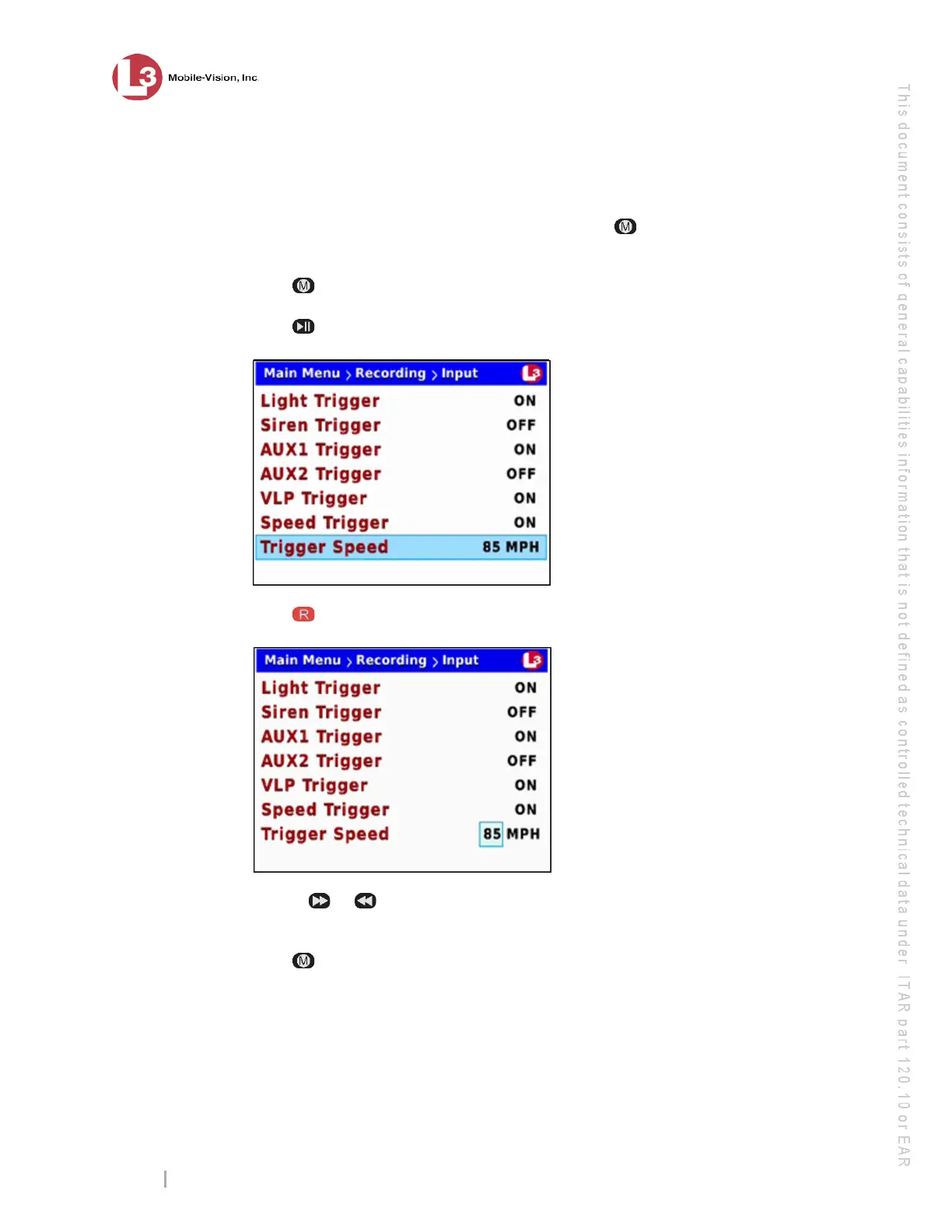
10 If you wish to change the trigger speed (see Trigger Speed field), proceed to the
next step.
– OR –
If you do not wish to change the trigger speed, press four times to save your
changes and exit this option. End of procedure.
11 Pr
ess .
12 Pr
ess to advance to the Trigger Speed field.
13 Pr
ess to select the Trigger Speed field.
14 Use t
he or
button to select the desired trigger speed (65 – 100). Once the
desired trigger speed displays, proceed to the next step.
15 Press
four times to save your changes and exit this option.



 To Next Page