DVR Settings
Entering/Changing System Settings
Flashback3 & Flashback HD User’s Guide
L3 Mobile-Vision 6.23.2017 Page 207
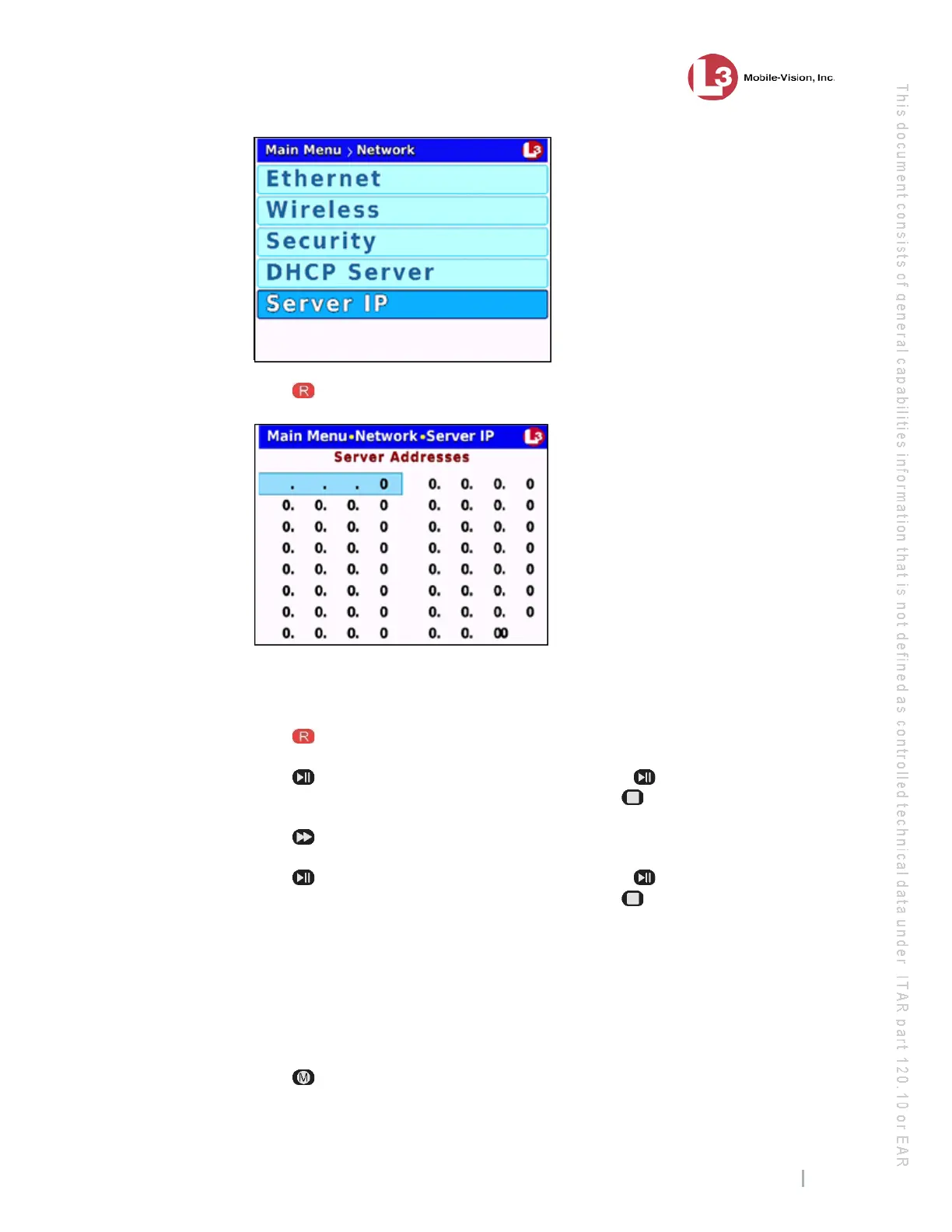
6 Press
to select the Server IP option. A data entry keyboard displays.
You wi
ll be using this keyboard to enter the Server IP address(es) for your DES
server(s).
7 Press
to highlight the first segment of the first Server IP address.
8 Press . The number 255 displays. Keep pressing the button until the desired
number displays. (If you overshoot the number, press to back up.)
9 Press
to advance to the next segment of the IP address.
10 Press . The number 255 displays. Keep pressing the button until the desired
number displays. (If you overshoot the number, press to back up.)
11 Repeat
steps 9 and 10 until all four segments of the Server IP address are entered.
12 If your agency has only one DES server, skip to step 16.
– OR –
If your agency has more than one DES server, proceed to the next step.
13 Press
.



 To Next Page