DVR Settings
Resetting the DVR to its Factory Settings
Flashback3 & Flashback HD User’s Guide
L3 Mobile-Vision 6.23.2017 Page 225
6 Pr
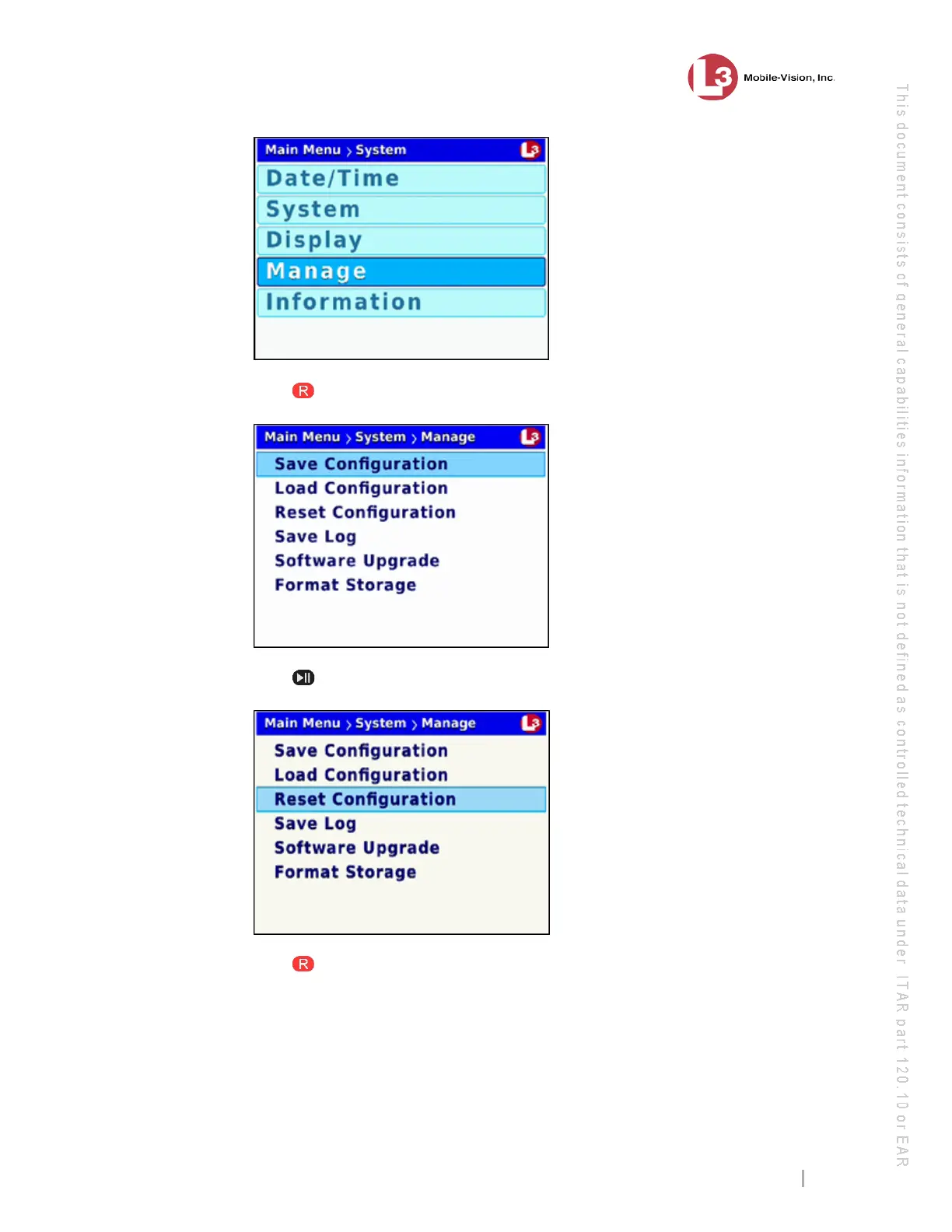
ess to select the Manage option. The Manage screen displays.
7 Pr
ess twice to advance to the Reset Configuration option.
8 Pr
ess to select the Reset Configuration option. The system resets the DVR to its
original factory settings and then reboots the DVR. While this process takes place, a
status message will display on-screen.



 To Next Page