DVR Settings
Copying the DVR Configuration File to/from DVR
Flashback3 & Flashback HD User’s Guide
Page 220 L3 Mobile-Vision 6.23.2017
6 P
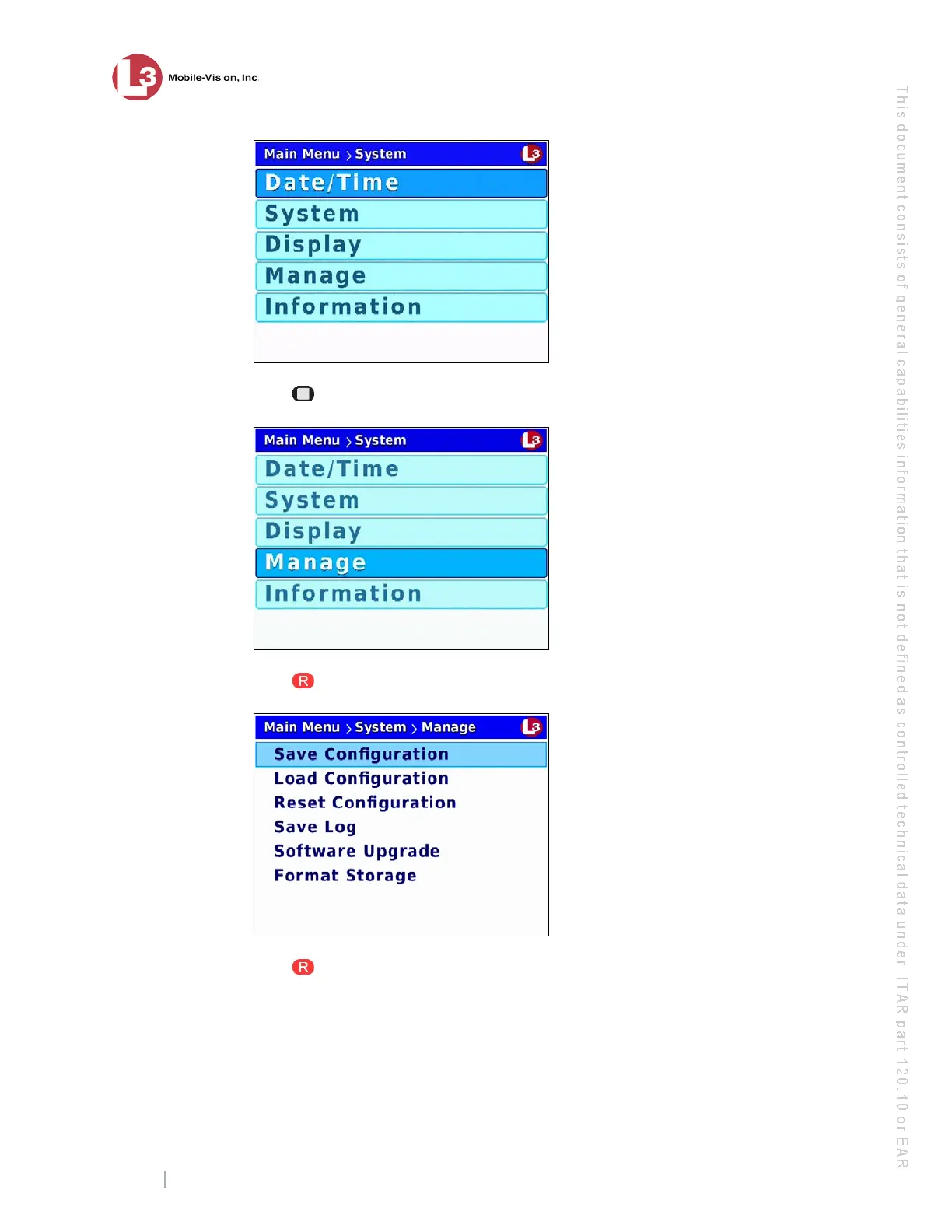
ress twice to advance to the Manage option.
7 P
ress to select the Manage option. The Manage screen displays.
8 P
ress to select the Save Configuration option. The system copies the DVR’s
config.xml to the USB drive. While this process takes place, a status message will
display on-screen.



 To Next Page