DVR Settings
Changing the Date & Time Settings
Flashback3 & Flashback HD User’s Guide
L3 Mobile-Vision 6.23.2017 Page 41
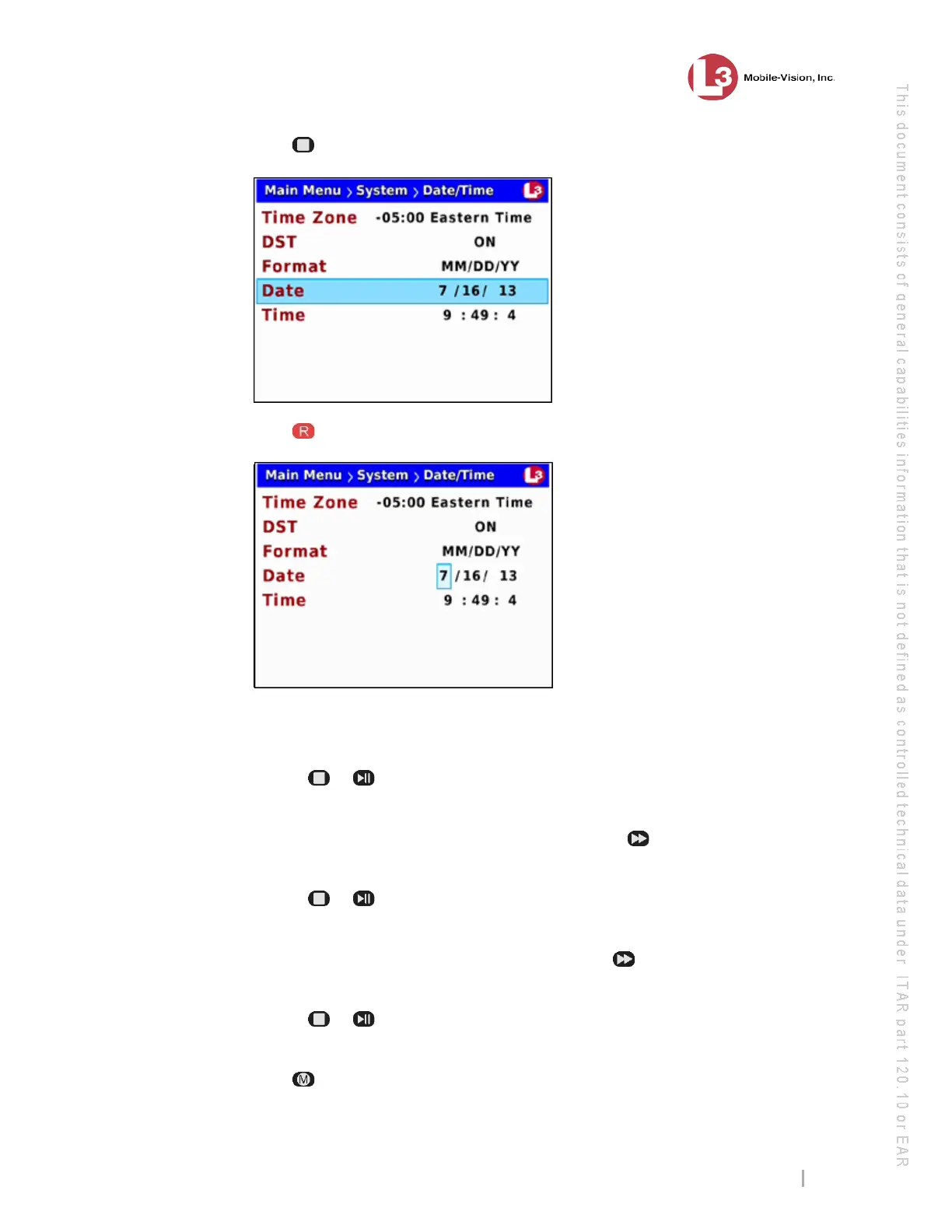
6 Press twice to advance to the Date field.
7 Press to select the Date field.
8 To change the first segment of the Date field, proceed to the next step. Otherwise
skip to step 10.
9 Use the or
buttons to move the numeric display higher or lower, respectively.
Once the desired number displays, proceed to the next step.
10 To change the second segment of the Date field, press , then proceed to the next
step. Otherwise skip to step 12.
11 Use the or
buttons to move the numeric display higher or lower, respectively.
Once the desired number displays, proceed to the next step.
12 To chan
ge the third segment of the Date field, press , then proceed to the next
step. Otherwise skip to step 14.
13 Use the or
buttons to move the numeric display higher or lower, respectively.
Once the correct year displays, proceed to the next step.
14 Press four times to save your changes and exit this option.



 To Next Page