Diagnostic aids 3-1
5041-030
3. Diagnostic aids
This chapter explains the tests and procedures to identify printer failures and verify repairs have corrected the
problem.
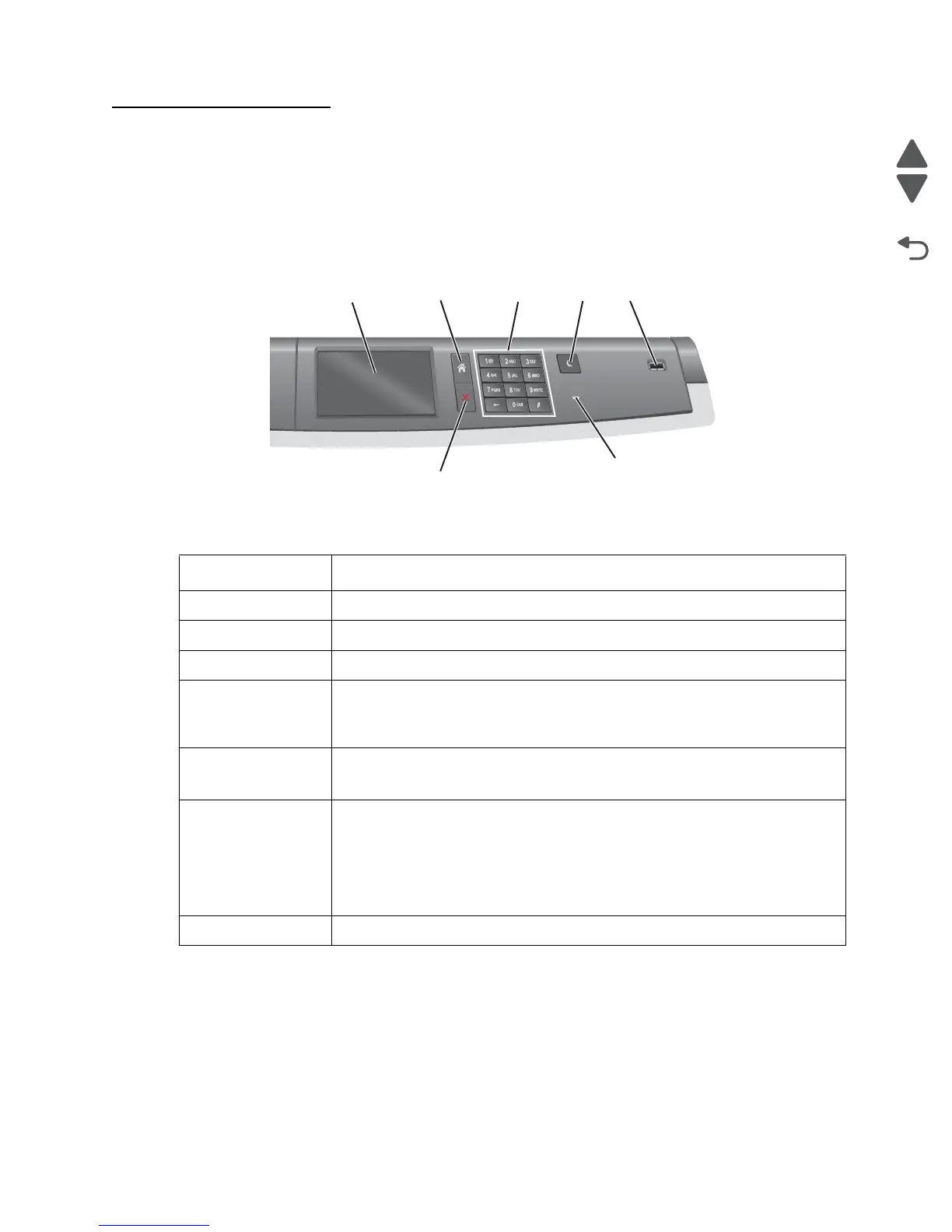
Understanding the printer operator panel
Item Description
1- Display Shows the status of the printer.
2 - Home Lets you navigate back to the home screen.
3 -Keypad Allows you to enter numbers, letters, or symbols.
4 - Sleep Mode Enables Sleep Mode
Note: Touching any button on the screen will cause the printer to
wake from Sleep Mode.
5 - USB Port Allows the user to connect a USB flash drive to the printer.
Note: Only the front USB port supports flash drives.
6 - Indicator Light Off- The printer is off.
Blinking green - The printer is warming up, processing data, or printing.
Solid green - The printer is on, but idle.
Solid red - Operator intervention is needed.
Amber - The printer enters Sleep Mode or Hibernate Mode.
7 - Stop Cancel a print job, or break out of a menu item in the printer menus.



 To Next Page