4-118 Service Manual
5041-030
Option paper feed removals
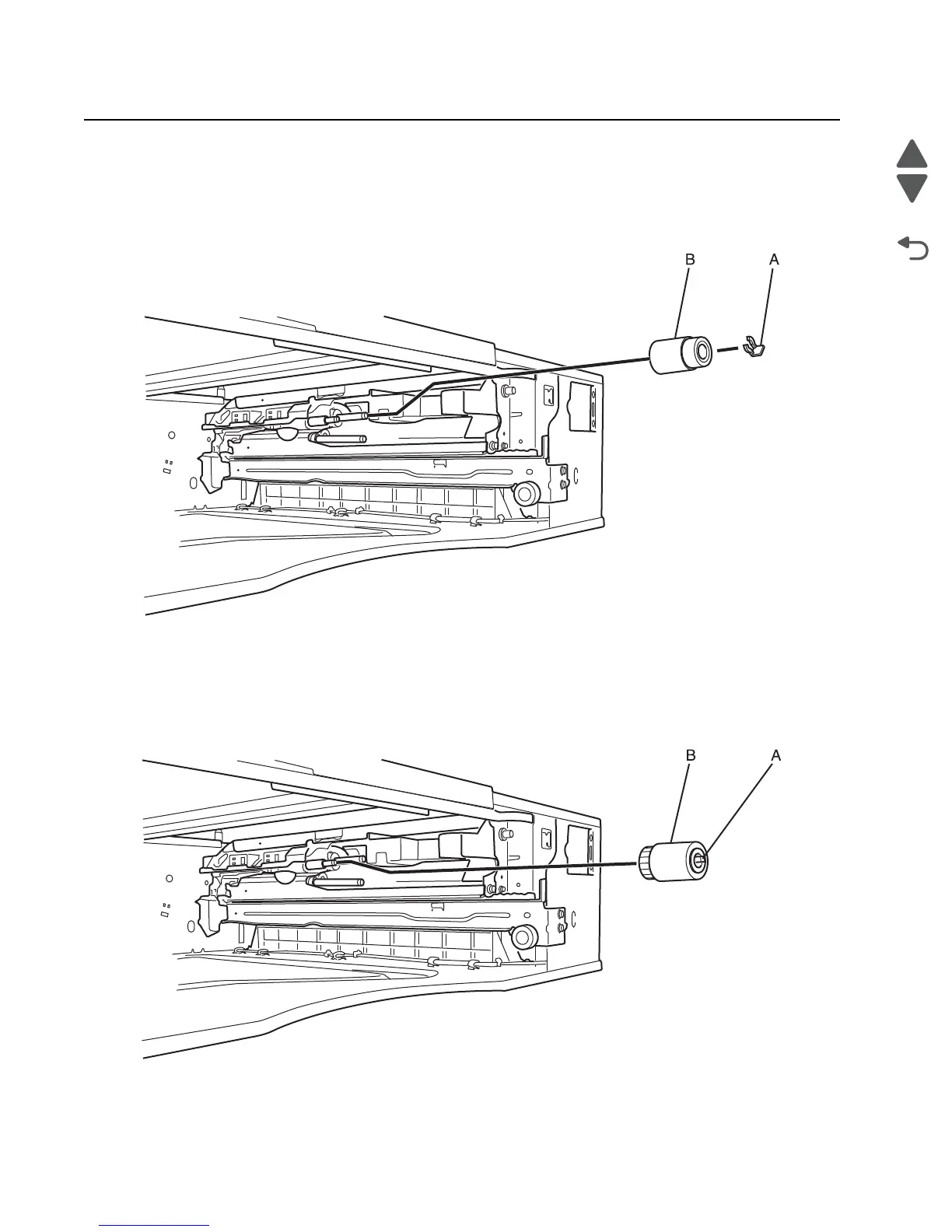
Paper feed roll removal
1. Remove the paper tray from the option paper feed unit.
2. Remove the clip (A) securing the paper feed roll to the shaft.
3. Slide the paper feed roll (B) off the shaft to remove it.
Pick roll removal
1. Remove the paper tray from the option paper feed unit.
2. Pull back the tab (A) on the pick roll.
3. Slide the pick roll (B) off of the shaft to remove it.



 To Next Page