4-58 Service Manual
5041-030
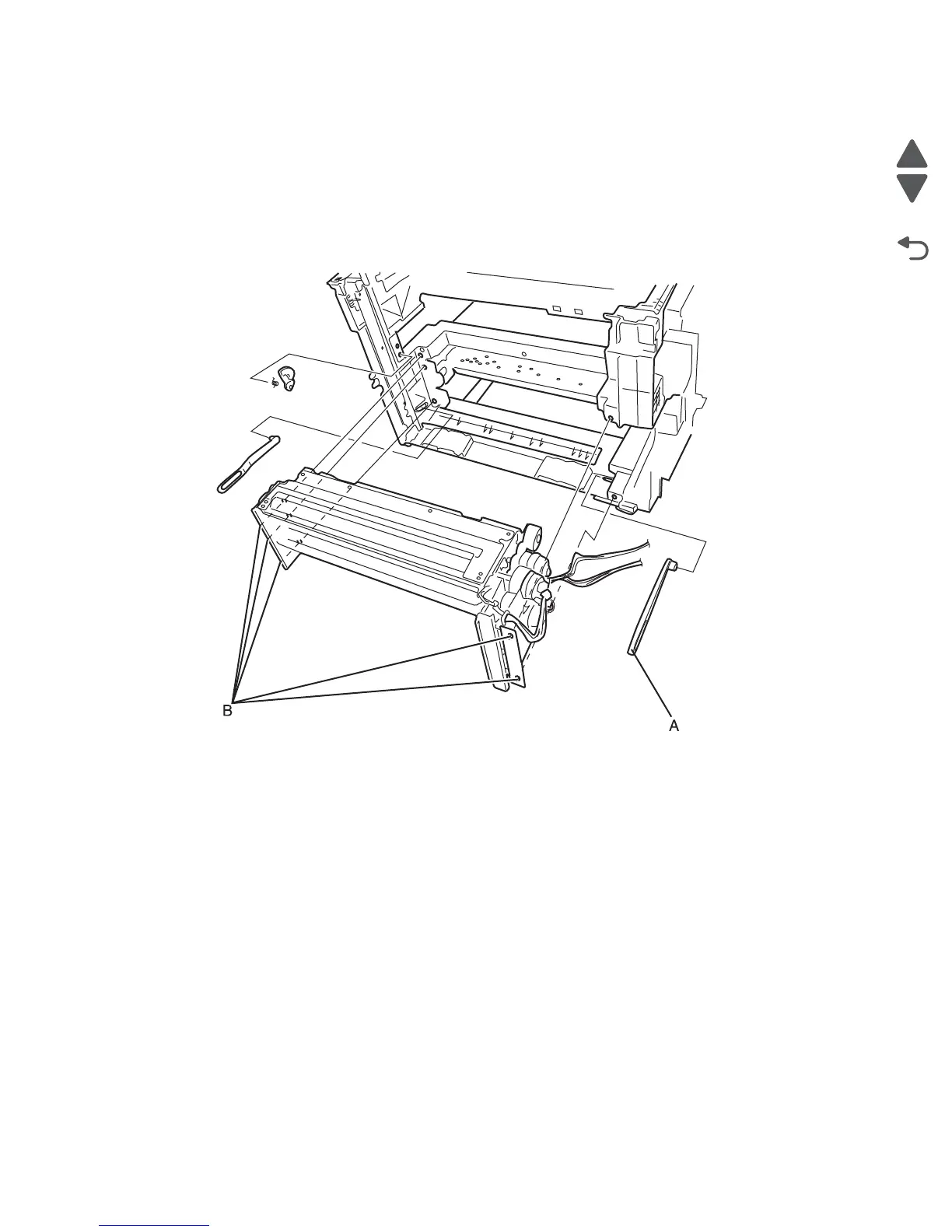
Paper feed unit removal
Note: Remove the main tray paper guide and the multi-purpose feed tray paper guide. These will be used on
the new paper feed unit. See “Main tray paper guide removal” on page 4-95 and “Multi-purpose feed tray
paper guide removal” on page 4-97.
1. Remove the HVPS. See “HVPS removal” on page 4-87.
2. Remove the complete duplex unit. See “Duplex removal” on page 4-53.
3. Remove the right link arm (A).
4. Disconnect the registration clutch harness from connector CN20 on the printhead controller board.
5. Disconnect the pick roll, separator roll, and feed roll clutch cables from connector CN8 on the MDCONT
(Engine) board.
6. Disconnect the paper feed unit motor harness from connect or CN16 on the MDCONT (Engine) board.
7. Disconnect the paperfeed units sensors cable from CN12 on the engine board.
8. Remove the five screws (B) securing the paper feed unit to the printer frame.
Note: See “Paperfeed unit component removals” on page 4-94 for instructions to remove the paperfeed unit
sub-components.



 To Next Page