4-32 Service Manual
5041-030
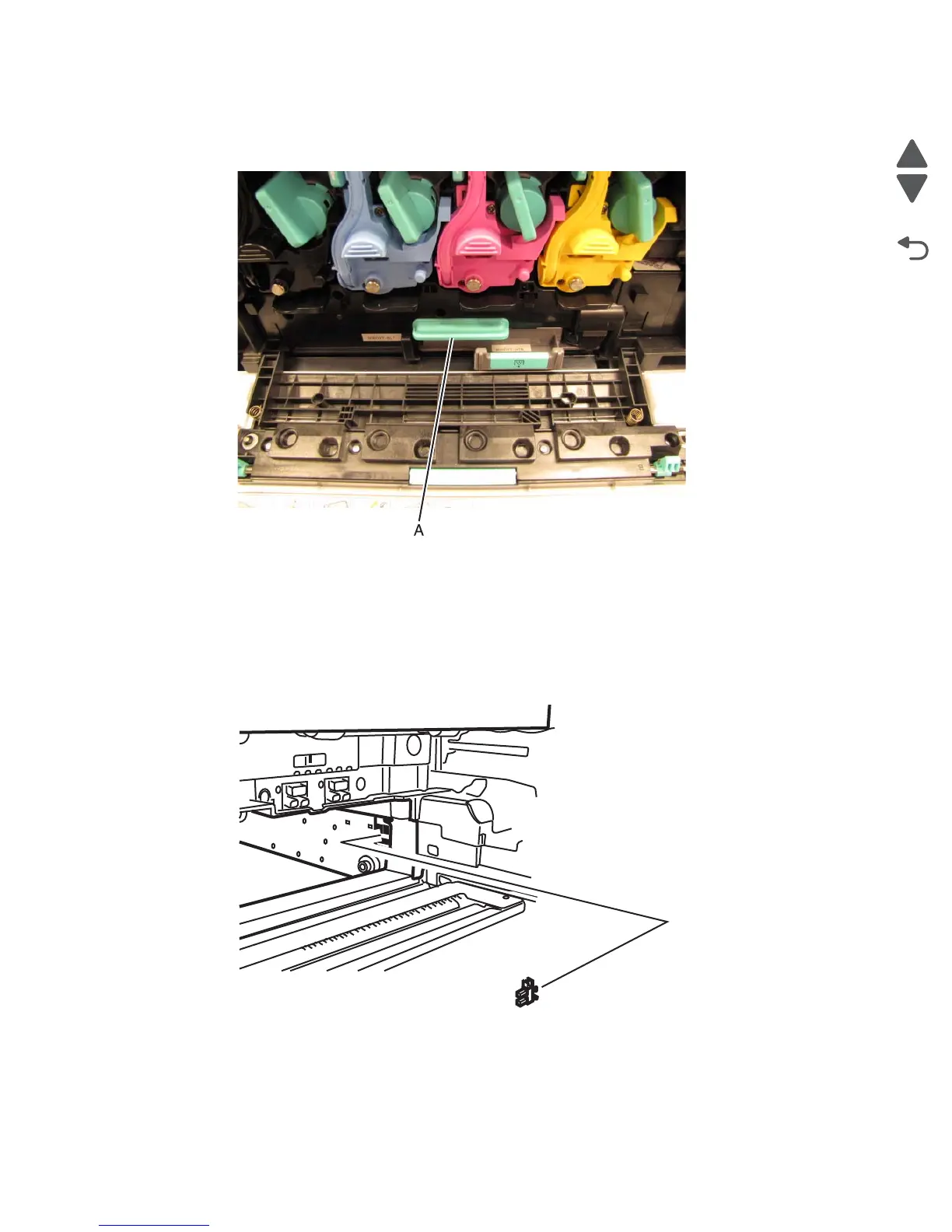
4. Using the handle (A) on the transfer belt, pull the belt outward until two handles appear on the top of the
unit.
5. Use the two handles to pull the unit all the way out.
Transfer belt position sensor removal
1. Remove the transfer belt.
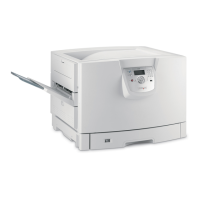
2. Remove the sensor cable from the belt position sensor.
3. Press the tabs the fasten the belt position sensor to the printer frame.



 To Next Page