Diagnostic information 2-25
5041-030
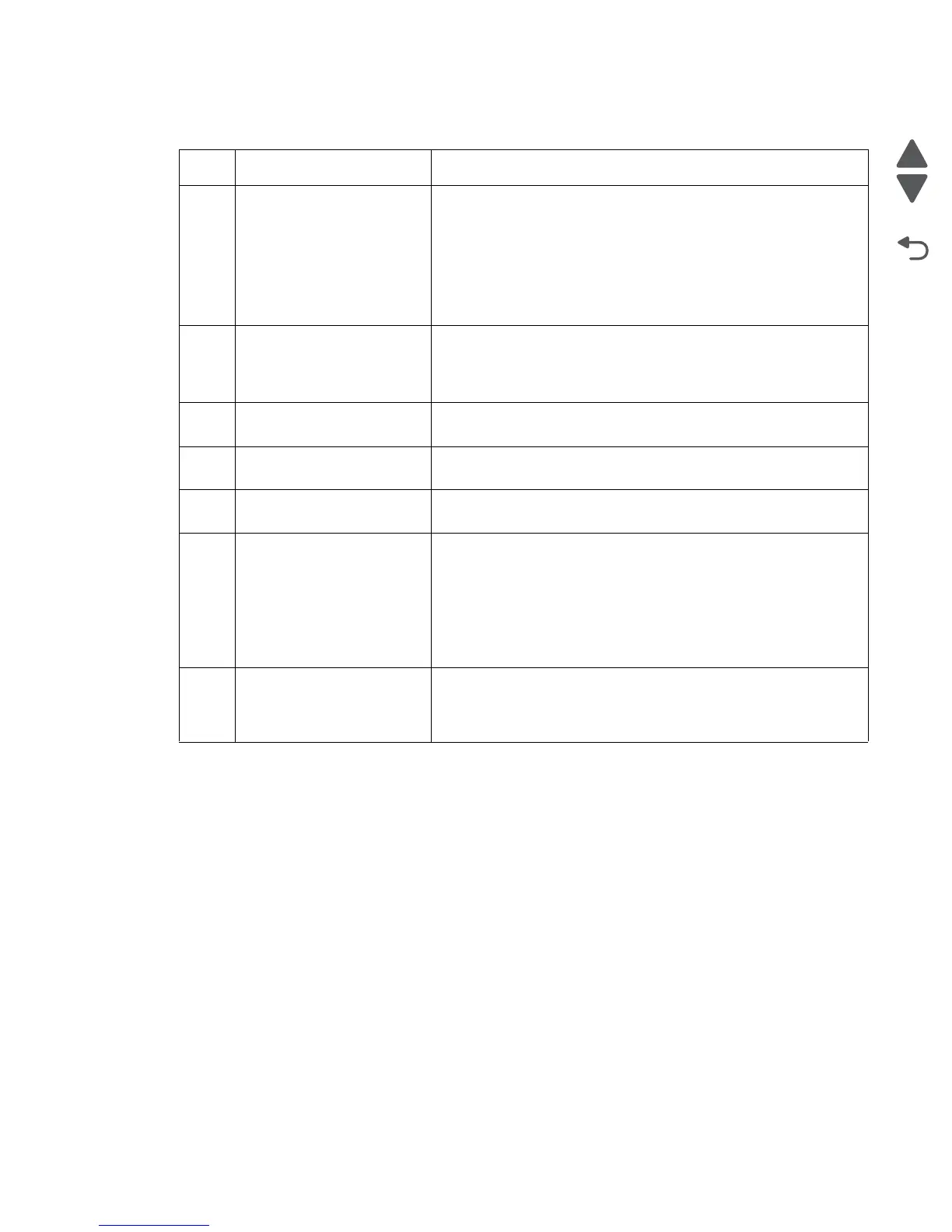
Expansion paper feeder service check
FRU Action
1 Sensors • Check the sensors for dirt. Clean if needed.
• Check the actuators for binding.
• Check the sensor cables for proper connection to the sensors
and interface controller board.
• Check CN 103, pins 3, 6 and 9 for 5V, and pins 1, 4 and 7 for
GND on the option interface board.
• If there are false out of paper errors, check CN106 pin 3 for
+5V, and pin 1 for ground.
2
Tray lift motor • Ensure the cable is properly connected to the motor and
controller board.
• Replace the motor if needed.
• Replace the interface board.
3
Option tray rolls • Check the paperfeed rolls for dirt or wear. Clean with a damp
cloth or replace as needed.
4
Option tray clutch • Check the clutch cable for proper connection to the clutch and
CN 107 on the option interface board.
5
Option tray motor • Check the option tray motor cable for proper connection to the
motor and option interface board.
6
Option interface board • Are the cables properly connected?
• Check pins 6 and 7 on CN13 for +24V, and pins 8, 9 and 11 for
ground. Replace the option interface board if the correct
voltages are present.
• If tray 3 is having issues, ensure that the option interface cable
is properly connected to CN120. If trays 4 or 4 are having
issues check to see if the option cable is properly connected to
CN120 on the tray and CN121 on the tray above it.
7
Printer controller board • Check the option cable in the print engine for proper connection
to the printer controller board.
• Check pins 6 and 7 on CN13 for +24V, and pins 8, 9 and 11 for
ground. Replace the printer controller board if needed.



 To Next Page