Repair information 4-45
5041-030
Power supply fan removal
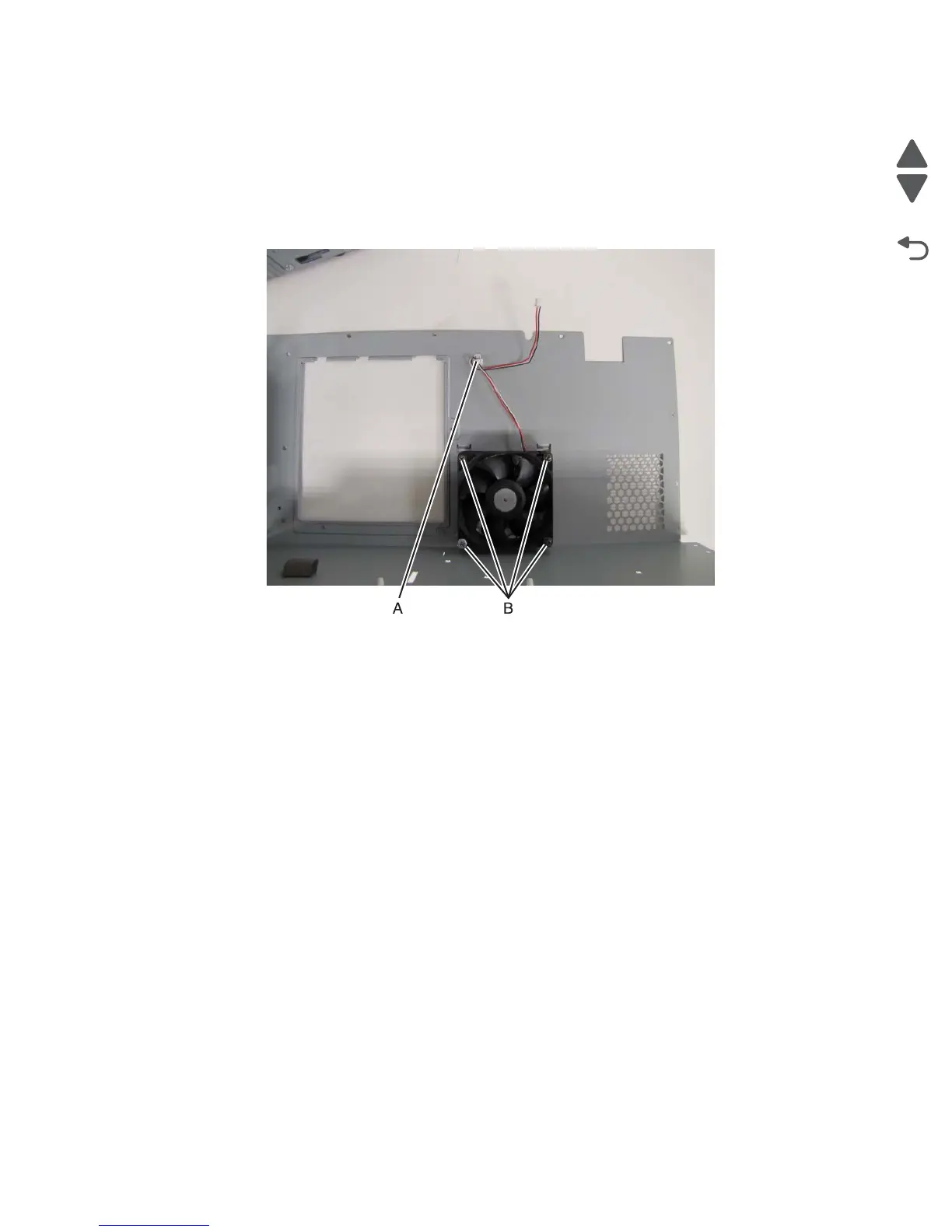
Note: Fan needs to be mounted with label pointed outwards.
1. Remove the left side EMI shield.
2. Remove the fan’s wiring harness from the connector (A) on the shield.
Note: The harness must be routed in this matter when the fan is reinstalled.
3. Turn the shield over, and remove the four screws (B) securing the fan to the shield.



 To Next Page