4-104 Service Manual
5041-030
Paperfeed maintenance kit removals
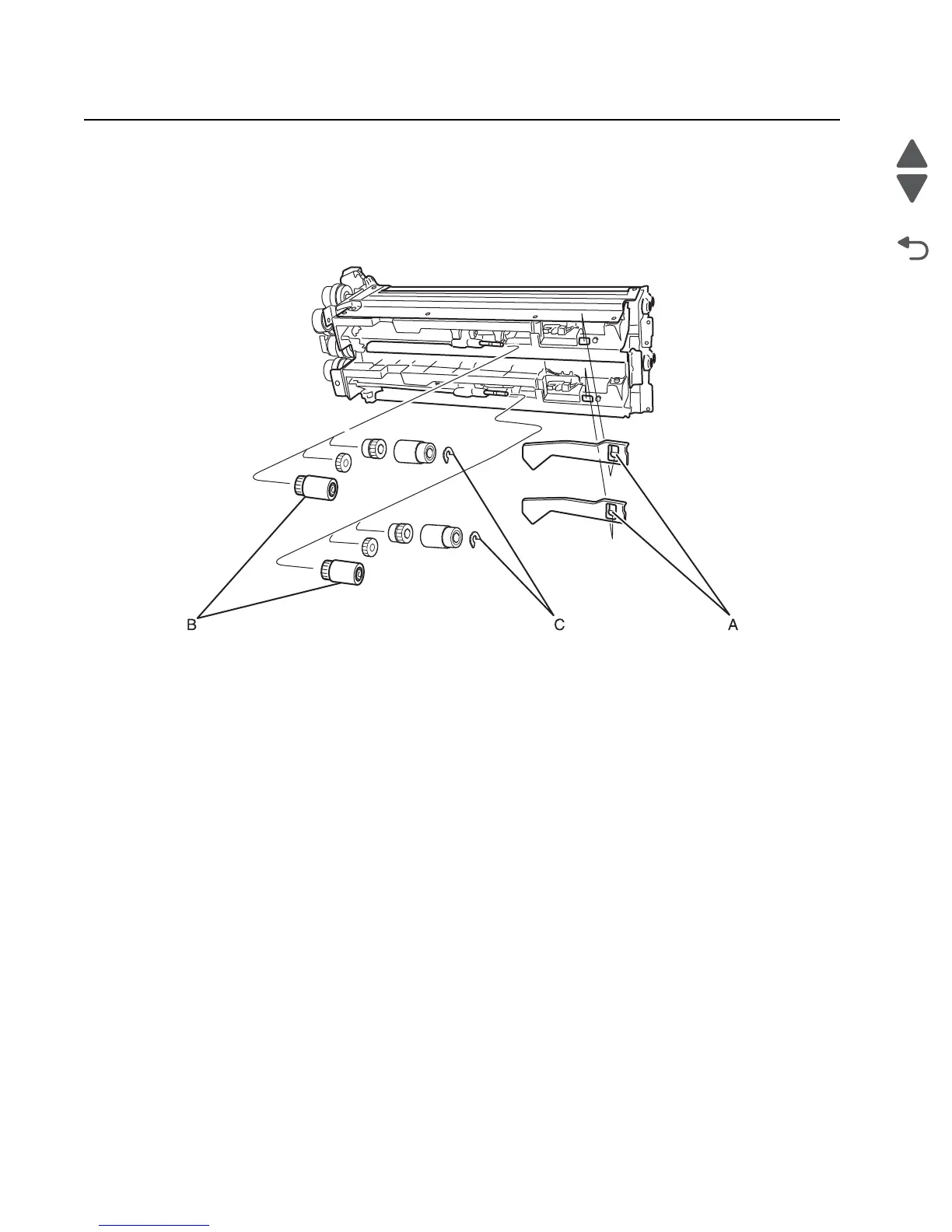
Pick roll removal
1. Remove the paperfeed unit. See “Paper feed unit removal” on page 4-58.
2. Depress the tab (A) and remove the PE sensor actuator.
3. Pull back the tab on the pick roll (B) and remove the pick roll.
Paperfeed roll removal
1. Remove the paperfeed unit. See “Paper feed unit removal” on page 4-58.
2. Remove the pick roll. See “Pick roll removal” on page 4-104.
3. Remove the nylon retainer clip (C). See pick roll removal illustration above.
4. Remove the feed roll.



 To Next Page