2-14 Service Manual
5041-030
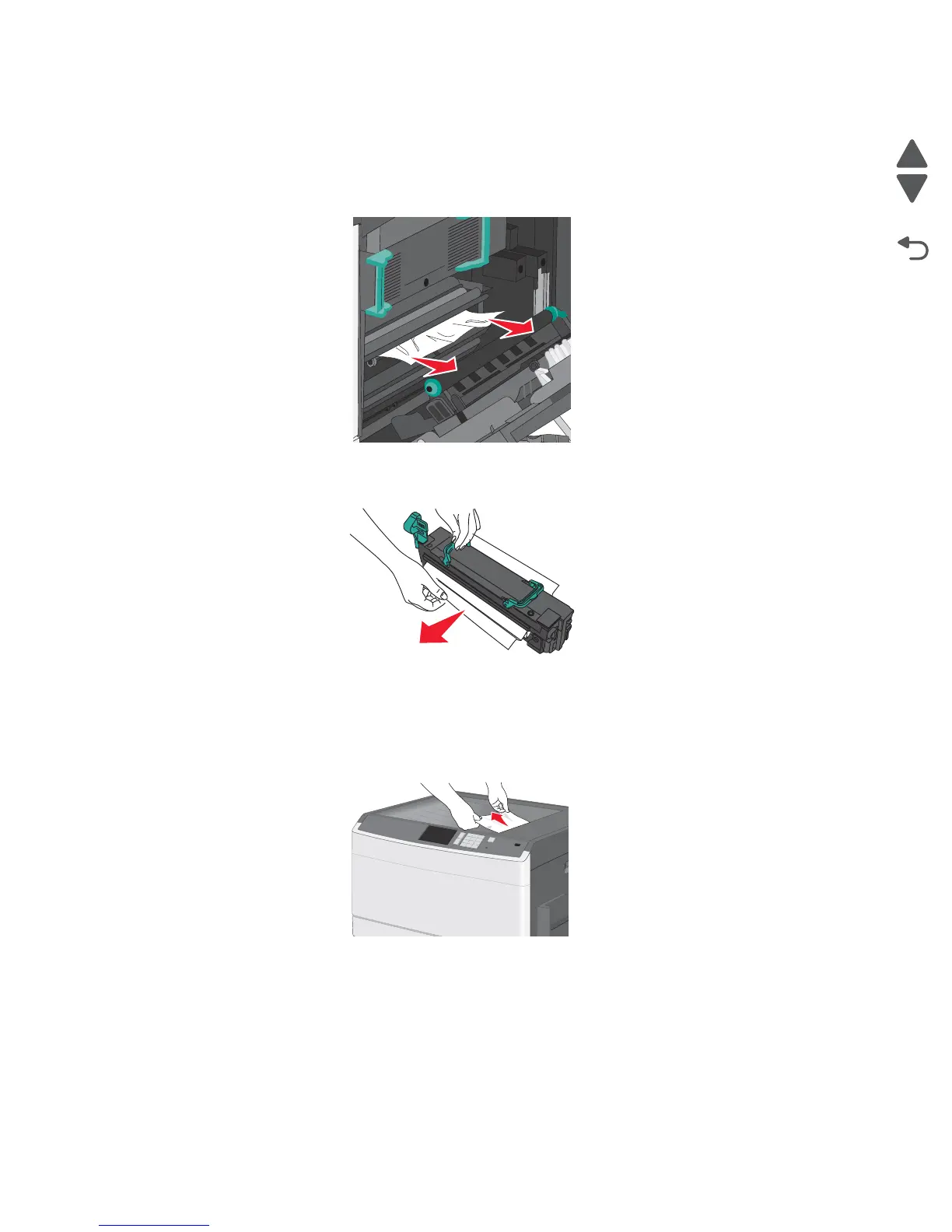
201 paper jam
1.
Open the right side cover.
2. Determine where the jam is located and remove it.
a. If the paper is visible under the fuser, grasp it on each side and pull it out.
b. If the paper is not visible, remove the fuser and remove the jam. See fuser removal.
3. Remove the jammed paper.
4. Close the right cover.
5. Press Continue, jam cleared.
203 paper jam
1.
Grasp any jammed paper that is visible in the exit bin, and gently pull it out.
Note: Make sure all paper fragments are removed. If the page is in the fuser, the fuser nip release lever
should be lowered. After removing the jammed page, return the lever to the proper position.
2. Press Continue, jam cleared.



 To Next Page