4-100 Service Manual
5041-030
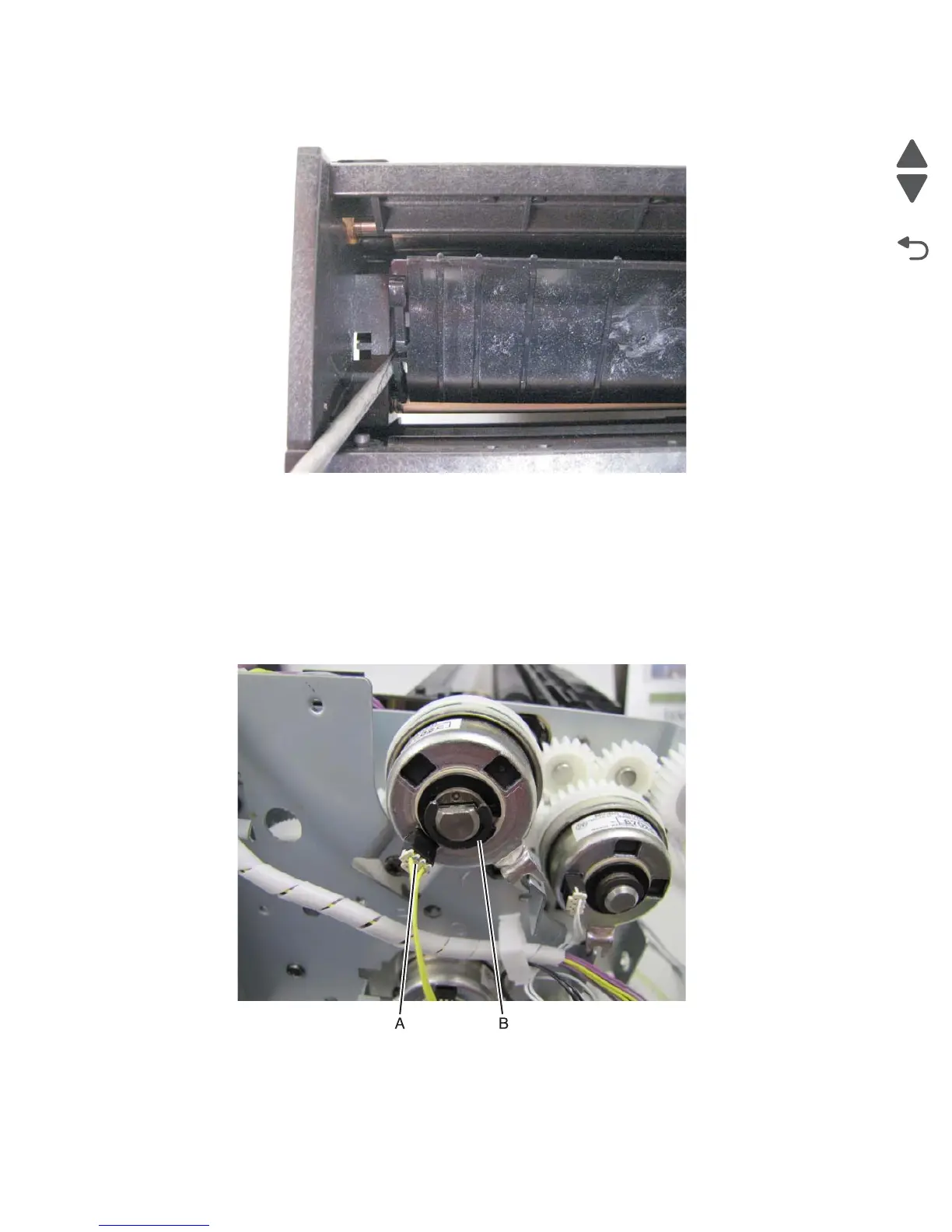
10. Use a flat blade screwdriver to depress the tab on the inner multi-purpose paper guide.
11. Gently lift and remove the inner multi-purpose paper guide from the paper feed unit. This guide will be used
on the new paper feed unit.
Paperfeed unit clutch removal
Note: This procedure applies to all the clutches on the paperfeed unit.
1. Remove the paperfeed unit. See “Paper feed unit removal” on page 4-58.
2. Disconnect the wiring harness (A) from the clutch.
3. Remove the e-clip (B) securing the clutch to the shaft.
Note: When reinstalling the clutch make sure the clutch stopper on the paperfeed unit is lined up with the stop
on the clutch.



 To Next Page