Repair information 4-99
5041-030
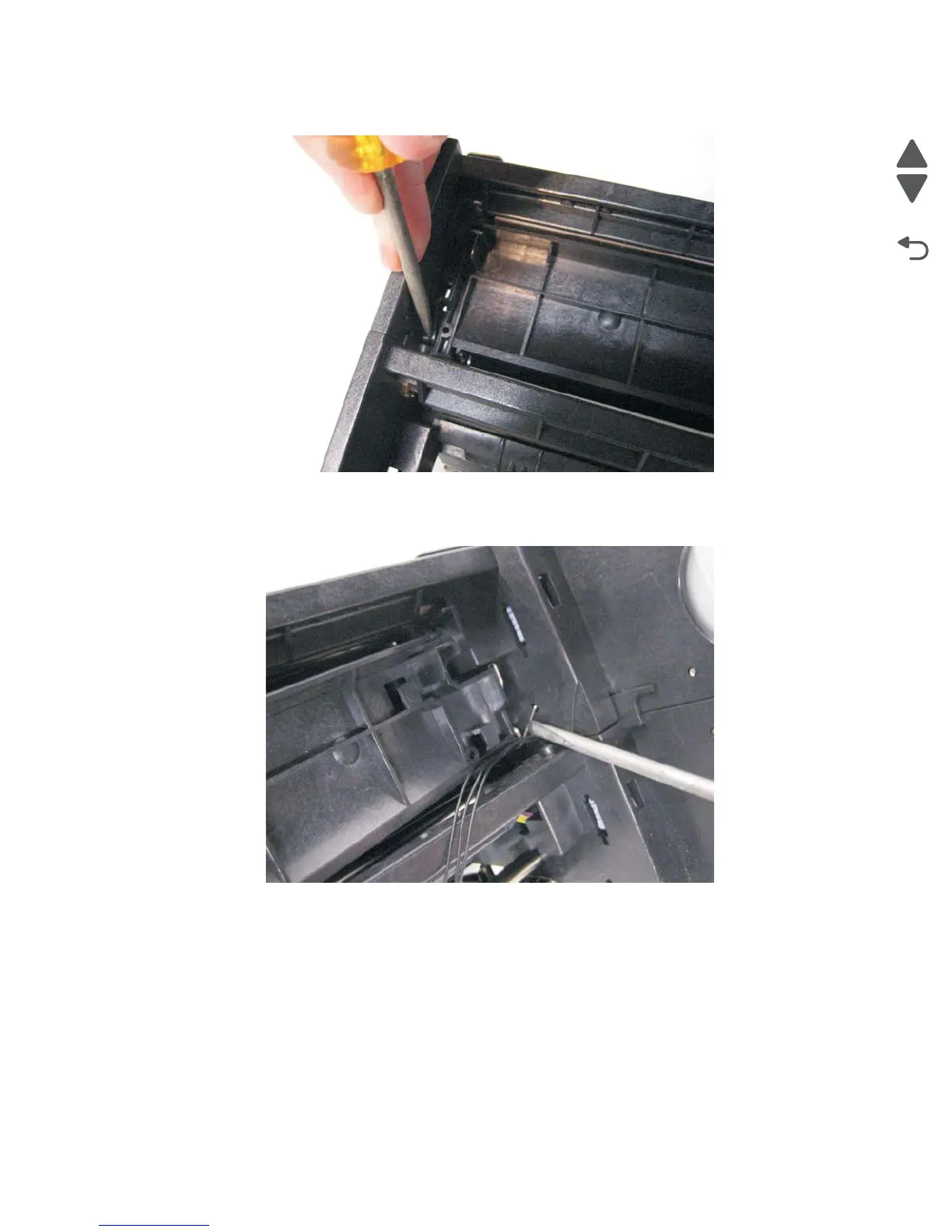
6. Use a flatblade screwdriver to depress the tab that holds the outer paper guide to the paper feed unit.
7. With the tab depressed, gently lift the paper guide up.
8. Use a flatblade screw driver to gently remove the guide spring from the paper feed unit. Note:The spring
should remain on the paper guide.
9. Remove the outer multi-purpose tray paper guide from the paper feed unit. This guide will be used on the
new paper feed unit.



 To Next Page