1-2 Service Manual
5041-030
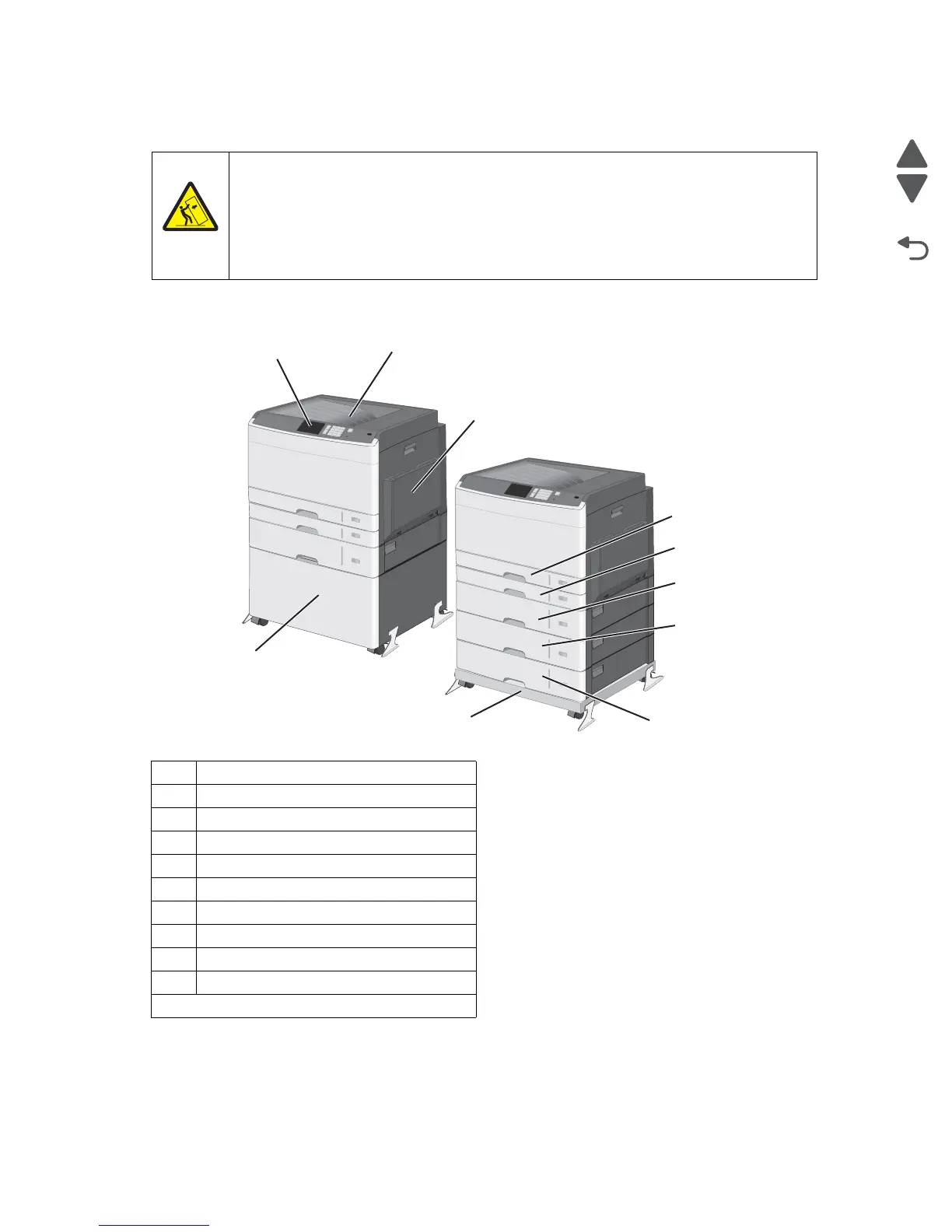
Printer configurations
.
1 4.3” touchscreen display
2 Output bin
3 MPF feeder
4 Standard 250-sheet tray (tray 1)
5 MPF 250-sheet tray (tray 2
6 550 sheet option tray (tray 3)
7 550 sheet option tray (tray 4)
8 550 sheet option tray (tray 5)
9 Base unit
10 Storage cabinet
*
The printer supports up to three 550-sheet trays.
CAUTION—TIPPING HAZARD
Floor-mounted configurations require additional furniture for stability. You must use either a
printer stand or printer base if you are using a high-capacity input tray, a duplex unit and an
input option, or more than one input option. If you purchased a multifunction printer (MFP) that
scans, copies, and faxes, you may need additional furniture. For more information, see
www.lexmark.com/multifunctionprinters.



 To Next Page