Repair information 4-119
5041-030
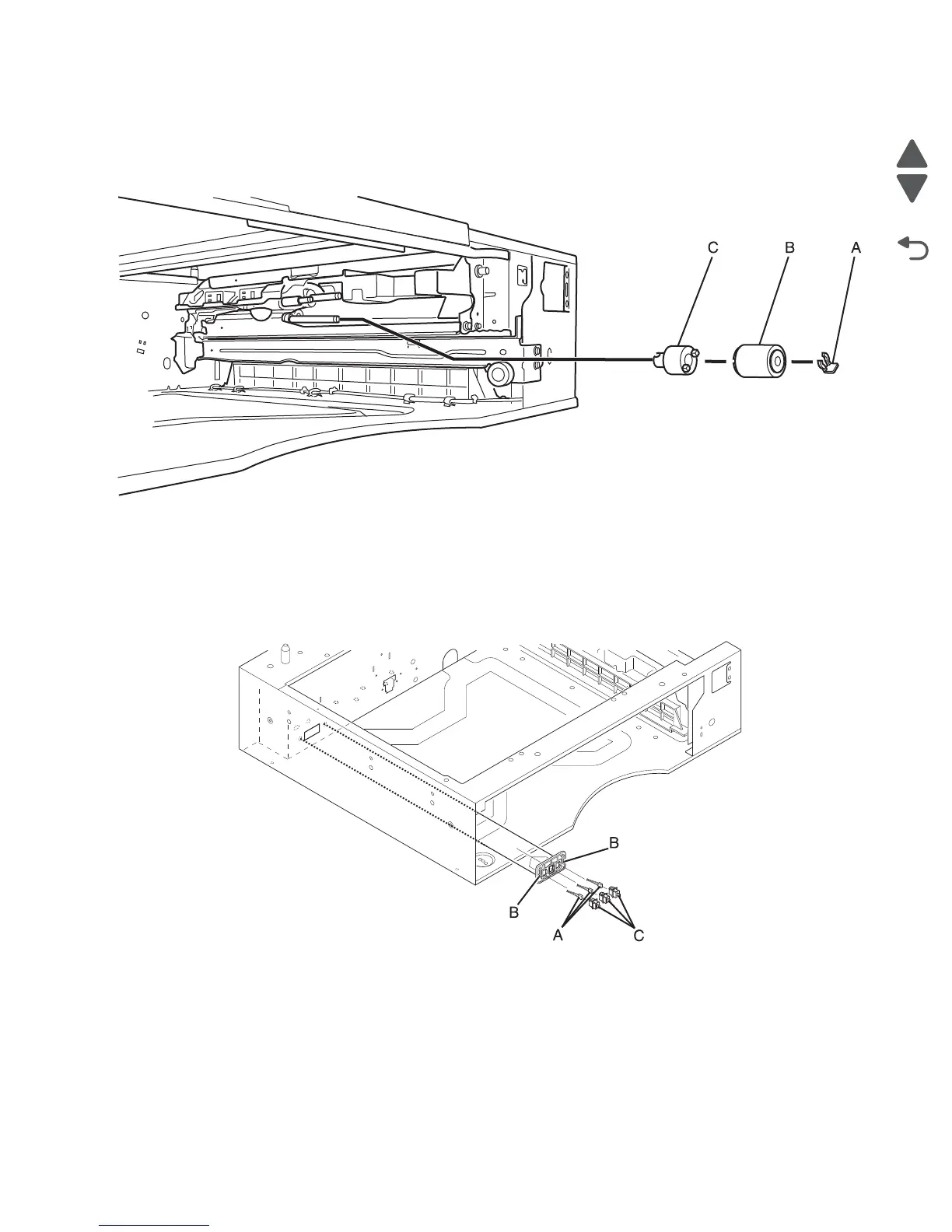
Separator roll removal
1. Remove the paper tray from the option paper feed unit.
2. Remove the clip (A) securing the separator roll to the shaft.
3. Slide the separator roll (B) off the shaft to remove it.
Paper size switches removal
1. Remove the paper tray from the option paper feed unit.
2. Disconnect the cables (A) from the sensors.
3. Remove the two screws (B) securing the sensor mounting bracket to the option tray rear frame.
4. Remove the switches (C) from the bracket.



 To Next Page